
Create your packages
Packages are what you charge clients for: one payment, or a subscription billed weekly to yearly. Create them, choose who covers card fees, and archive them.

A package is something you charge for, with its price. It's either one payment, such as a 12-week block, or a subscription that renews weekly, fortnightly, monthly, quarterly or yearly. You create packages once, then charge any client for them from their profile. Each package becomes a real price on your Stripe account.
The 'Packages' tab appears in Client Billing once your Stripe account is ready. If you're not there yet, start with connecting Stripe.
Create a package
- Open Account Settings, choose 'Client Billing', then the 'Packages' tab.
- Give it a 'Name' your client will recognise, like "Monthly online coaching". Your client sees it in their payment email and on Stripe's checkout page. A 'Description (optional)' can say more.
- Choose the 'Type': 'One-off' for a single payment, or 'Recurring' for a subscription.
- For a recurring package, choose how often it's 'Billed': 'Weekly', 'Fortnightly', 'Monthly', 'Quarterly' or 'Yearly'.
- Enter 'Your price'. It's in your Stripe account's currency, shown next to the label.
- Check the preview, then click 'Add package'.
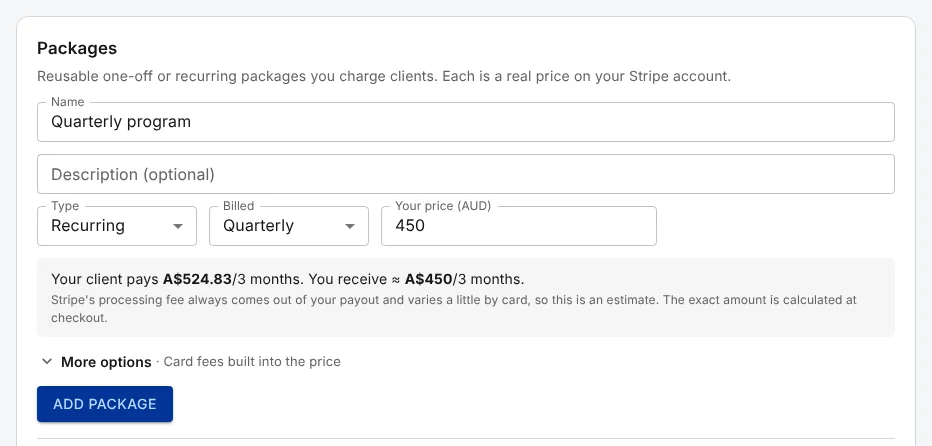
The preview shows what your client pays and roughly what you receive. Here, a quarterly program priced at A$450 costs the client A$524.83 every three months, because the card fees are built into the price.
Choose who covers the fees
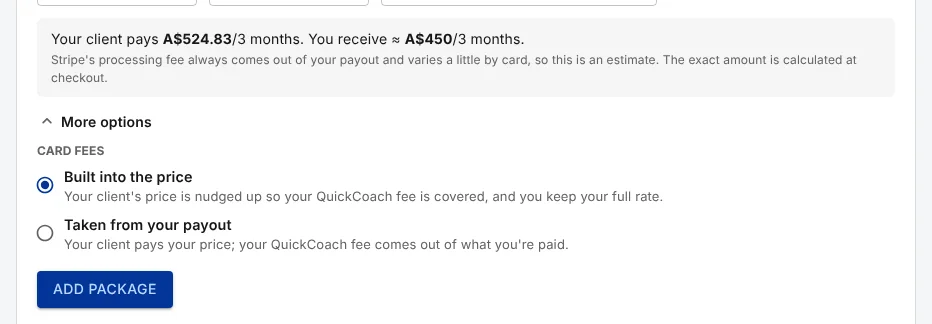
Open 'More options' to choose how this package handles fees. 'Card fees' here covers both the QuickCoach platform fee and Stripe's processing fee.
- 'Built into the price' is the default. Your client's price is raised to cover the QuickCoach fee and an estimate of Stripe's fee, so you receive about the price you set. Stripe's exact fee depends on the card, which is why the preview says "about".
- 'Taken from your payout' charges your client exactly your price. Both fees then come out of what you receive.
The fees themselves, 12.5% of each payment on Free and 3.5% on Pro plus Stripe's fee, are explained in what Client Billing costs.
A package keeps the fee it was created with
A one-off package charges the platform fee that applied when you created it, for as long as you use it. So after upgrading to Pro, create new one-off packages to charge the Pro rate, and archive the old ones.
Subscriptions work differently. Once a client is subscribed, the subscription moves to your current plan's fee from its next payment, whichever package it came from.
Change or retire a package
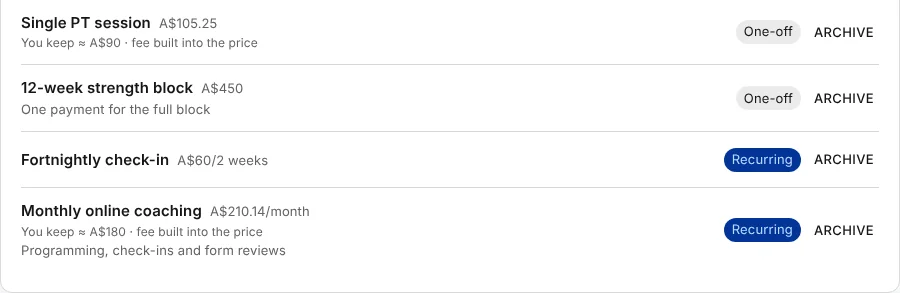
Packages can't be edited, because each one is a fixed price in Stripe. To change a price or a name, create a new package and archive the old one.
Click 'Archive' next to a package to retire it. It disappears from the list and can't be charged to new clients, but clients already subscribed to it keep paying on their schedule. If they should stop, cancel their subscriptions as well.
With your packages ready, you can charge a client.