
Nutrition in client plans
Food search, calories, macros, photo scanning and a client food log all come with core QuickCoach Pro. Here's what's included and where the barcode add-on fits.

Pro brings nutrition into the same plan your clients already train from, so food doesn't live in a second app you can't see.
What's included with Pro
- Food search with calories and macros
- Food photo scanning
- A client food log you can review from your coach view
- Daily macro targets, set from the client's profile
All of this is part of core Pro. Nothing on that list needs an add-on. For current prices, see the plans and pricing overview, and for the full Free-versus-Pro picture, see all you need to know about QuickCoach Pro.
Weighing this up against a separate nutrition tool? Nutrition coaching software: what it actually costs lays the going rates side by side, and the release announcement covers what arrived in Pro in July 2026.
See it in action
Watch the video walkthrough (5:18) for a few ways to offer nutrition coaching, from sharing recipes and meal plans to tracking macros.
Note: QuickCoach's features and screen layouts may change over time, but the core workflow stays the same.
How food photo scanning works
Not every client will weigh chicken breast. Photo scanning meets them where they are.
- They open the food log in the client app.
- They take a photo of the meal.
- They review the estimate and save it to the log.
Photo-based results are estimates, and it's worth saying that to clients plainly. For most coaching goals, a consistent estimate beats an abandoned food diary. For clients cutting to a deadline, combine photos with proper weighing on key foods.
Photo scanning is part of core Pro nutrition. It is not part of the Nutrition Booster Pack, which only adds barcode scanning.
The Nutrition Booster Pack: barcode scanning only
The Nutrition Booster Pack is an optional add-on for Pro, billed separately at $12.99 per month. It adds one thing: barcode scanning, so clients can log packaged foods by scanning them instead of searching.
Everything else stays in core Pro and does not sit behind the add-on:
- Food search
- Food photo scanning
- Calories and macros
- The client food log
- Nutrition in plans
Put simply, standard nutrition works fully without it. Consider the Booster Pack when your clients log a lot of packaged and branded foods and the seconds saved per scan add up. You can add or remove it from your account settings at any time. It bills separately from the Pro subscription, alongside the other add-on, Coach Workflows; both are covered on the pricing page.
Track daily macros
There's no need to build a macro tracker into a plan: set a client's daily targets with Assign Macros on their profile, and they log against those targets in their Food Diary (see the client guide to the Food Diary). For a behaviour layer on top, pair it with habit tracking.
Add images to meals
A photo shows clients exactly what a meal should look like, which takes the guesswork out of a plan. Task images are a Pro feature.
- Open the Task Library.
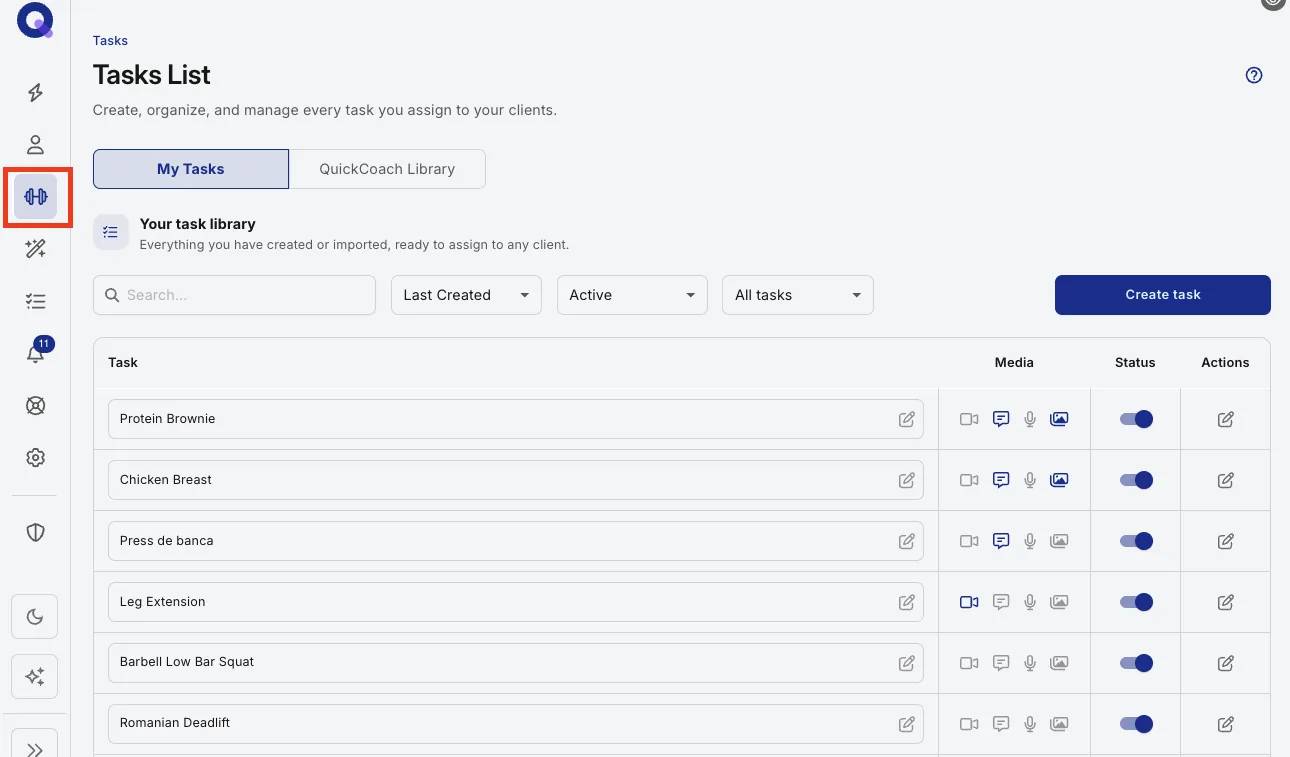
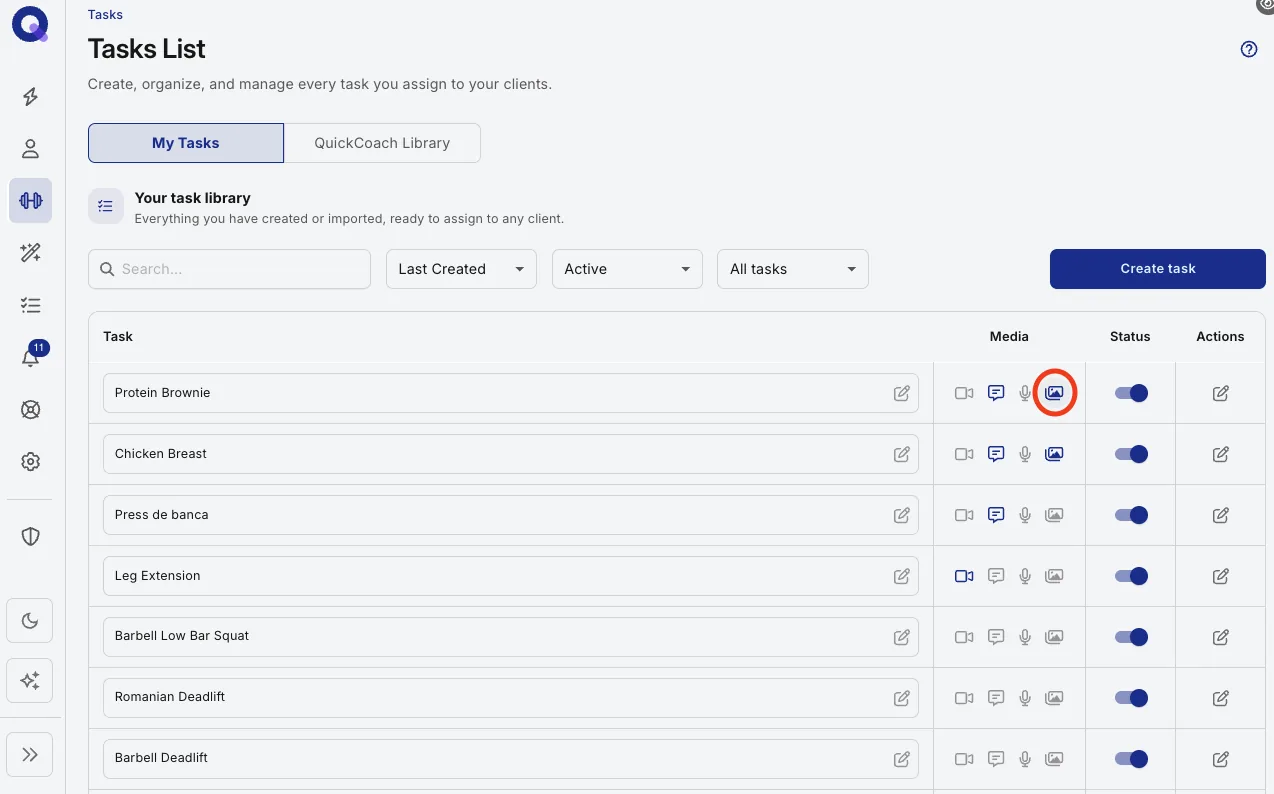
- Click the media icon on the meal you'd like to add an image to.
- Click Add Image, choose your photo and click Complete.
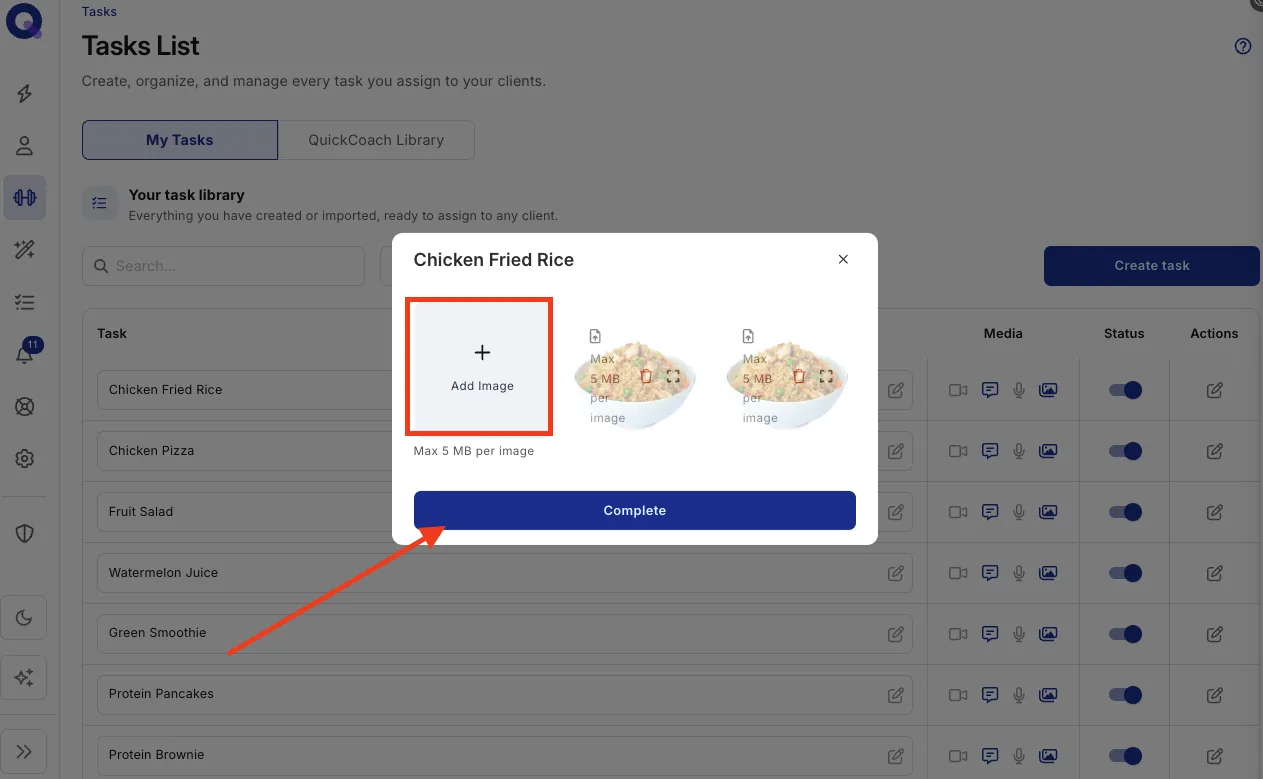
Your client now sees the image alongside the meal in their app. A clear photo of the actual meal beats stock imagery every time, because the client is matching what's on their plate to what's on their screen. Tasks can carry video, audio and notes too; adding media to tasks covers the lot.