
Your client's Activity tab
What clients see on their Activity tab on Pro: streaks, weekly activity, exercise completion, habit consistency and their first versus latest results.

Clients see their plans on the Plans tab. On Pro, they also get an Activity tab: a page of their own progress, built from the plans they finish and the results they log. It answers the question every client asks sooner or later, "is this working?", without them having to ask you.
Plan: the Activity tab appears for clients of Pro coaches. On the free plan the tab is hidden, and your client's results are still saved in their History on your side.
What's on the Activity tab
The tab sits next to Plans at the top of your client's home screen. It opens with a ring showing what share of their plans they've completed, and three numbers beside it: their Current Streak, their Best Streak and the number of Plans Done. The home screen also celebrates a streak with a small badge next to their name.
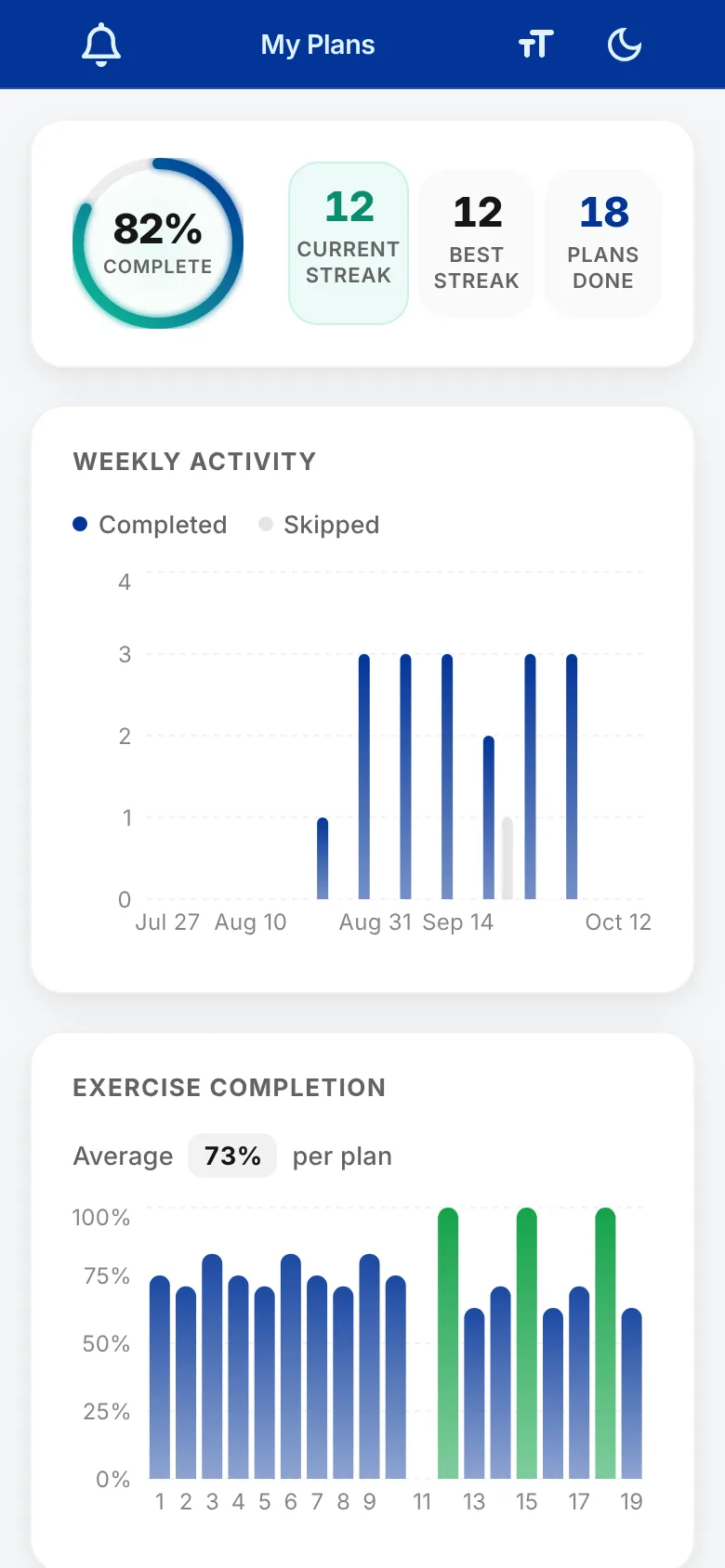
Below that are these sections:
- Weekly Activity shows completed and skipped plans week by week, so a quiet fortnight is obvious.
- Exercise Completion shows what share of the exercises in each plan they completed, with their average per plan.
- Habit Consistency appears if you track habits. Each habit shows its latest check-in and opens to the full dated history. See the client guide to logging habits.
- My Exercises lists the exercises they've logged. They can tap one to compare their first and last result and see every result in between.
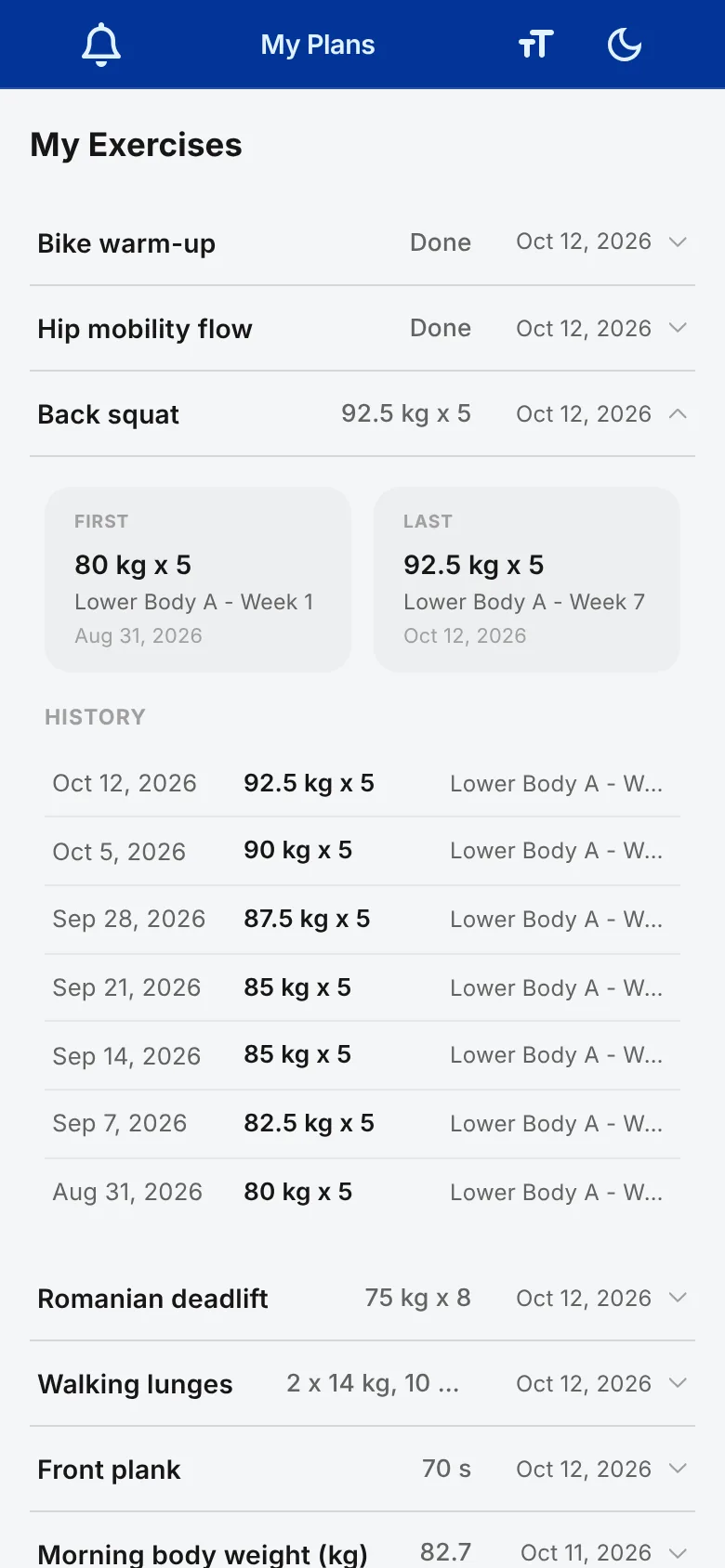
Until a client has completed or skipped their first plan, the tab shows "No insights yet" in place of the charts.
Getting the most out of it
The Activity tab is only as good as what clients log, and the most useful number on it is the first-versus-latest comparison. Two habits make it shine:
- Add the exercises you programme to your task library, so each one keeps a history. Tasks outside the library don't appear in My Exercises.
- Ask clients to log a real number in the Result box, such as "60 kg x 8", rather than just ticking the task off.
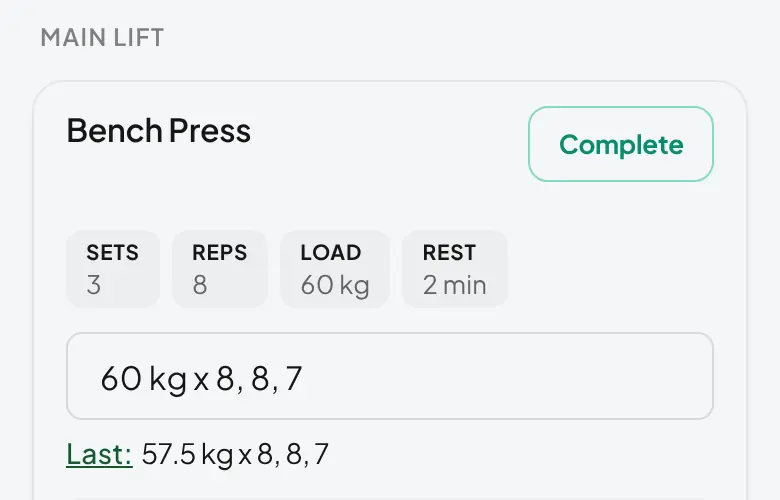
On your side, the same data sits in the client's History and results.
Training Insights on Pro
Training Insights is the Pro feature behind this tab. It lives in your client's app, on this tab, and only for clients of Pro coaches. There's no separate coach screen and no roster-wide analytics page.
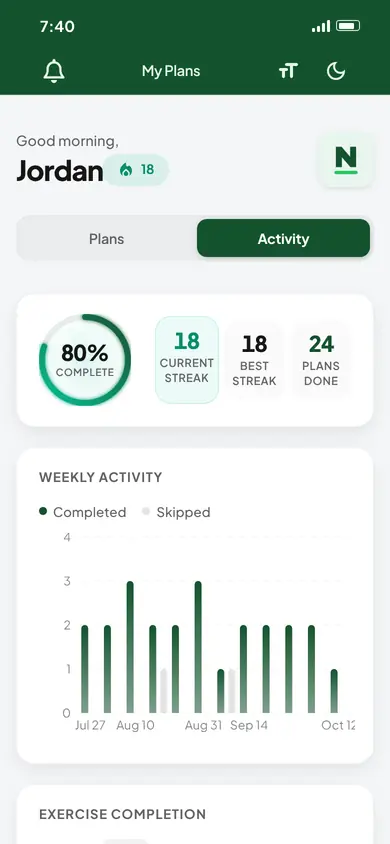
To use it in your own coaching, look at what your client sees: on the client's page, click the Open Client App icon next to their app link. Skim the Weekly Activity chart before you write the next block or reply to a check-in, and patterns stand out: three missed Mondays is a scheduling problem, not a motivation problem. For the detail behind any single result, open the client's Past Performance tile, where every logged result sits with its full record.
The tab gets richer the more consistently clients log, so it pairs naturally with habit tracking. Wondering what's worth watching beyond the workout? What online coaches track on our main site ranks it using QuickCoach platform data.