
Using headings and supersets
Split any plan into sections with headings (also searched for as headers) and link tasks into supersets, straight from the three-dot menu in the plan builder.

Headings and supersets let you build any type of workout, nutrition or habit plan. Adding them is simple, and this article covers both sides: how you create them, and what your client sees.
Watch the video walkthrough (2:05).
Note: QuickCoach's features and screen layouts may change over time, but the core workflow stays the same.
Add a heading or superset
Inside the plan builder, click the three vertical dots at the end of any row.
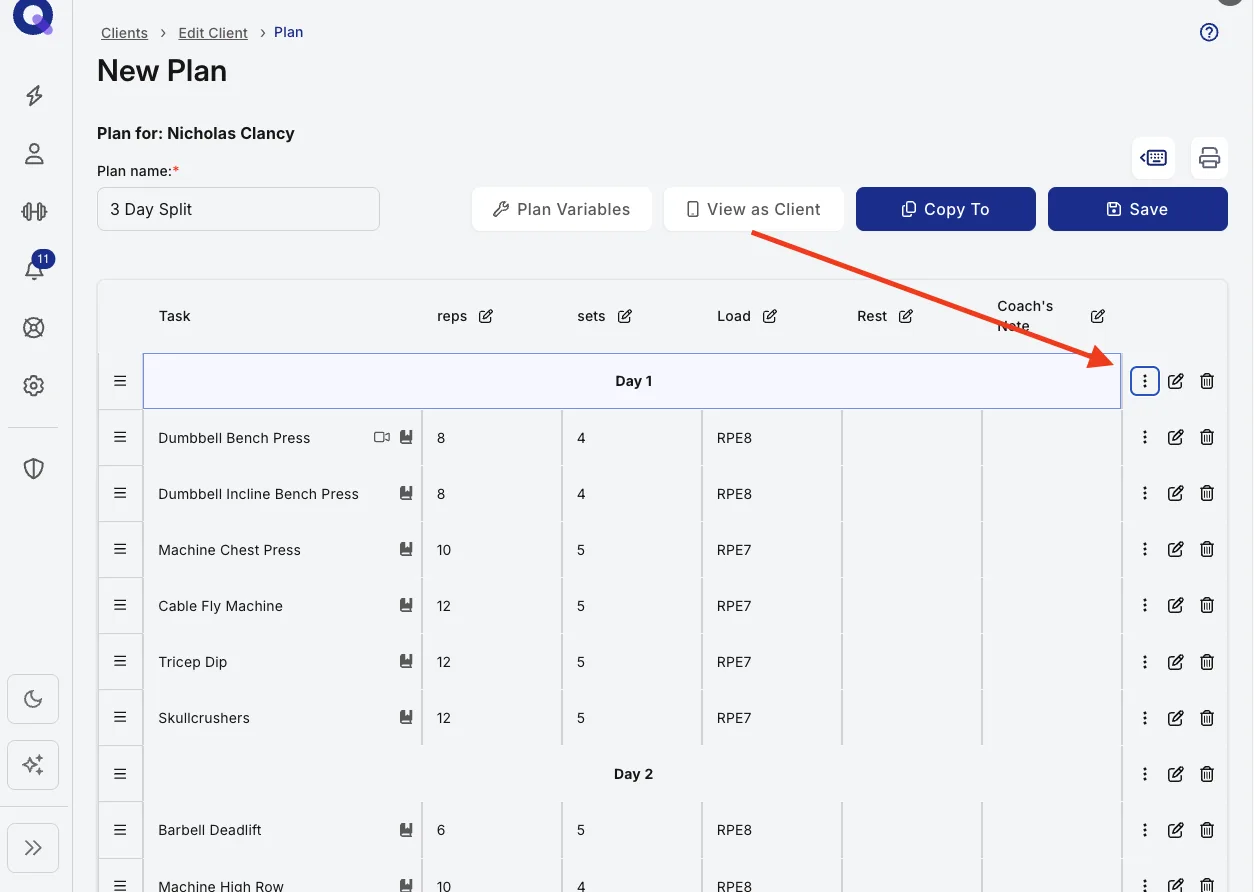
You'll see the options 'Create Superset' and 'Create Heading'.
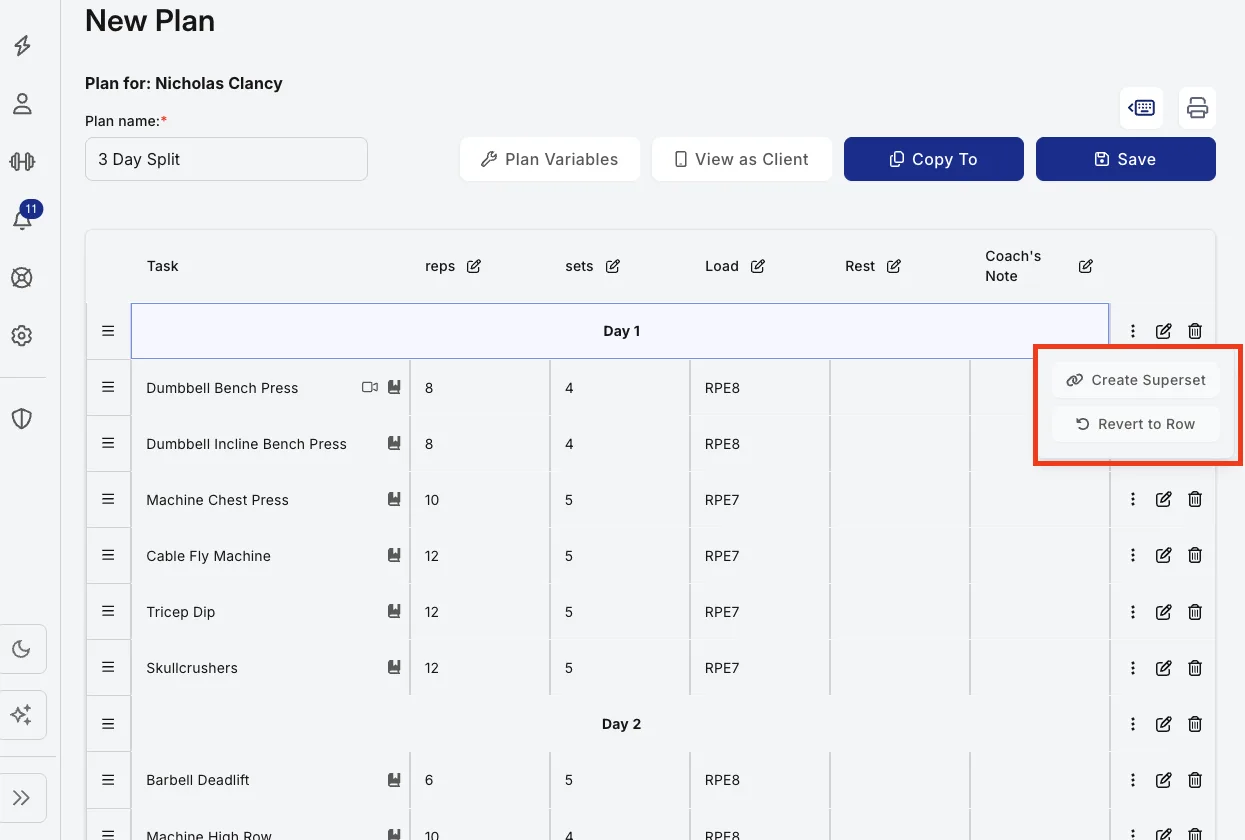
What headings are for
A heading creates separate sections in your plan. Coaches often use them to label parts of a session, such as the warm-up, the strength work and the cool-down.
Note: headings cannot have video, written or audio notes attached to them.
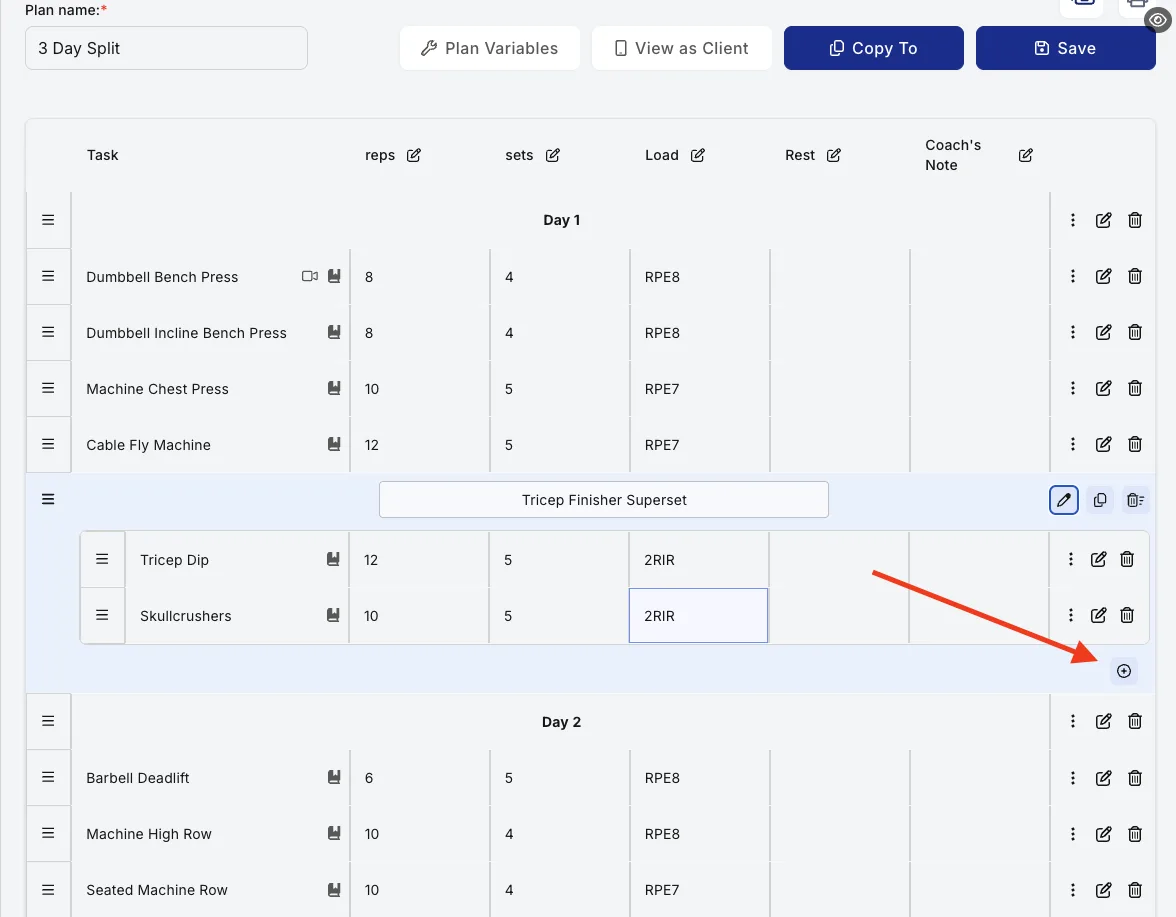
How supersets work
Supersets link tasks together, and a superset can hold as many tasks as you like. Add tasks by clicking the + icon that appears, or by dragging any row inside the superset. To remove something, drag it back out.
What your client sees
Headings and supersets carry over to the client's view, styled in your theme colour. Here's how each one lands on their side.
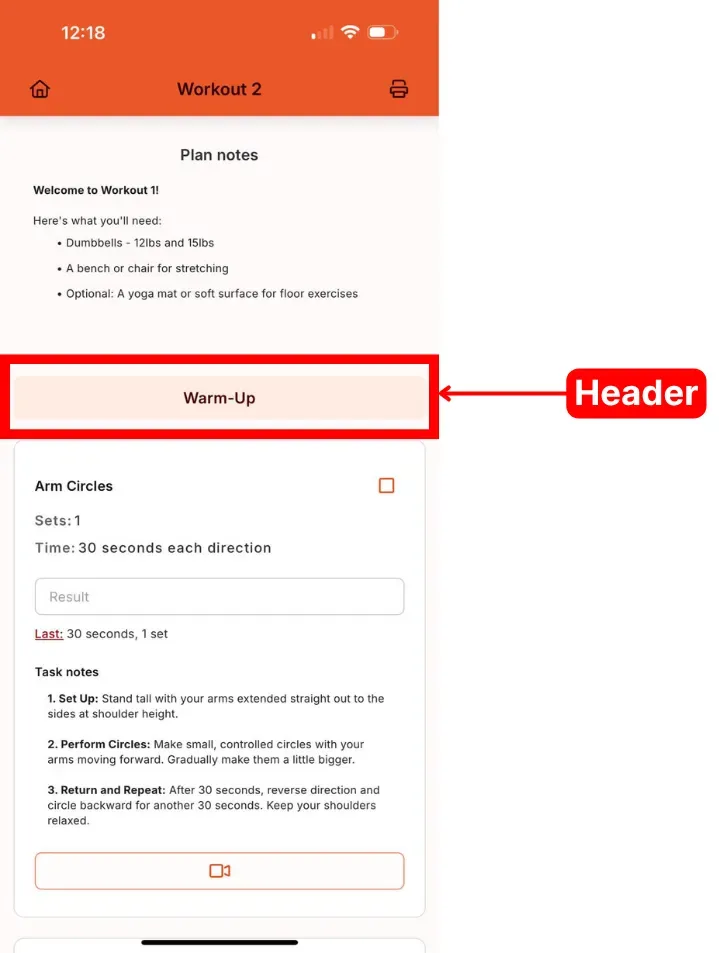
Headings
On the client side a heading shows as a coloured band across the plan, tinted with the theme colour set in your app settings. A Warm-Up block sits as a clear divider above the main work.
Supersets
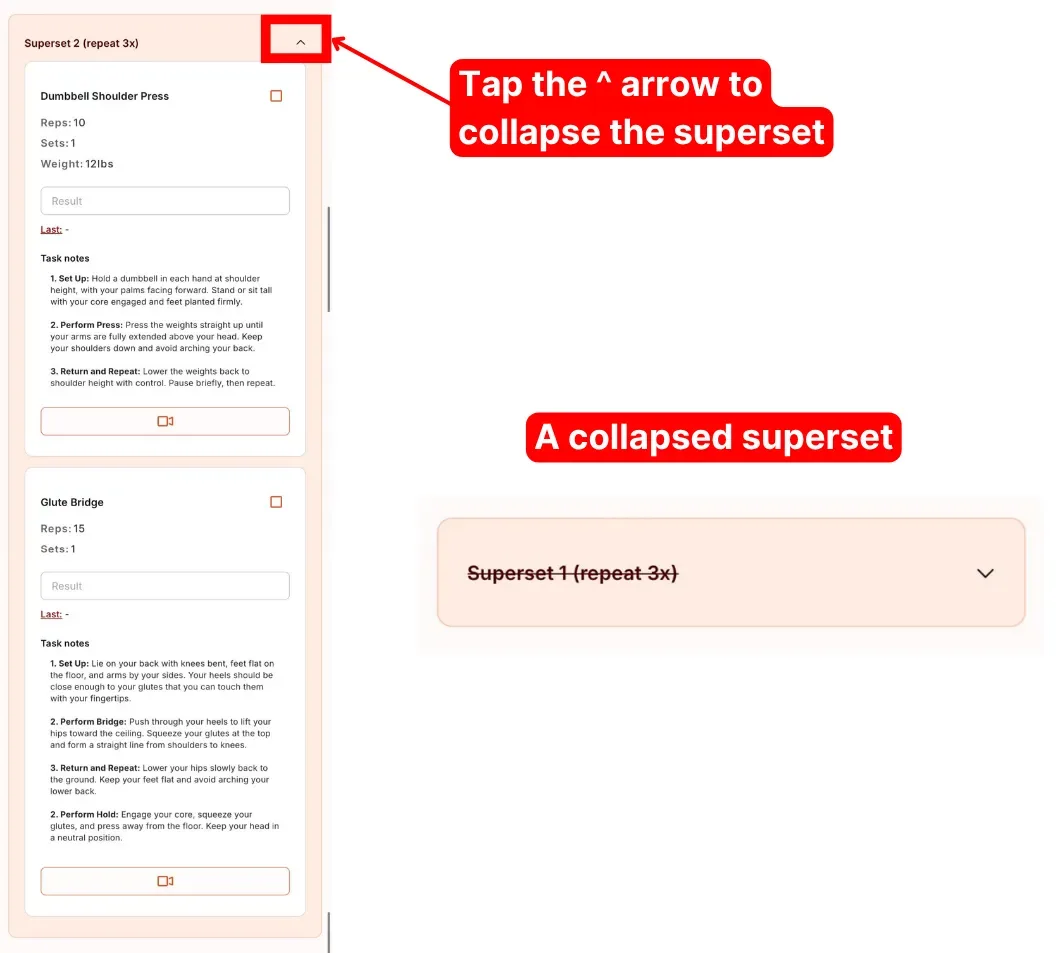
Clients see the grouped tasks inside a coloured box, again using your theme colour. The arrow at the top of the box collapses or reopens the superset, so a client can tuck it away once they've read it.
Headings inside supersets
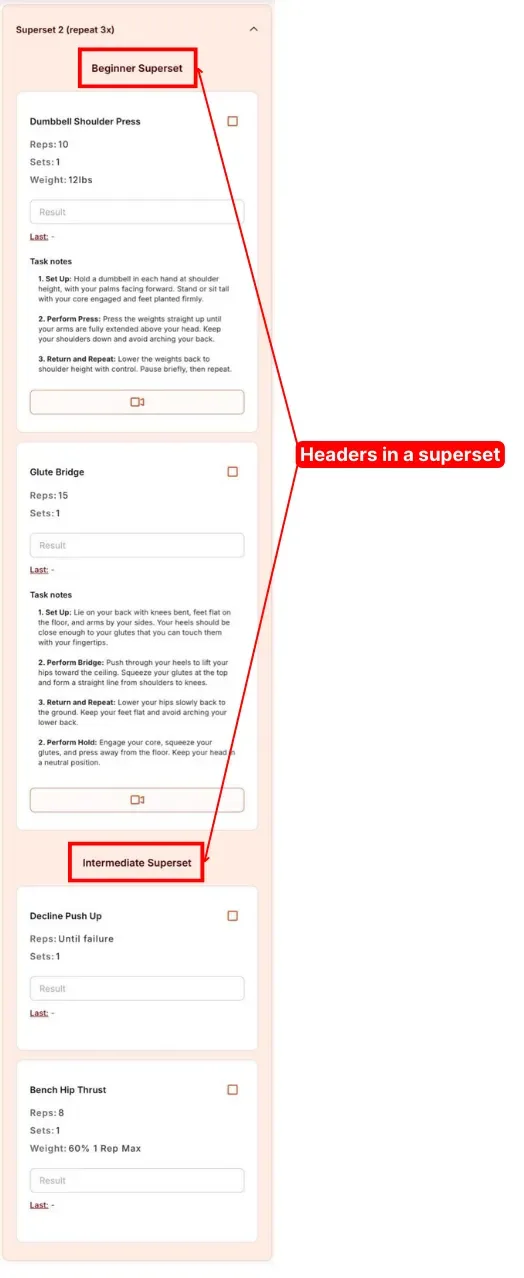
You can put a heading inside a superset too. Nothing changes for the client in how it works, it just labels the tasks within the group. Here's how that combination looks on their side.
Tip: The colour on headings and superset boxes comes from your app theme, so setting it up is part of your custom-branded client app. For the rest of the client-side plan, see what clients see inside a plan.
Workout formats: AMRAPs, circuits, EMOMs and ladders
There's no special setting for conditioning formats. AMRAPs, circuits, EMOMs and ladders all come from the same three tools used in different ways:
- Headings label a block, so the rules sit right above the exercises, for example "AMRAP 12 minutes" or "EMOM 10 minutes".
- Supersets group the exercises that run back to back, which is how you build a circuit or an EMOM round. Put the round count in the superset's name, such as "Circuit (repeat 3x)".
- Plan variables carry the detail. Rename a column to "Round", "Minute" or "Reps" in Plan Variables to fit the format, or write a ladder's rep scheme (2-4-6-8-10) straight into the reps column.
For an AMRAP, ask the client to type their rounds into the Result box so the score lands in their history. Watch the workout formats walkthrough (4:20) to see each one built step by step.
Build a leaderboard
The same tools stretch to a simple leaderboard. Use a heading for each category you're tracking, one variable for the result, and put the category and the client's name in each task. Leave these tasks out of your task library unless you want their results tracked over time, so your library doesn't fill with one-off entries. A leaderboard is just a plan, so you send it the same way you assign any plan.
Building a lot of circuits? The superset's Copy Superset icon is covered in plan builder shortcuts and settings.