
Viewing your clients' nutrition logs
Open any client's Food Diary from their profile to see each day rolled up by meal with calories and macros totalled, plus history to scan before check-ins.

Everything your clients log rolls up into a daily Food Diary you can open yourself, so nobody has to send you a screenshot. Here's how to view it.
- Go to your Clients page and open the client you'd like to view.
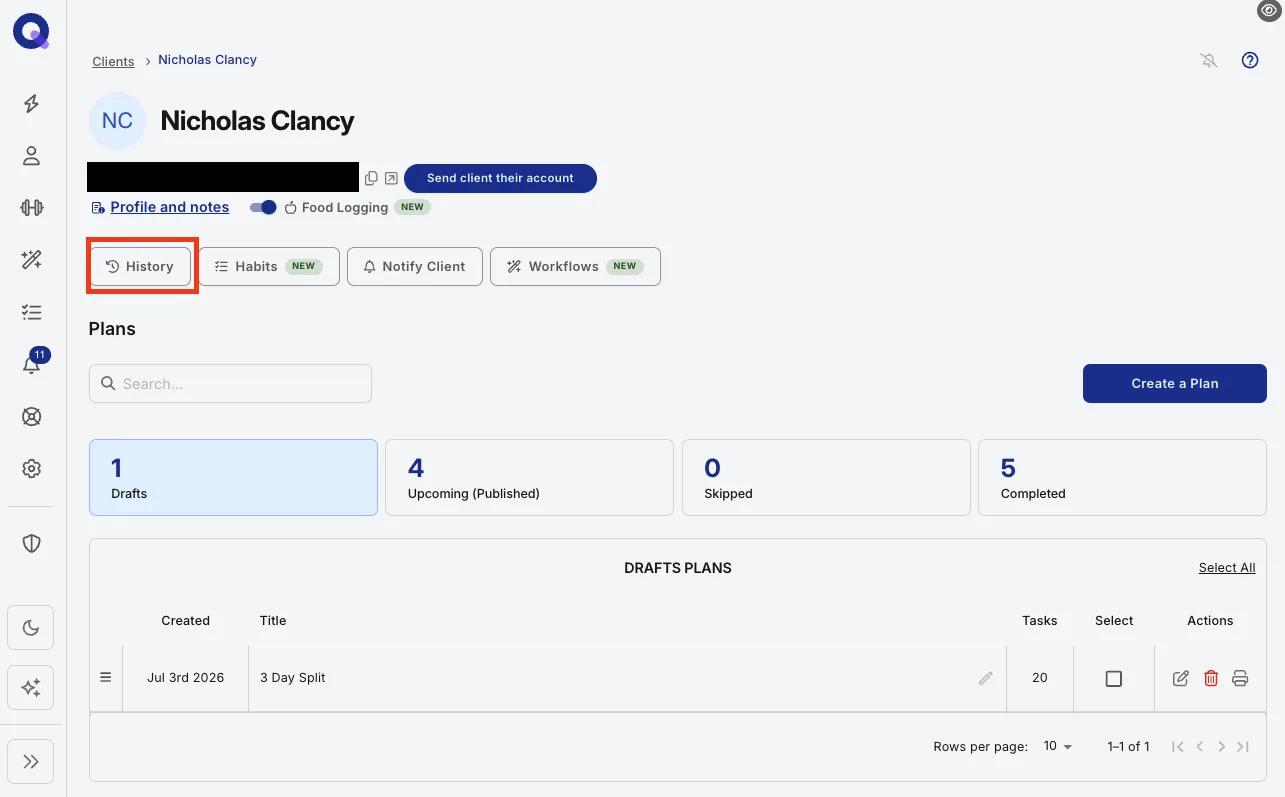
- Open the History tab.
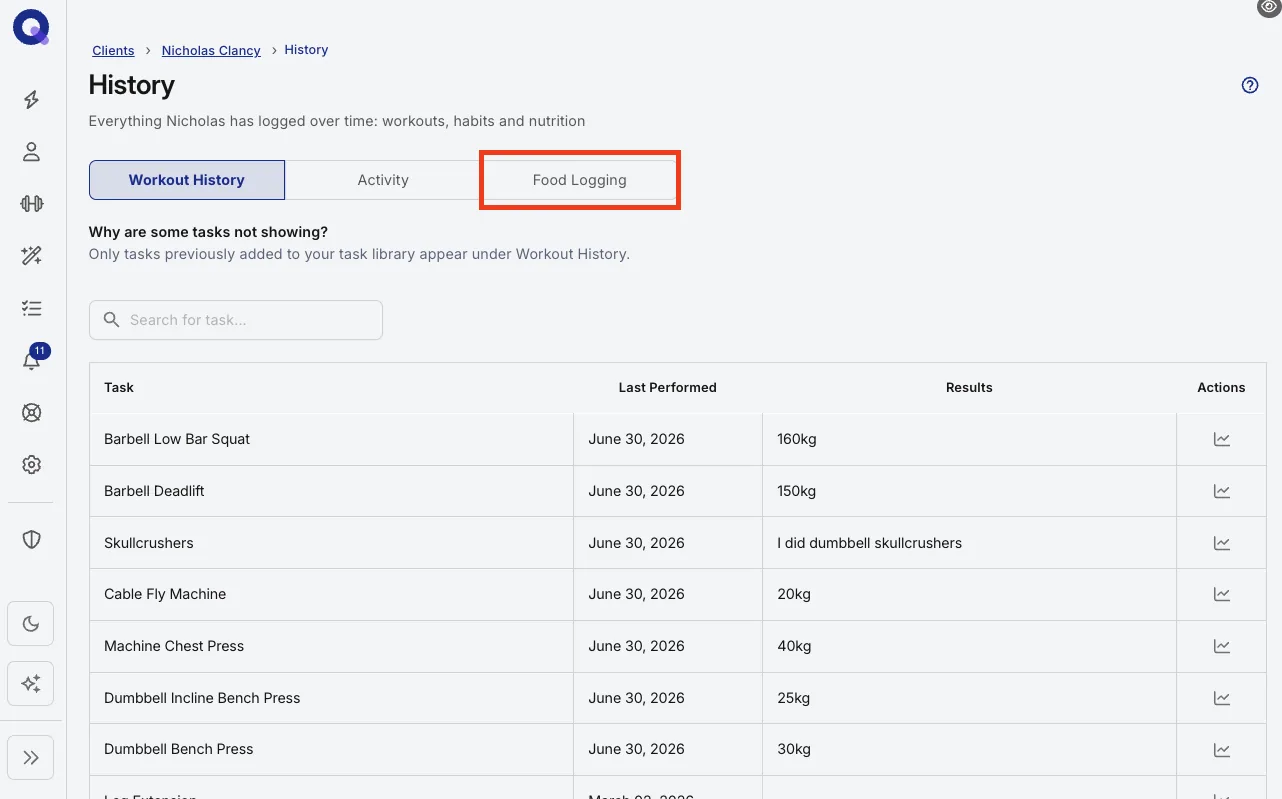
- Click the Food Logging tab.
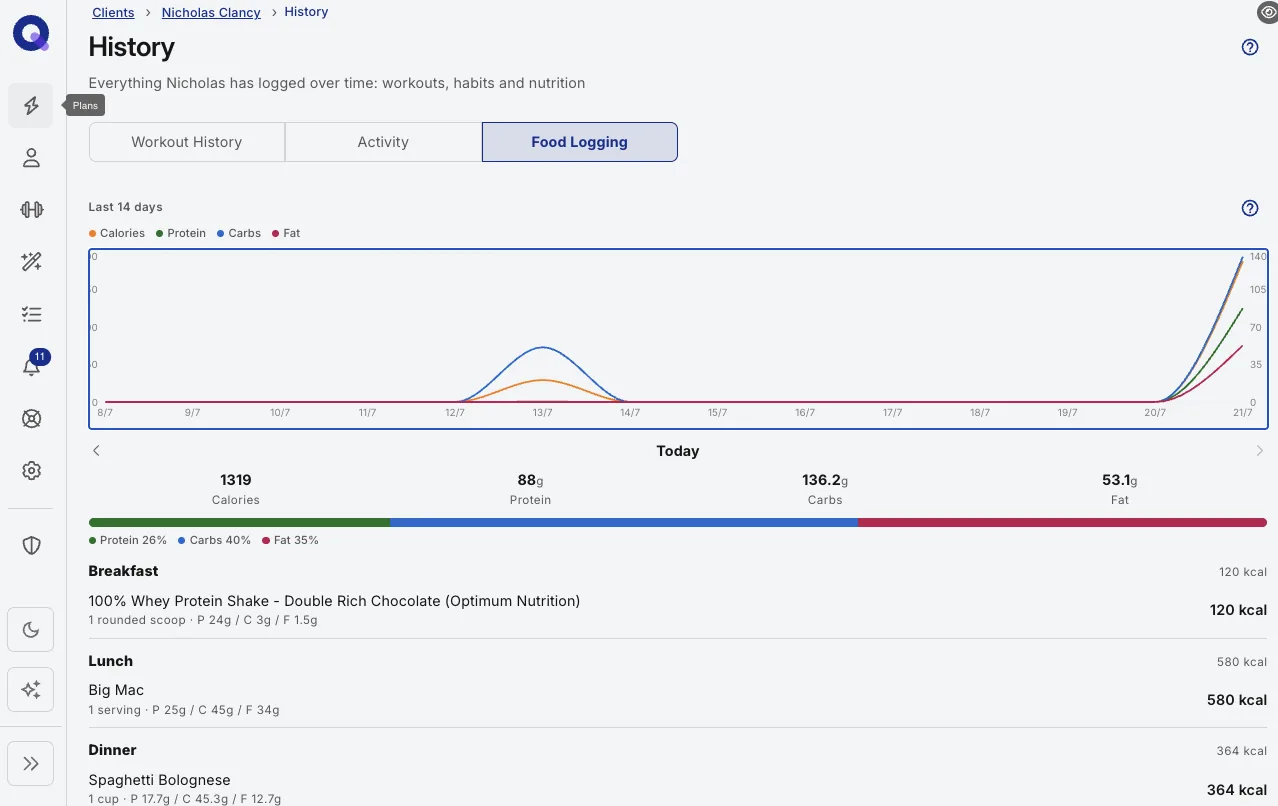
You'll see the day rolled up by meal, with calories and macros totalled, and history you can scan back through before every check-in.
Days in range
If you've assigned macro targets with a target range, the Food Logging tab also shows how often the client landed inside each target's range over the last 14 days. There's one row each for calories, protein, carbs and fat, with a dot per day: green with a tick for in range, blue for under and orange for over. A count such as "9/14 days" sits at the end of each row.
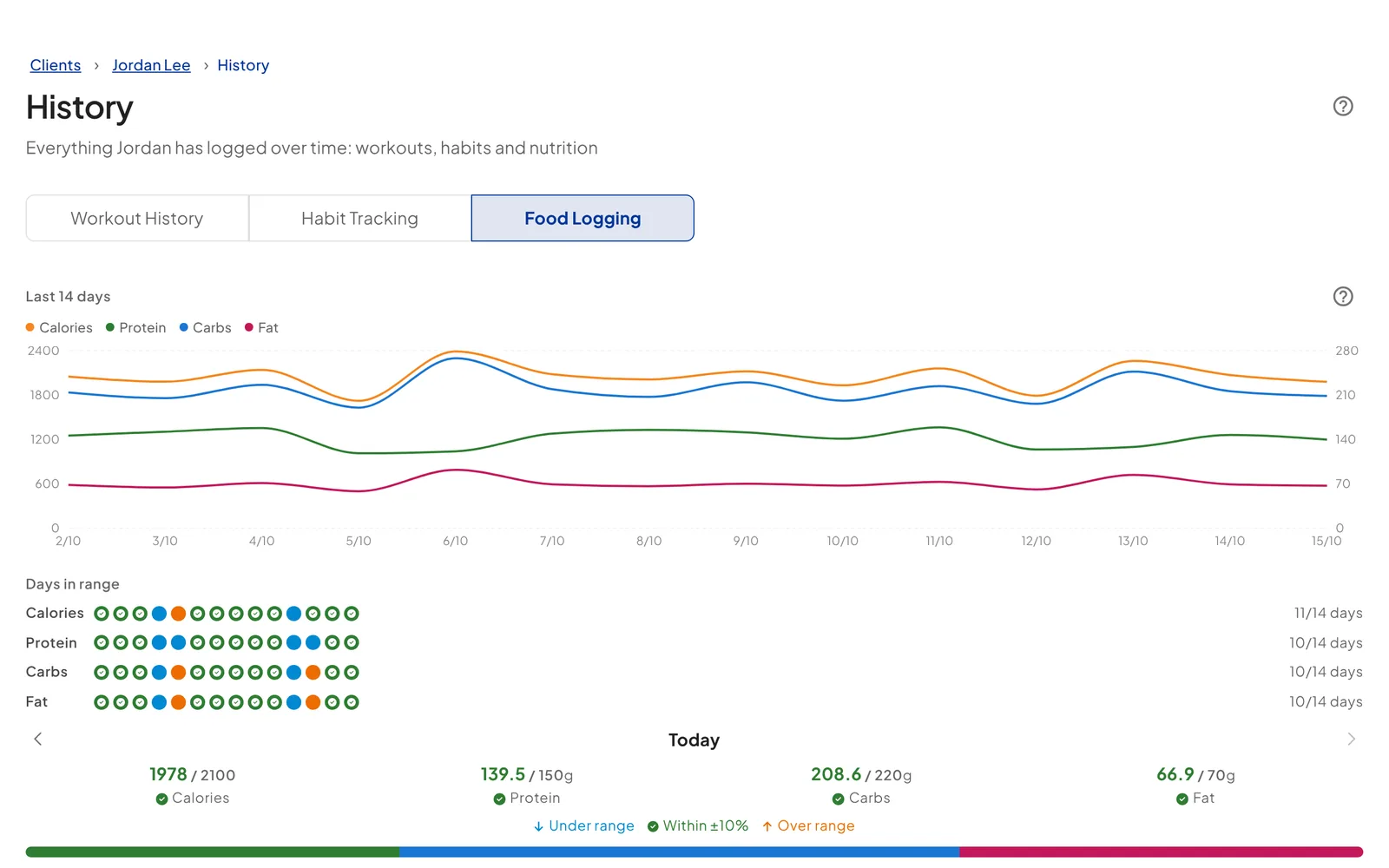
It's the quickest way to spot a pattern. A client who hits calories most days but keeps landing under on protein needs a different conversation from one who's over on weekends. The day's totals below use the same colours, so you can click back to any day to see what happened.
Note: a weekly scan catches drift early, long before it shows up in results or in the conversation.