
A client guide to the Food Diary
For clients: how the Food Diary works, from daily totals and target colours to logging by search, saved foods, photo or barcode and fixing an entry.

If your coach has switched on food logging, your QuickCoach app has a Food Diary tab. It's where you log what you eat, see your totals for the day and, if your coach has set targets, how close you are to them. This guide covers everything on that tab in one place. Feel free to share it with your clients as it is.
Your day at a glance
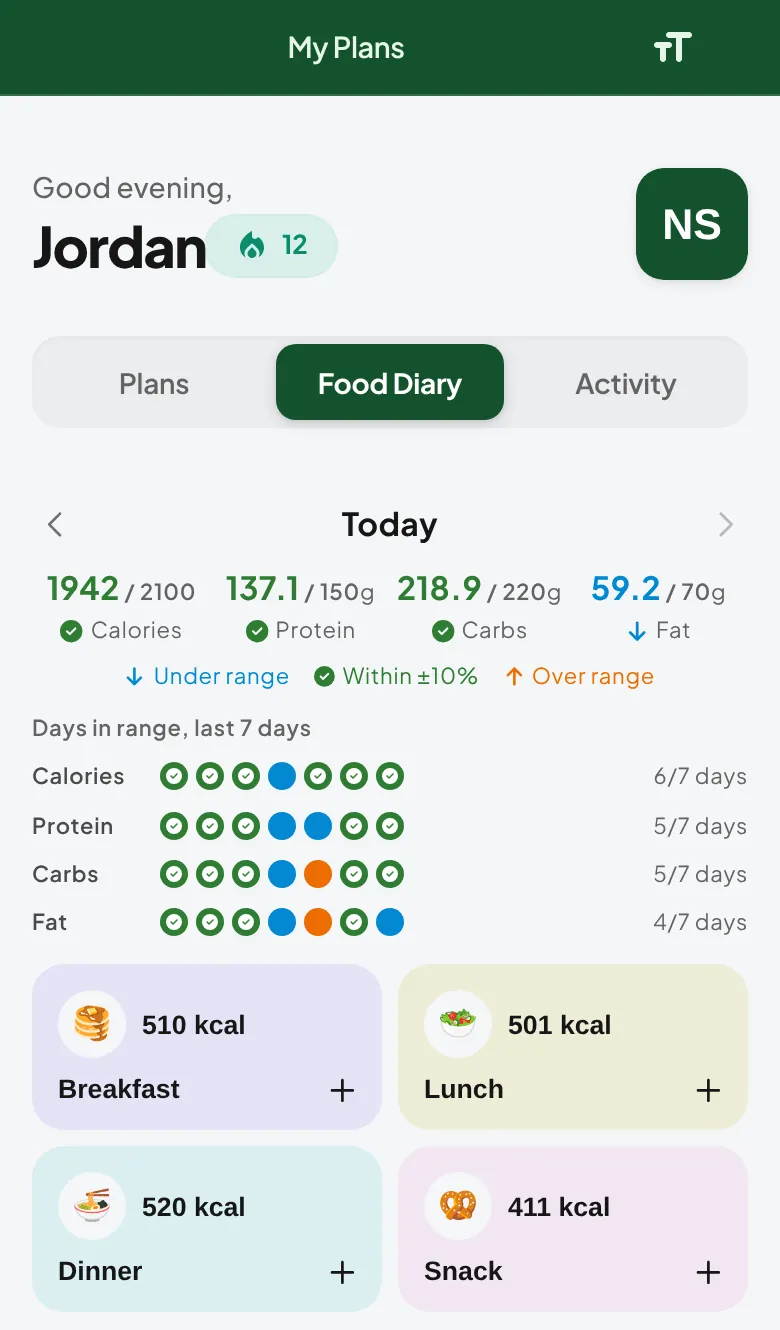
The top of the Food Diary shows the day's calories, protein, carbs and fat. Use the arrows either side of "Today" to look back at another day.
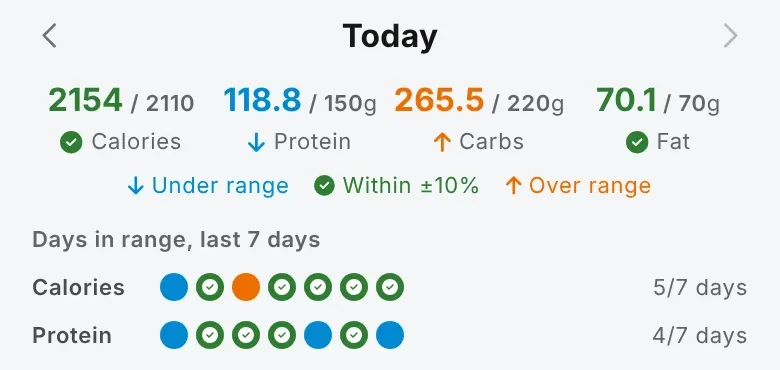
If your coach has assigned targets, each total shows against its target, such as "118 / 150g". Your coach may also have set a target range. When they have, each number turns blue when you're under the range, green with a tick when you're inside it and orange when you're over, and a row of dots shows how many of the last seven days you hit your calories and protein.
Below the totals are four meal cards: Breakfast, Lunch, Dinner and Snack. Each shows its calories for the day.
Log a food
Tap a meal card to open the add screen for that meal. You have four ways in:
- Search. Type a food, meal or brand to search over 2.3 million verified foods. Tap a result to add it, or tap the pencil to change the portion first. Logging food from the verified database has the step by step.
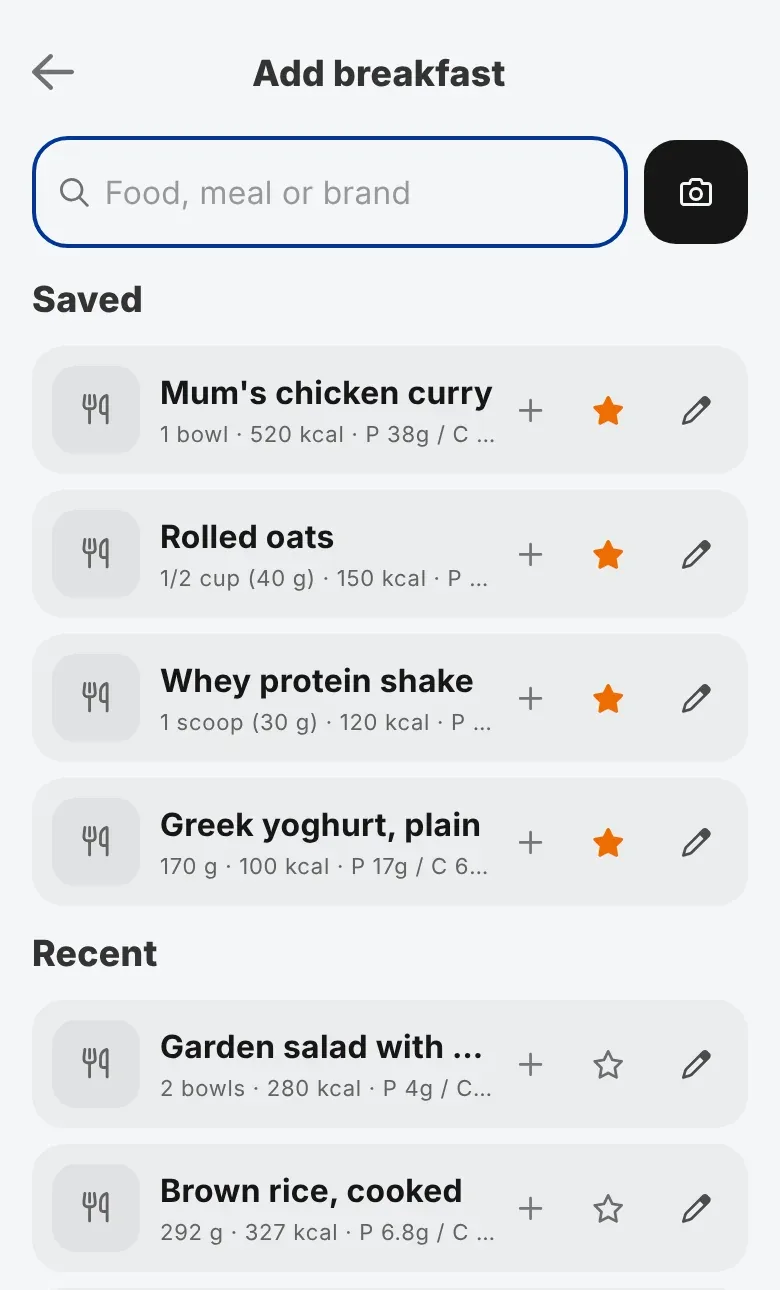
- Saved and Recent. Before you type, the screen lists foods you've starred (Saved) and the foods you've logged lately (Recent). Tap the star on any food to save it.
- Scan a photo. Take a photo of your plate and pick the foods it recognises. Snap & Log explains how. Photo results are estimates, so check the portions before you add them.
- Barcode. If your coach has the Nutrition Booster Pack, you can scan a packet's barcode. See barcode scanning.
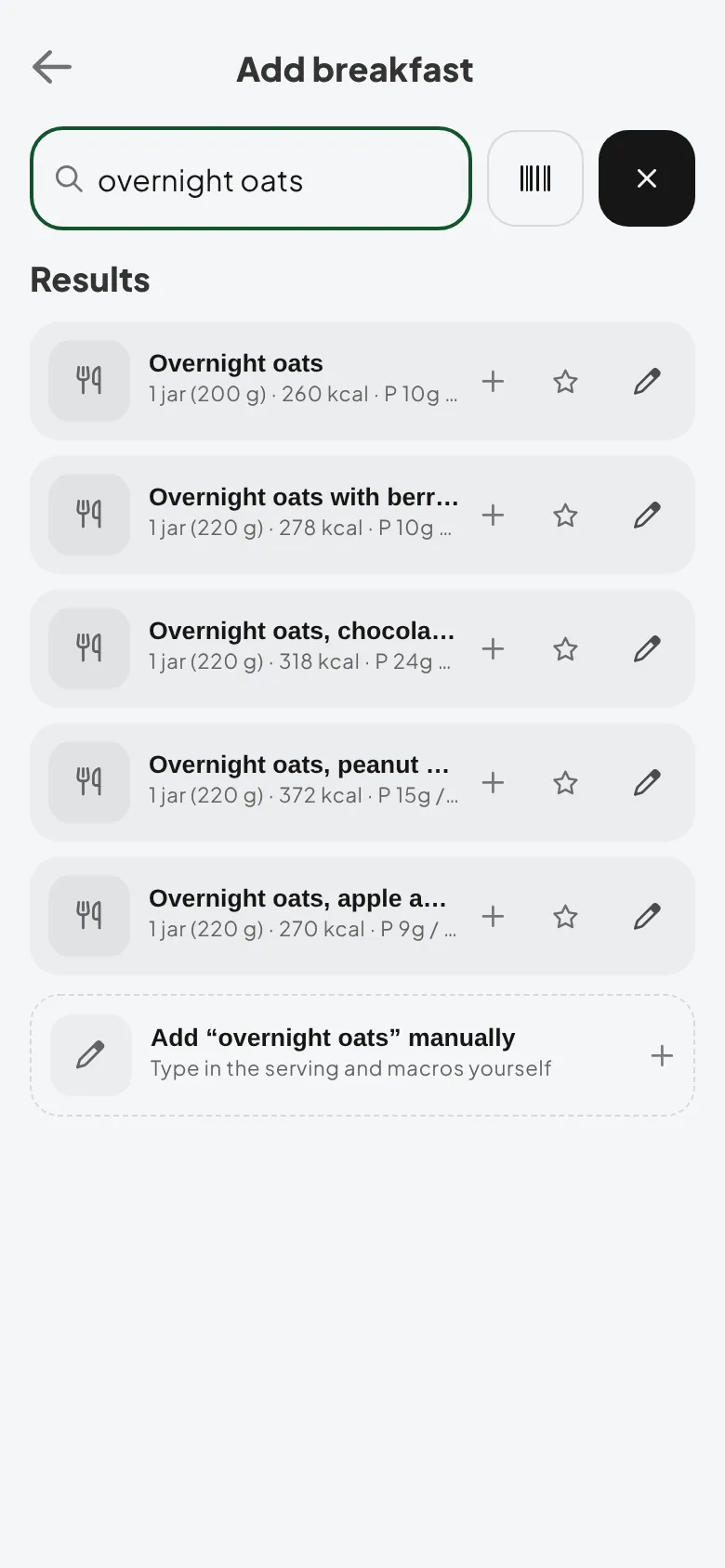
Can't find something? Choose Add a food manually and type in the name, serving and macros yourself. Home-cooked meals are easiest this way: save them once and they're always a tap away.
Fix a mistake
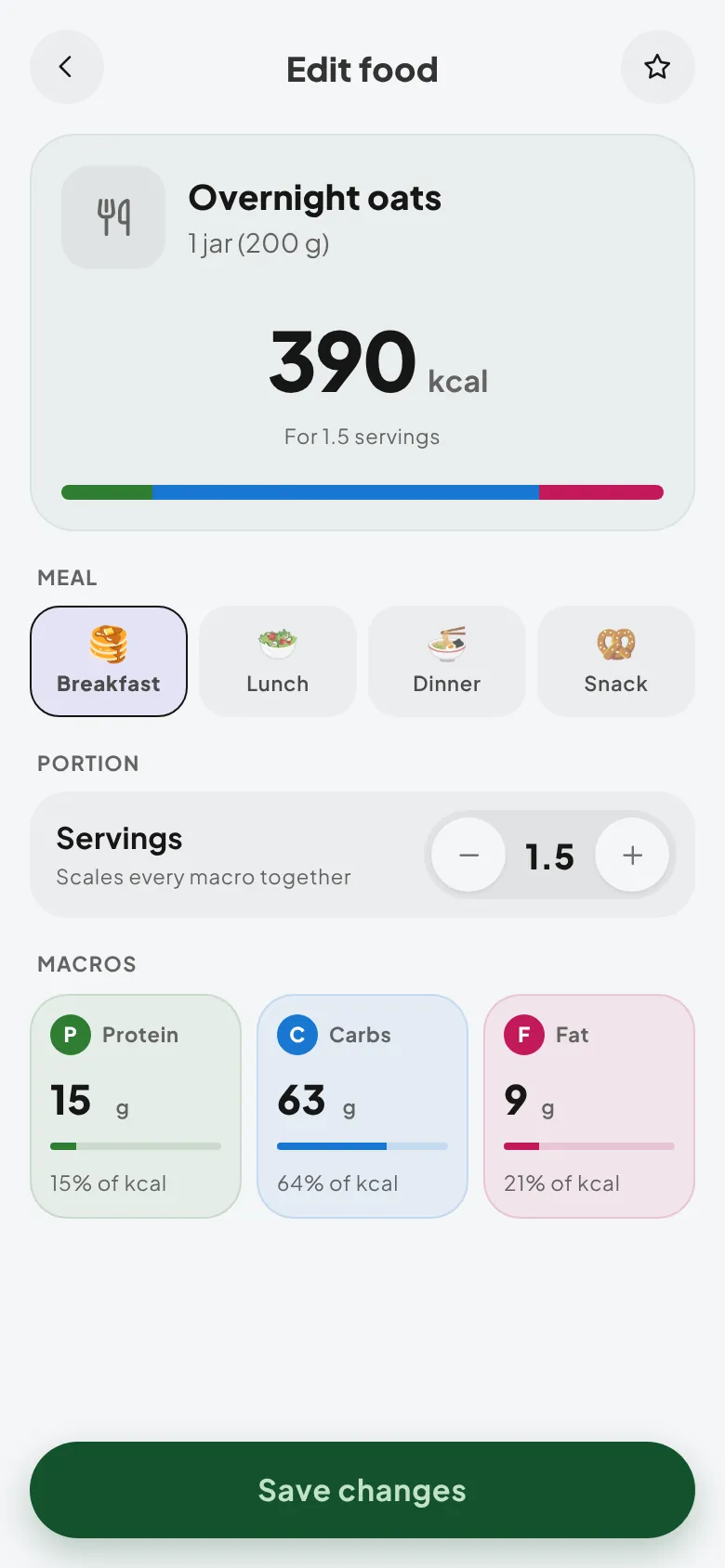
Tap any food you've logged to change its portion, macros or meal, or remove it from the day. Totals update straight away.
Tips from coaches
- Log as you go. A meal logged at the table is accurate. A day logged from memory at 10pm rarely is.
- Star your staples in the first week. Most people eat the same 20 or so foods most days.
- Aim for the range, not the exact number. Landing inside your coach's range is the goal.