
Managing your add-ons
Switch QuickCoach add-ons on or off yourself: open Account Settings, go to My Subscription, then click Add-ons. Removing one works from the same screen.

Add-ons extend QuickCoach with extra capability on top of Pro, and you can switch them on or off yourself at any time. There are two: the Nutrition Booster Pack at $12.99 a month and Coach Workflows (listed as 'Workflows' in the app) at $14.99 a month, each priced separately from the Pro subscription itself. The same Add-ons page also sells the custom website build, at $29 a month on Pro and quoted on Free. That one is a separate concierge service rather than one of the two add-ons, and it's open to Free coaches too. Here's how to manage them.
- Go to your Account Settings ('Account & App Set Up' in the left navigation).
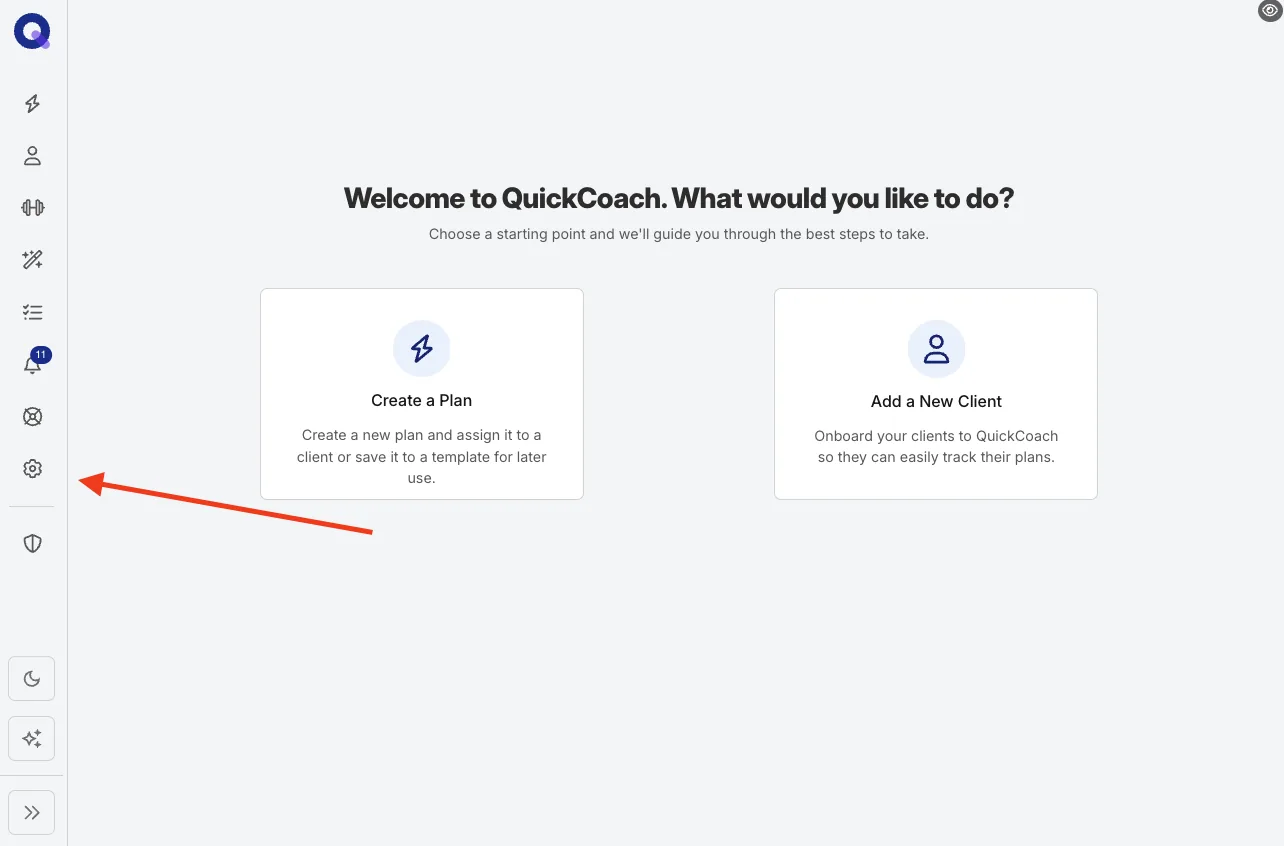
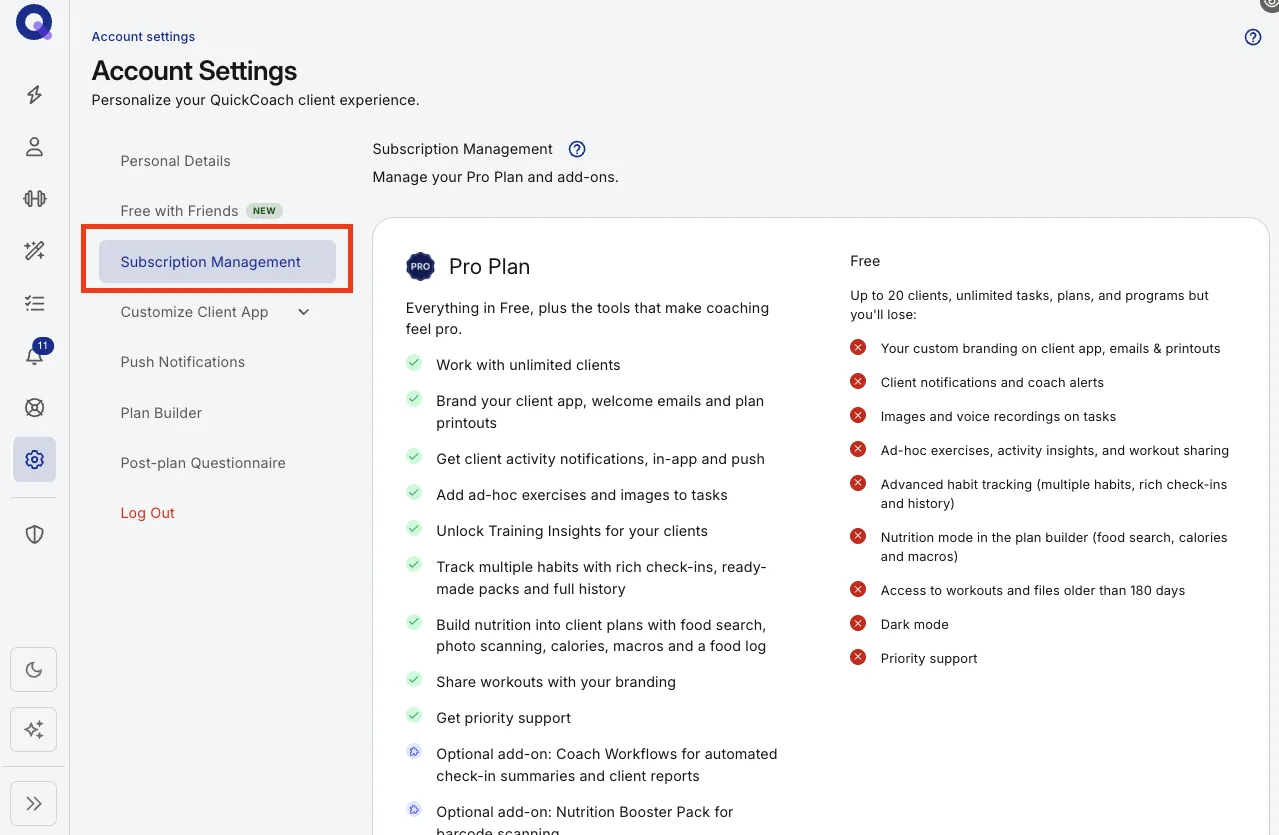
- Open 'My Subscription' in the left-hand menu.
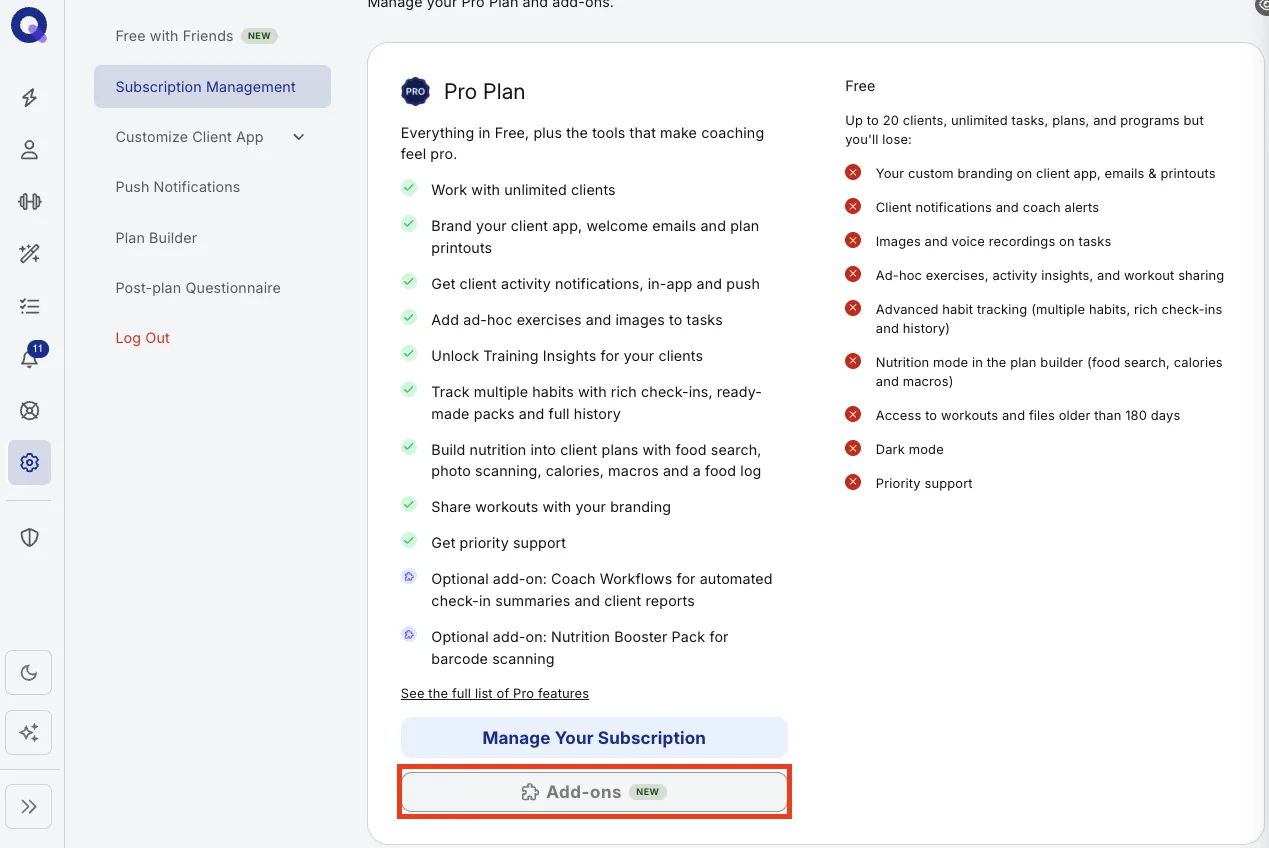
- Scroll to the 'Add-ons' row at the bottom of your plan card and click the 'Add-ons' button. (The 'Manage subscription' button on the Pro plan opens Stripe's billing portal instead, which handles your Pro plan, card and invoices but not add-ons.)
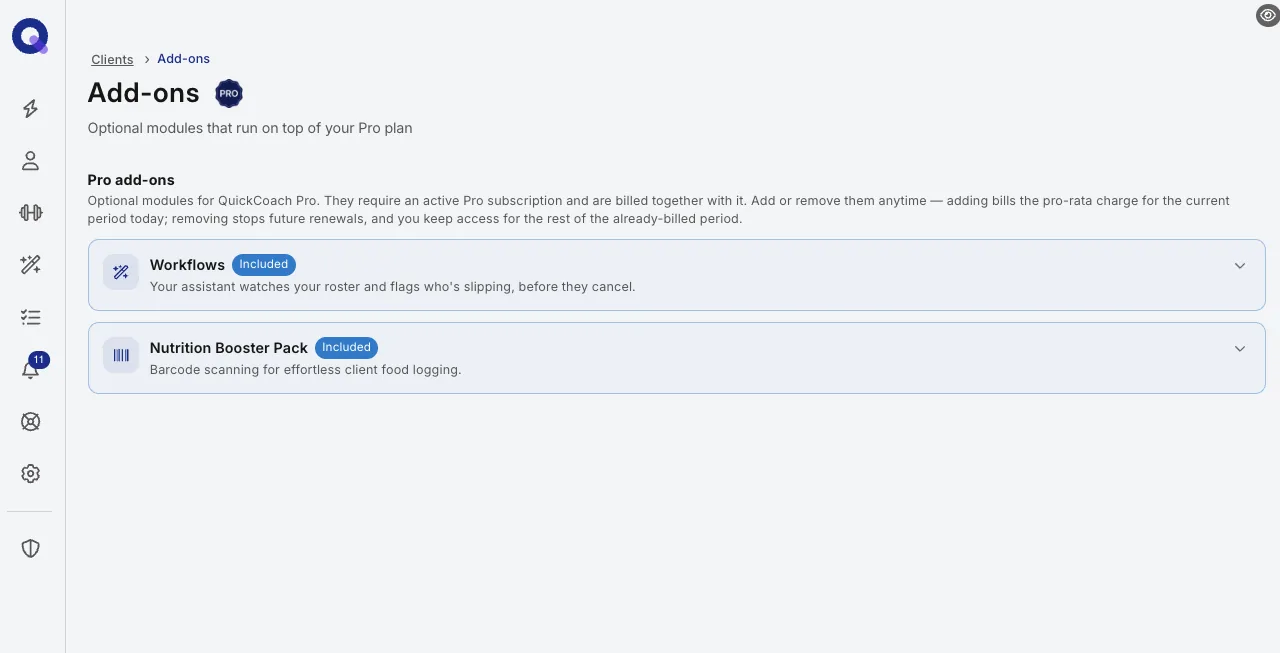
- The Add-ons page lists everything on offer. Click 'Add' next to the one you want, read how billing works, tick the box to confirm, and add it. Click the arrow on any card to read more about it first.
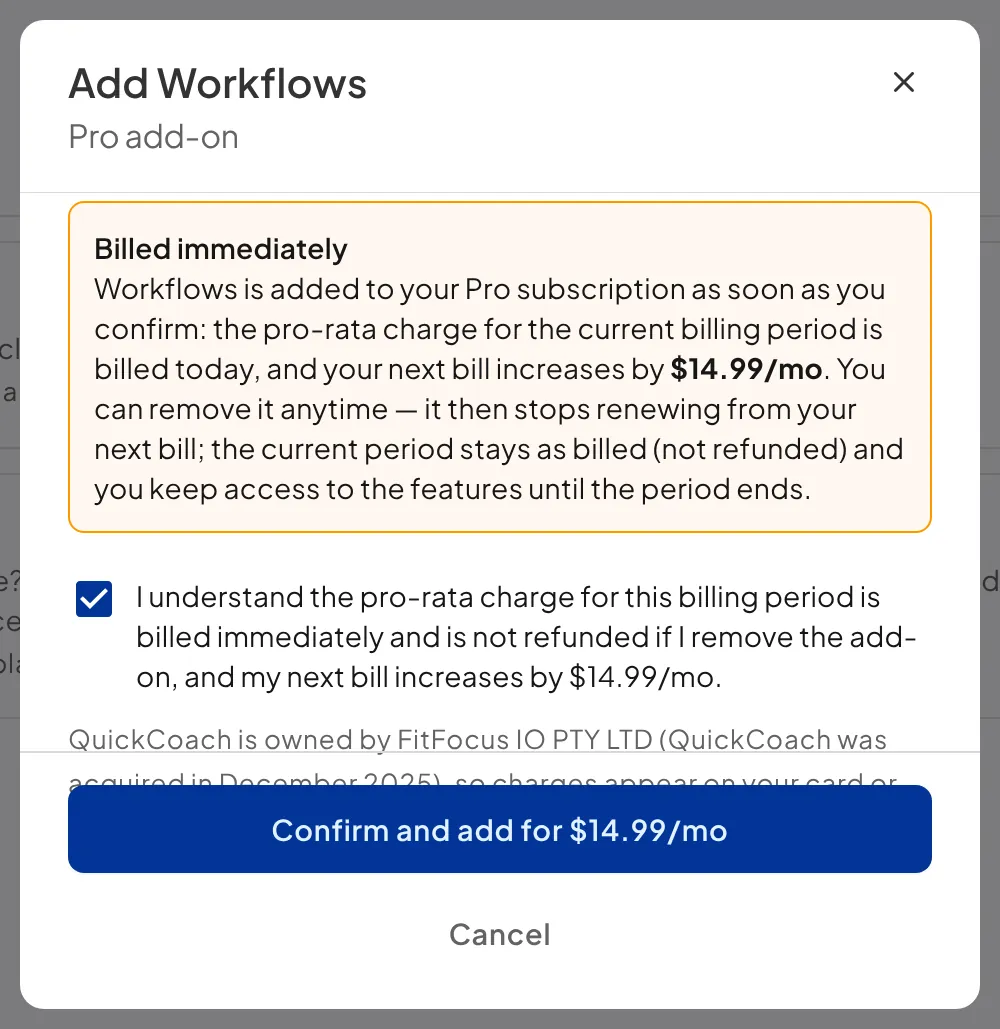
To remove an add-on, click 'Remove' next to it on the same page and confirm. Adding one bills the pro-rata charge for the current period straight away; removing one stops future renewals, and you keep access for the rest of the already-billed period. On your card statement, add-on charges appear under FitFocus IO PTY LTD, the legal entity that has owned QuickCoach since December 2025; the charge is for QuickCoach.
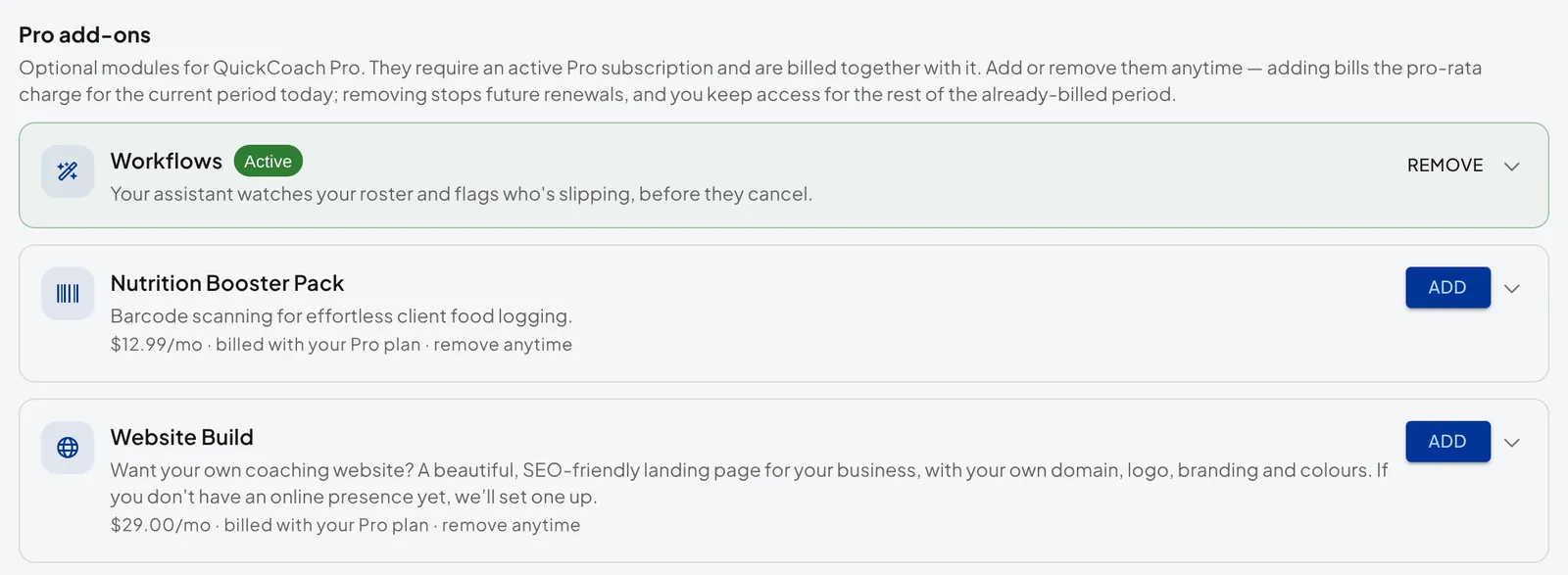
Note: the two add-ons require an active Pro subscription. During a Pro trial both are already switched on and marked 'Included', and they switch off when the trial ends unless you add them. The website build doesn't need Pro: on Free you subscribe to it separately, then manage or cancel it with the 'Manage' button on its card. For invoices, cards and renewal dates, see managing your Pro subscription.