Customise your plan printouts
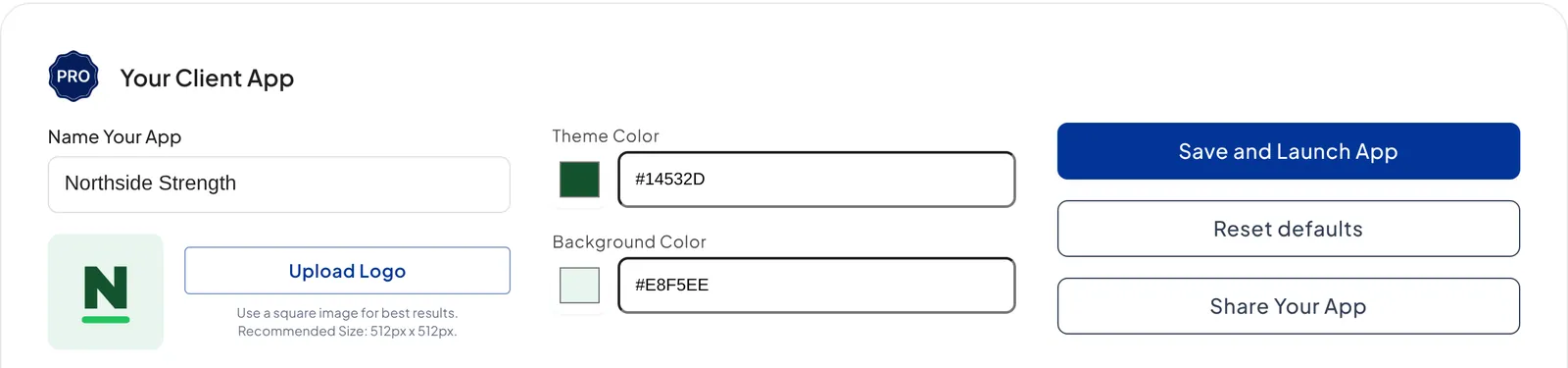
On Pro, printed plans carry your logo and business name, and you choose the superset colour so every plan you hand to a client matches your brand's look.

On Pro, the plans you print for clients come out branded as yours. Your logo and business name are already added from your app branding, and you pick the superset colour so the printout matches the rest of your look. Printed plans suit in-person clients especially well.
Note: QuickCoach's features and screen layouts may change over time, but the core workflow stays the same.
Set your printout colour
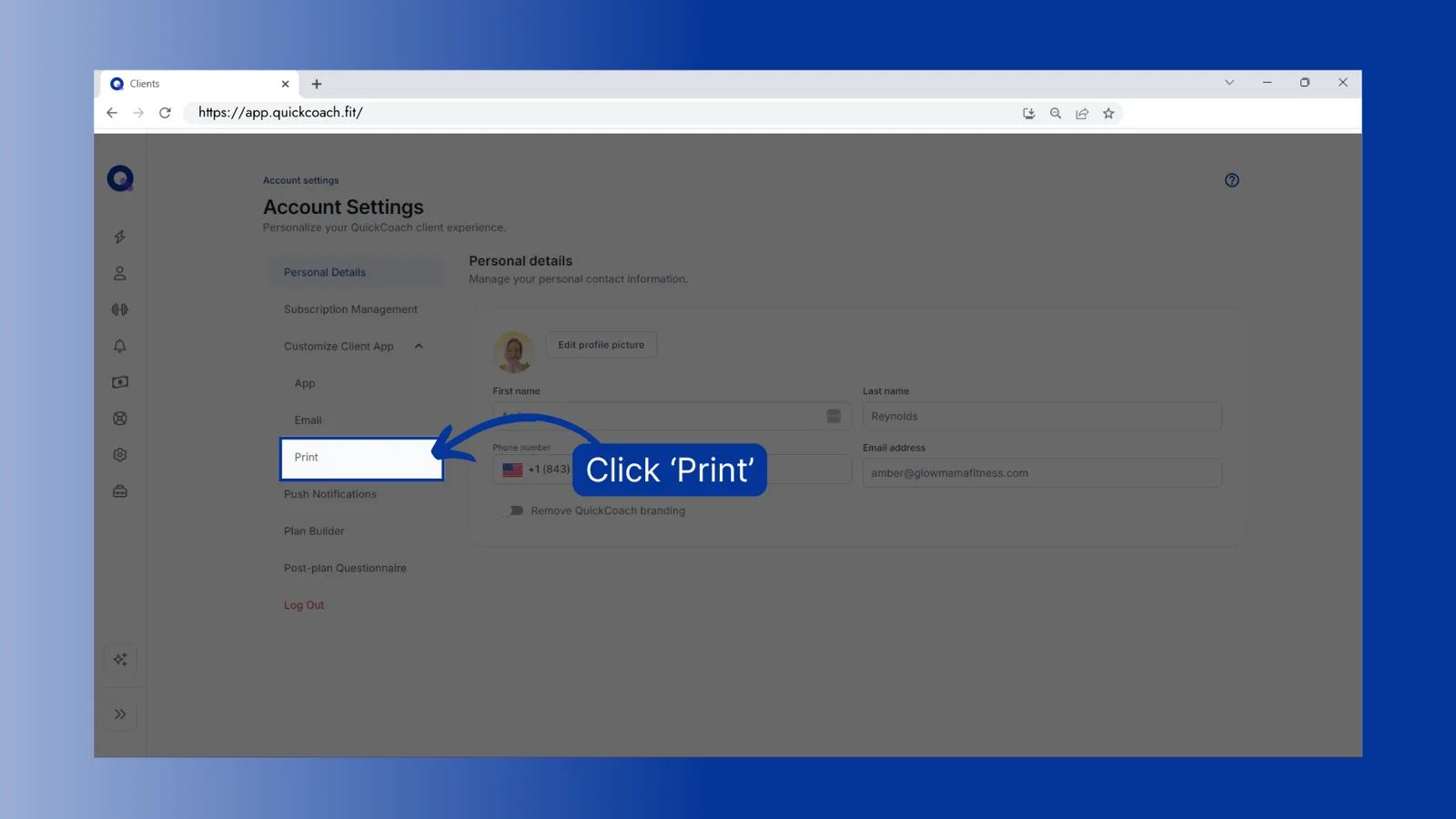
From the left navigation, click the settings icon. Click 'Customize Client App', then click 'Print'.
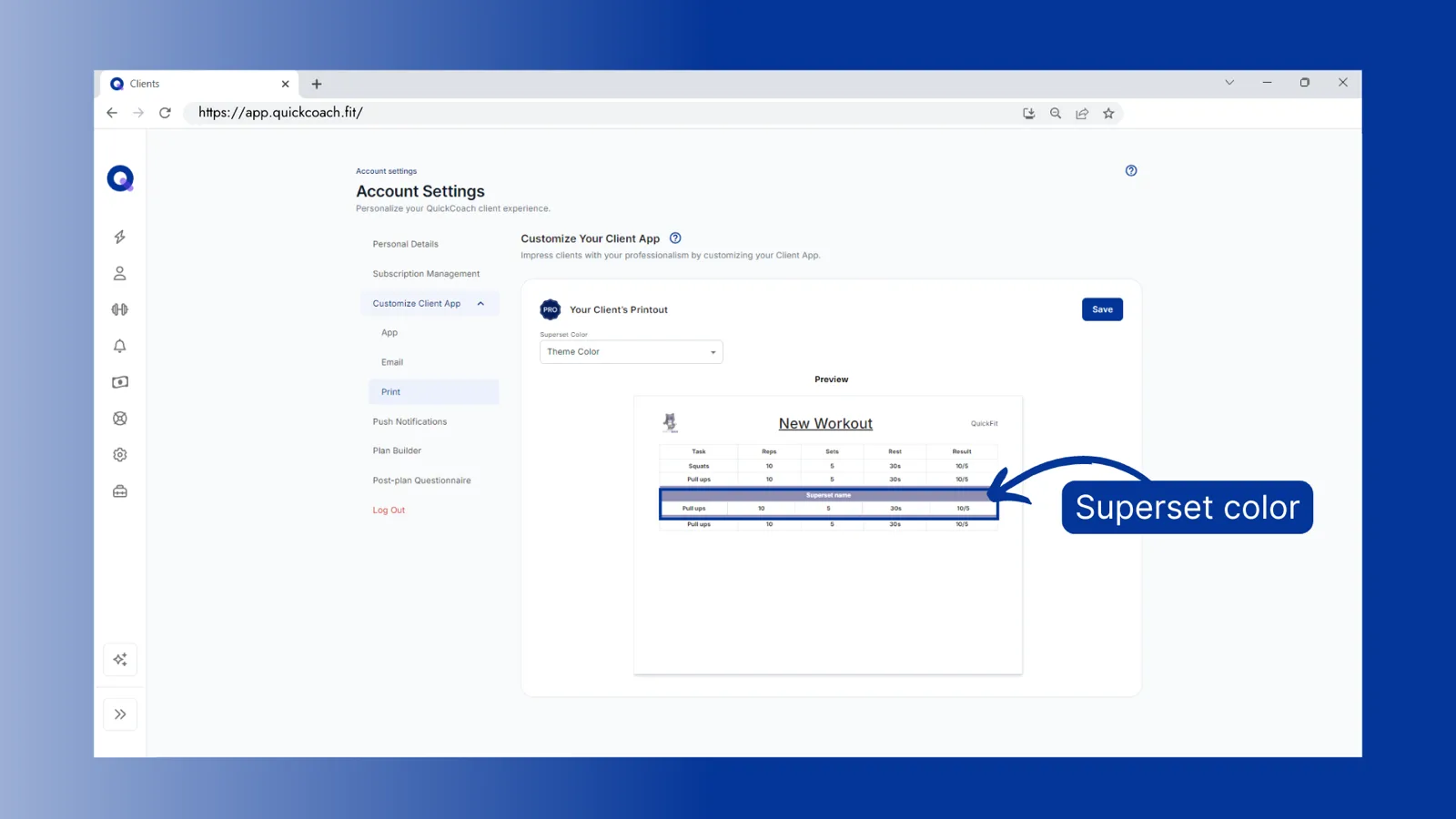
Your logo and business name are already in place from your custom-branded client app. Open the dropdown and choose the superset colour: your theme colour, your background colour, or a custom colour.
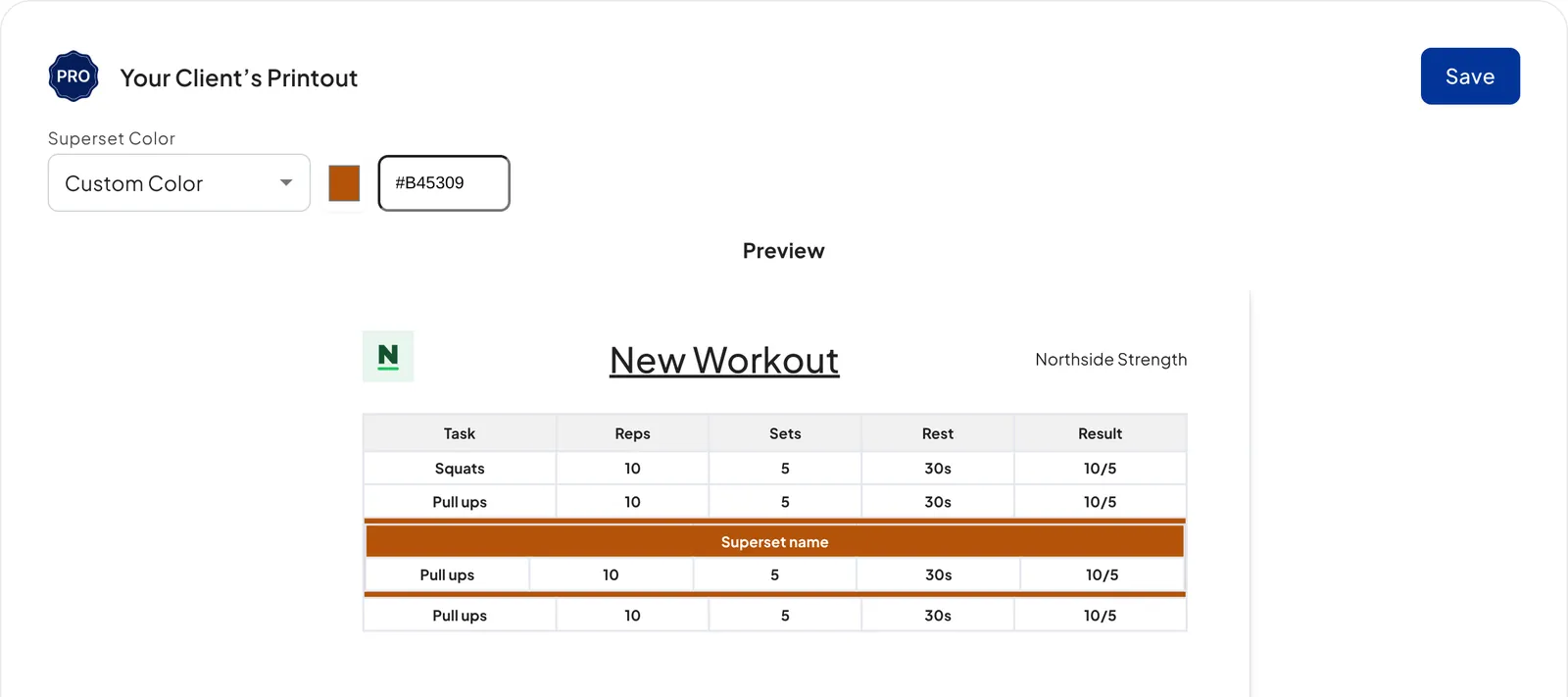
For a custom colour, enter a hex code or click the colour box to use the slider or the eyedropper. Review the preview, then click 'Save'.
Where do the theme and background colours come from?
They're set under your app branding; the custom-branded client app guide walks through choosing both. Printouts are one of several branded touchpoints on Pro, alongside the client welcome email. To see how the whole set fits together, read how to create a custom branded coaching app on the main site.