
Creating custom habits for individual clients
Give each client their own habit stack: open Habit Tracking on their page, add a habit, pick the days and response type, and save. History builds straight away.

Custom habits let you give each client their own habit stack, matched to what that person actually needs to work on. Here's how to build one.
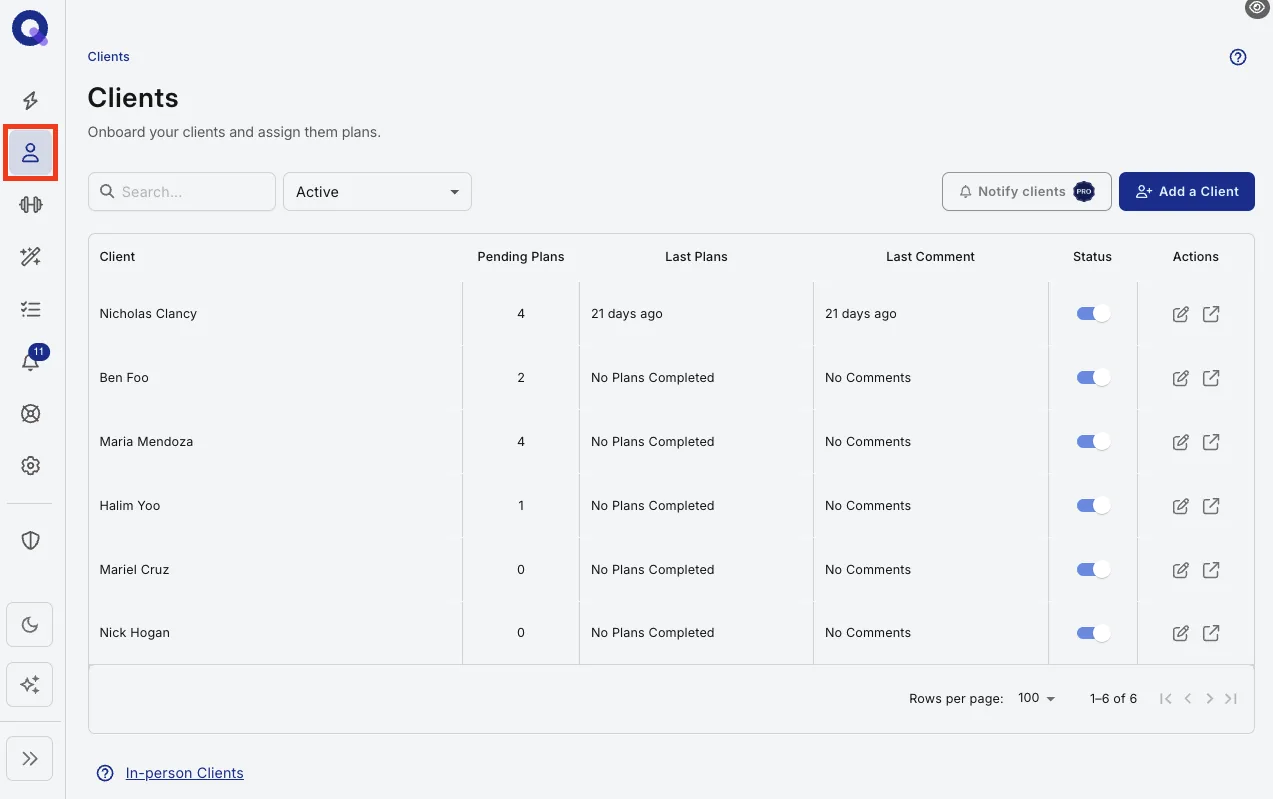
- Go to your Clients page and click the client you'd like to build habits for.
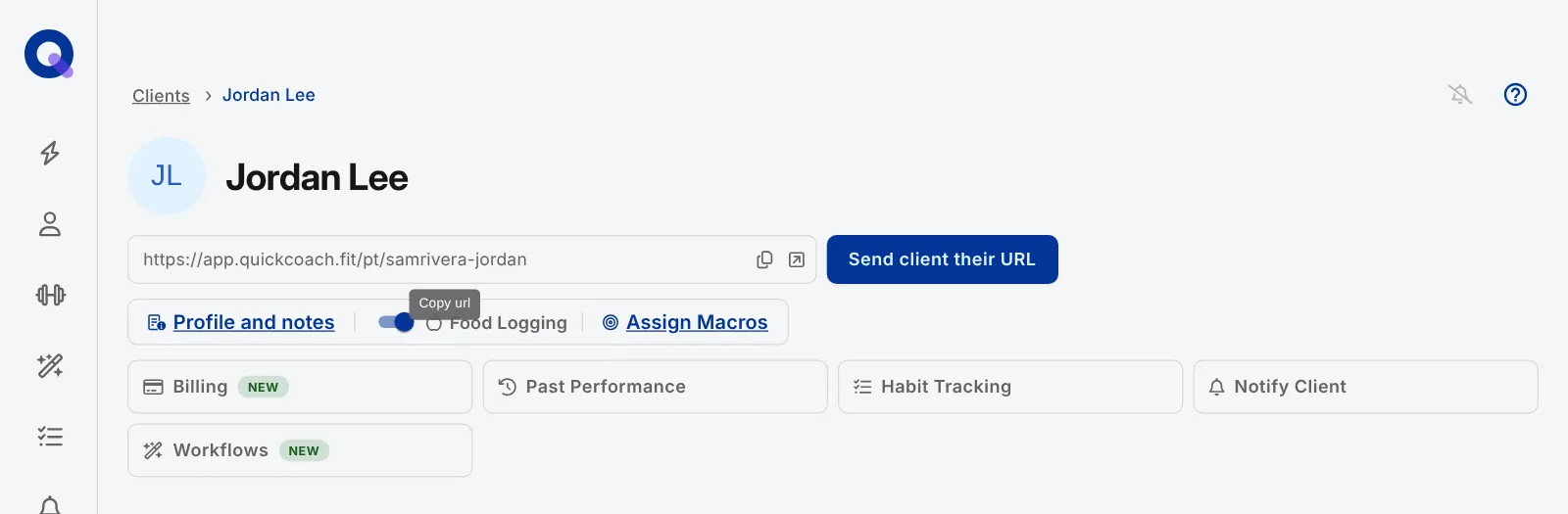
- Click the 'Habit Tracking' tile near the top of their page. It opens that client's Habits page, which has two tabs: 'Habits' for building the list and 'Habit History' for reviewing their check-ins.
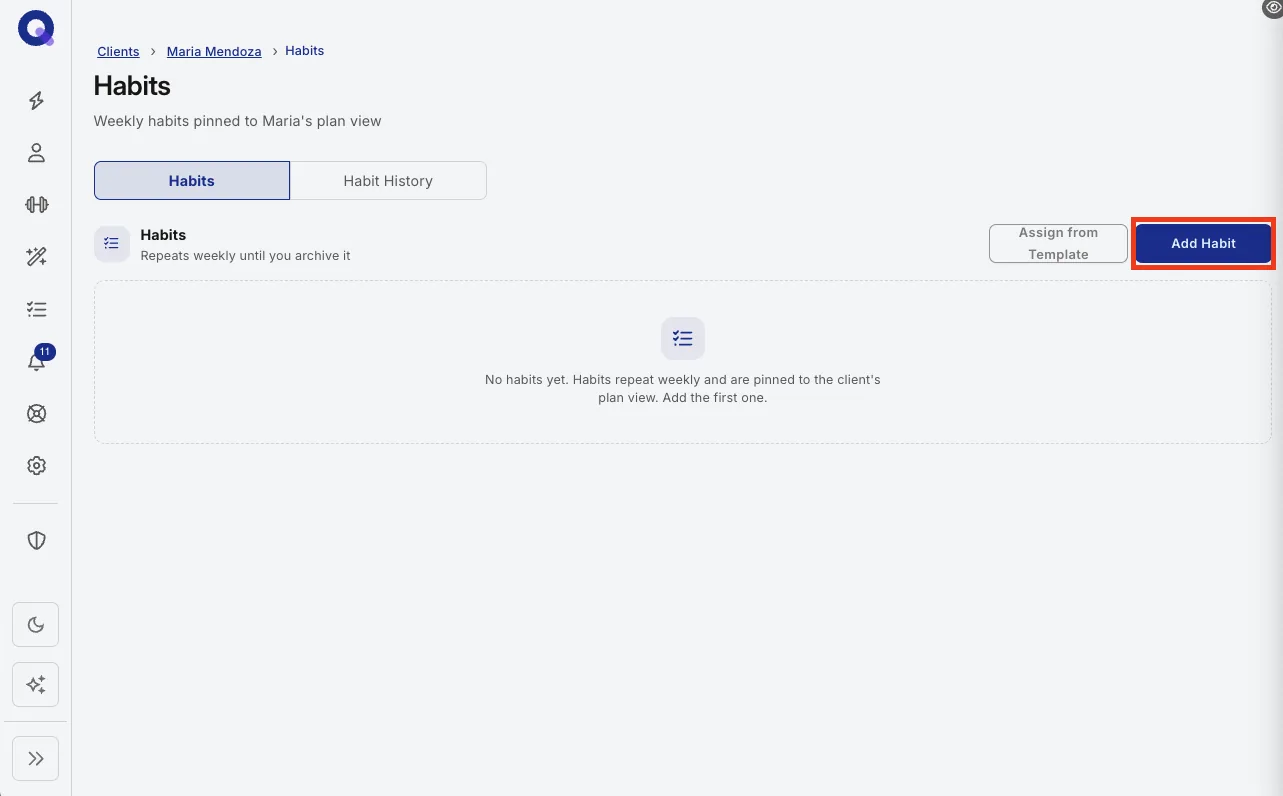
- On the 'Habits' tab, click "Add Habit" to create a new habit. ('Assign from Template' next to it adds habits you've already saved to your Habits Library.)
- In the 'New Habit' window, fill in the habit, pick the days of the week, and choose what the client responds with.
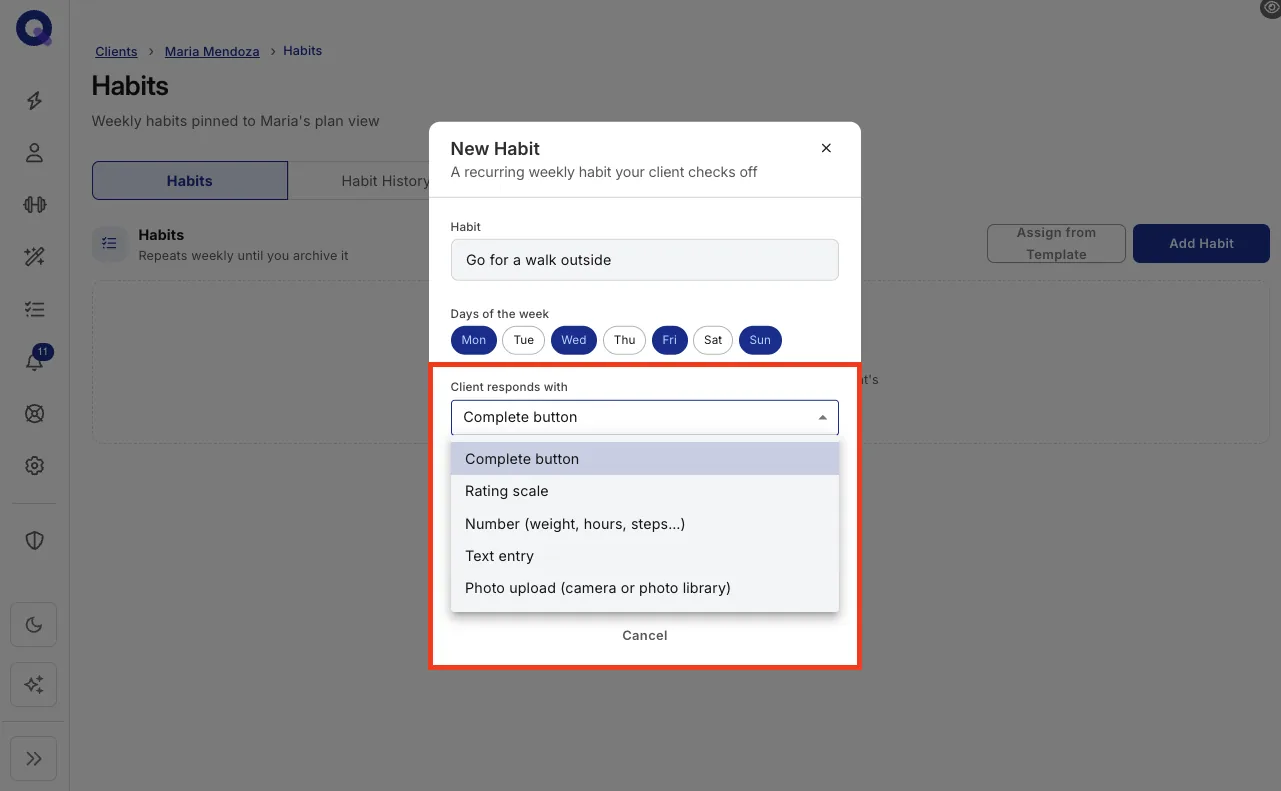
Tip: pick a number for anything measurable, a rating scale for anything subjective, and a complete button for anything that simply did or did not happen. There's more on response types in all about habit tracking.
- Click 'Create Habit', and repeat for each habit you want in this client's stack. On the Free plan a client can have one active habit at a time, answered with a simple done or not-done check-in. Pro removes the cap and adds ratings, numbers, text and photo responses.
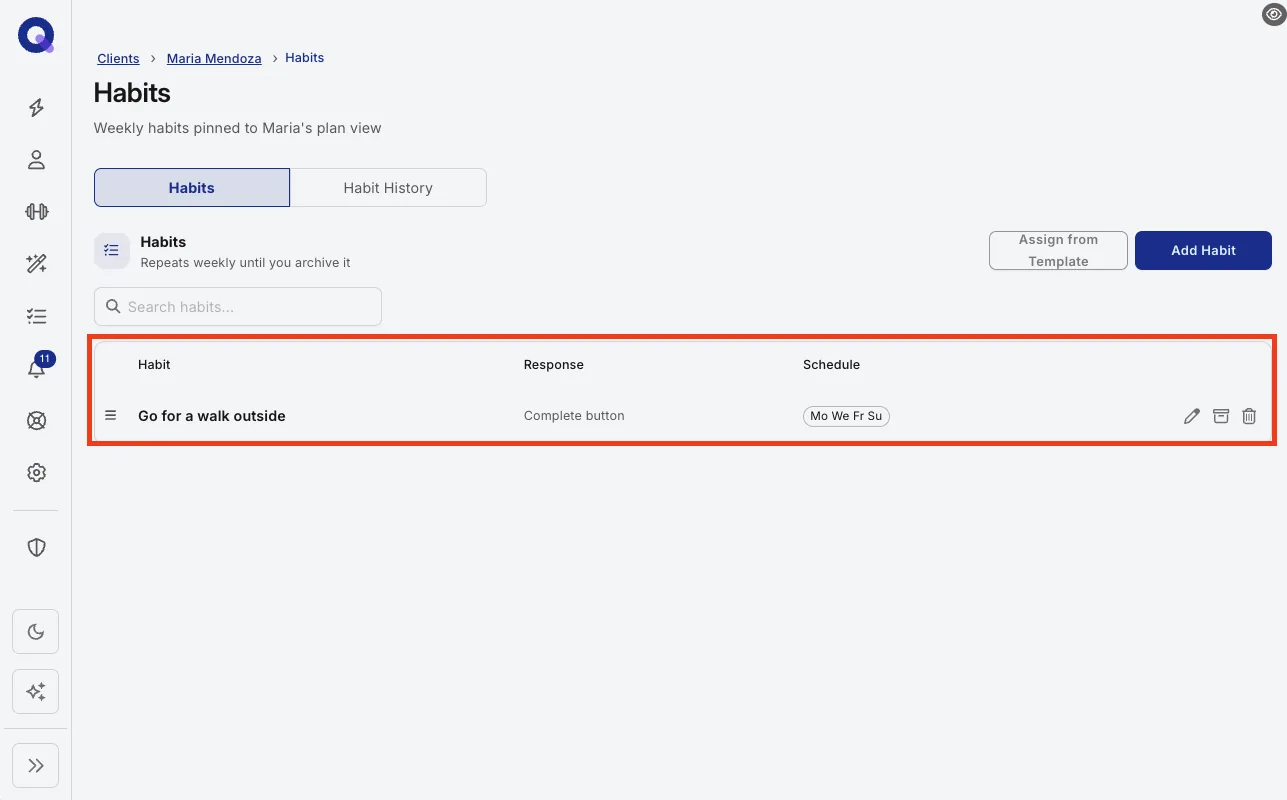
The habits now appear on that client's home screen for them to respond to each day, and the history starts building immediately. You can review it any time on the 'Habit History' tab, and all about habit tracking explains how to read it.
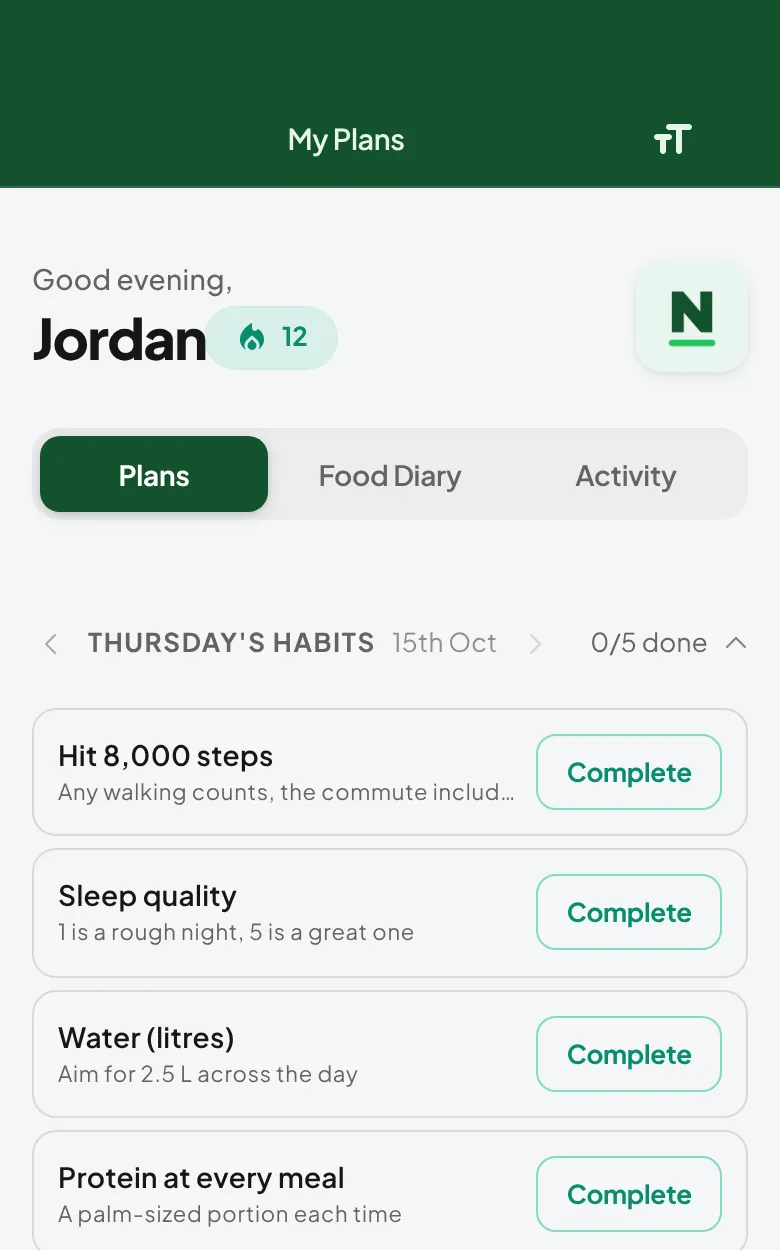
Note: one habit at a time works better than five. Get two weeks of consistency, then stack the next one on top.