
QuickCoach Free and Pro, explained
What the free plan includes, what Pro costs, what it unlocks and how to upgrade when you're ready.

QuickCoach has two plans, Free and Pro. This page covers what each one includes so you can pick the right starting point. The short version: start on Free, upgrade when your roster or your feature needs outgrow it.
What you get on the free plan
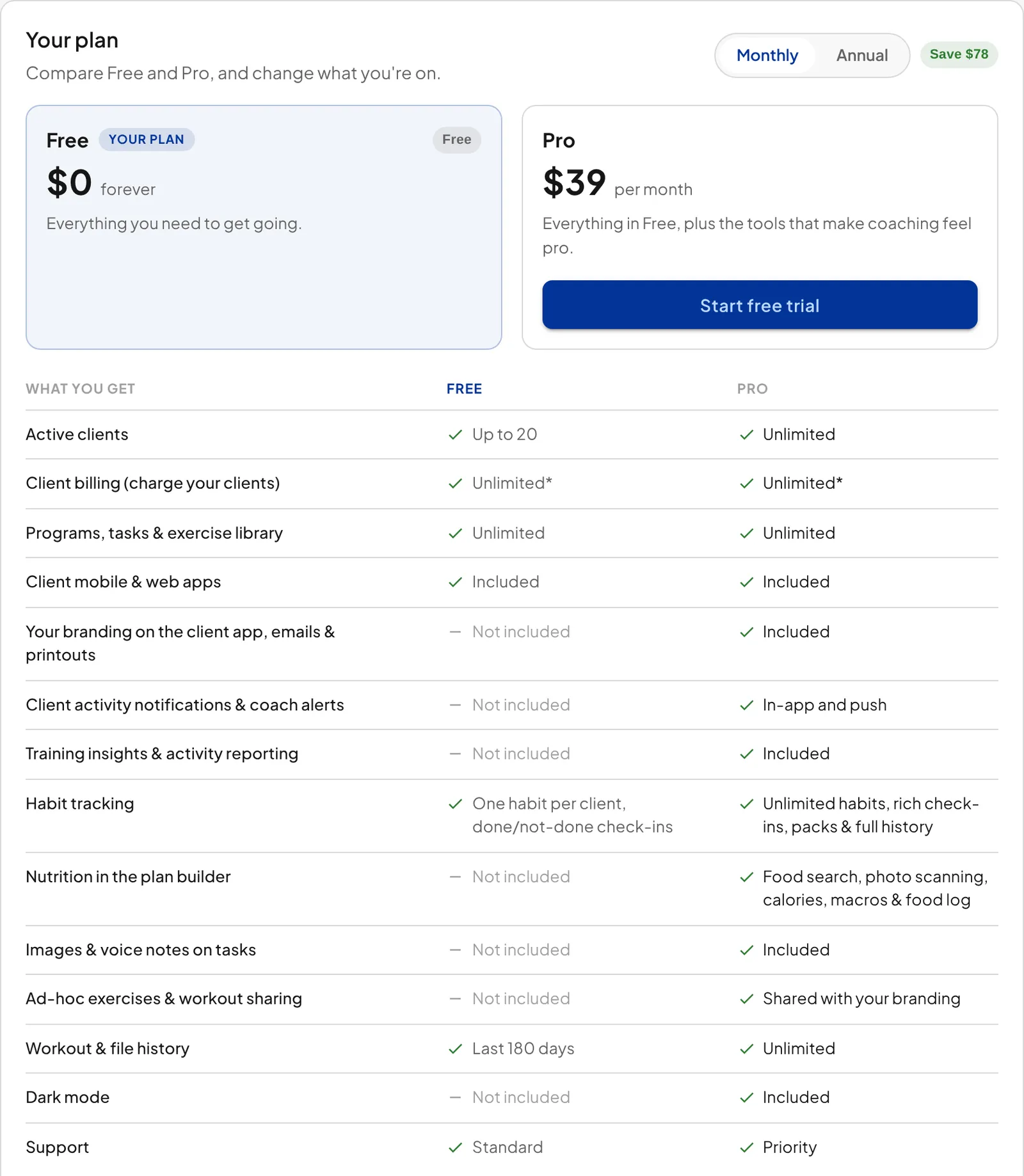
QuickCoach Free is not a trial. It's a working coaching platform you can run a real business on, and it stays free for as long as you stay at or under 20 clients.
- Up to 20 active clients
- The full programming and workout builder
- Unlimited programs, workouts and tasks
- The exercise video library
- Client check-ins, feedback and progress tracking
- Habit tracking with one active habit per client and simple done/not-done check-ins
- Client mobile and web apps
- Search your roster by client name
There's no forced upgrade and no feature clock counting down. You can invite clients and build programs on day one without entering a card.
Newer Free accounts: Free accounts created under the current Free plan rules have three more limits. Workout history shows the last 180 days only, for you and your clients; older entries sit behind an "Older history requires Pro" card and the data is kept, not deleted. Clients can't record audio feedback when they submit a plan, though written comments still work. And audio notes on your tasks are a Pro feature. Older Free accounts aren't affected, and upgrading lifts all three straight away.
Pro only: The status filter on the Clients page is a Pro feature. A Free roster has the search bar and no Active, Inactive or All dropdown, which is by design rather than a fault: Free doesn't keep inactive client history, so there's no second view to switch to. The Clients page guide shows what the filter does on Pro.
Note: The 20-client limit counts active clients, so deactivating a client opens a slot while you're under the cap. Reach 20 active, though, and QuickCoach locks the workspace until you upgrade to Pro, so deactivating can't rescue you once you're already at the limit. Marking a client Inactive revokes that client's access on any plan, so they can no longer open their plans, even through the same client link. On Free you lose something too: their history closes to you as well, and you can't switch them back to Active without upgrading. Their data stays preserved throughout. See active and inactive clients, and the plan limits for the full policy.
What Pro adds
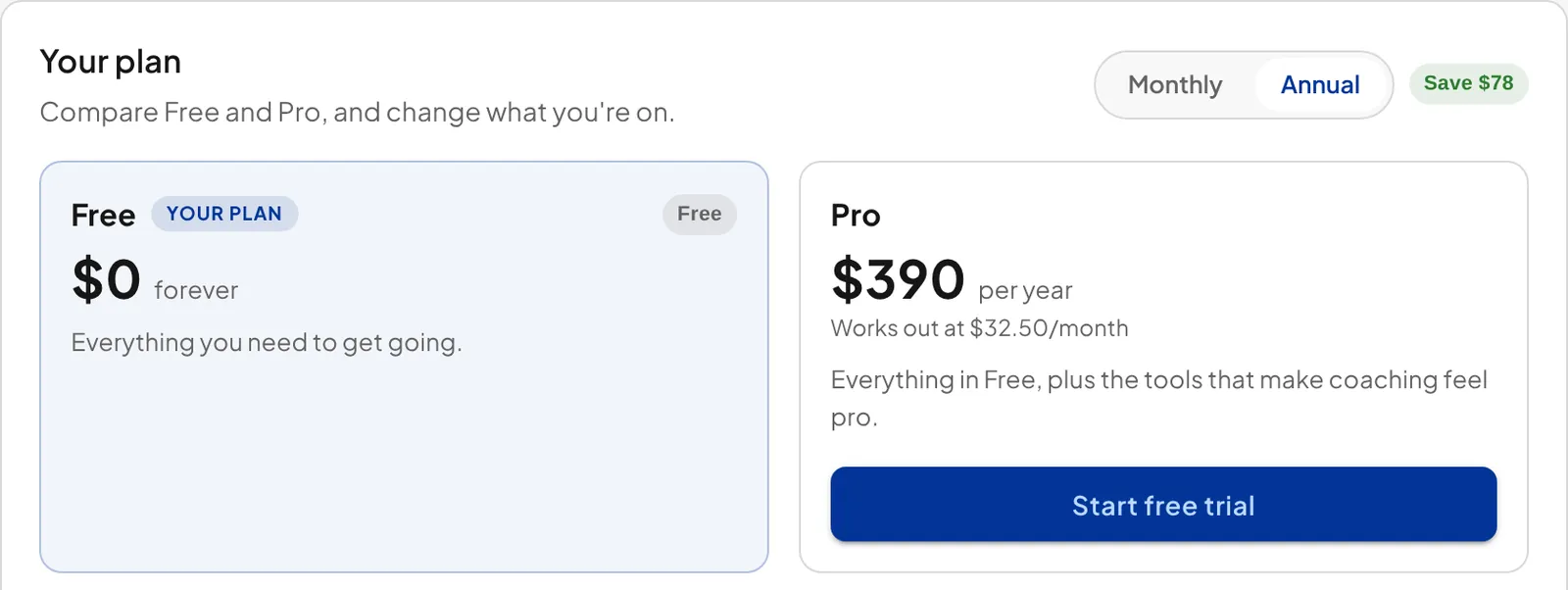
Pro is QuickCoach's paid plan. It costs $39 per month on monthly billing, or $390 per year, which works out at $32.50 per month on annual billing. One flat price, no per-client scaling. A coach with 200 clients pays the same as a coach with 21. Full pricing detail lives in the plans and pricing overview.
- Unlimited clients (Free caps you at 20)
- The client status filter, switching your roster between Active, Inactive and All, plus your inactive client history
- A custom-branded client app with your logo and colours
- Branded client emails and printed plans
- Push notifications to clients
- Training Insights for spotting trends across your roster
- Multi-habit tracking with rich check-ins, ready-made habit packs and full history
- Nutrition in client plans: food search, food photo scanning, calories, macros and a client food log
- Ad-hoc exercises and workout sharing with branded templates
- Full workout and file history, plus priority support
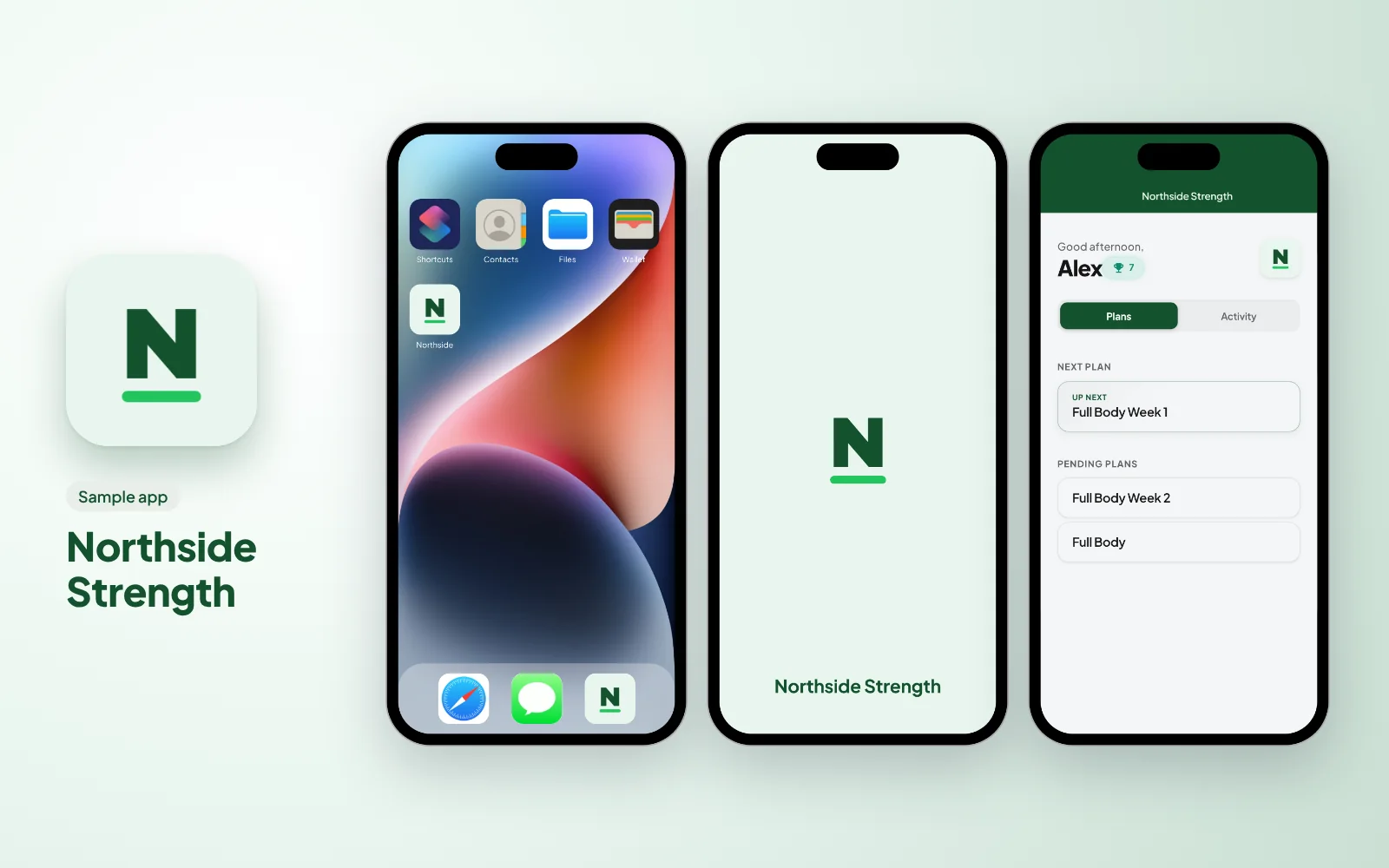
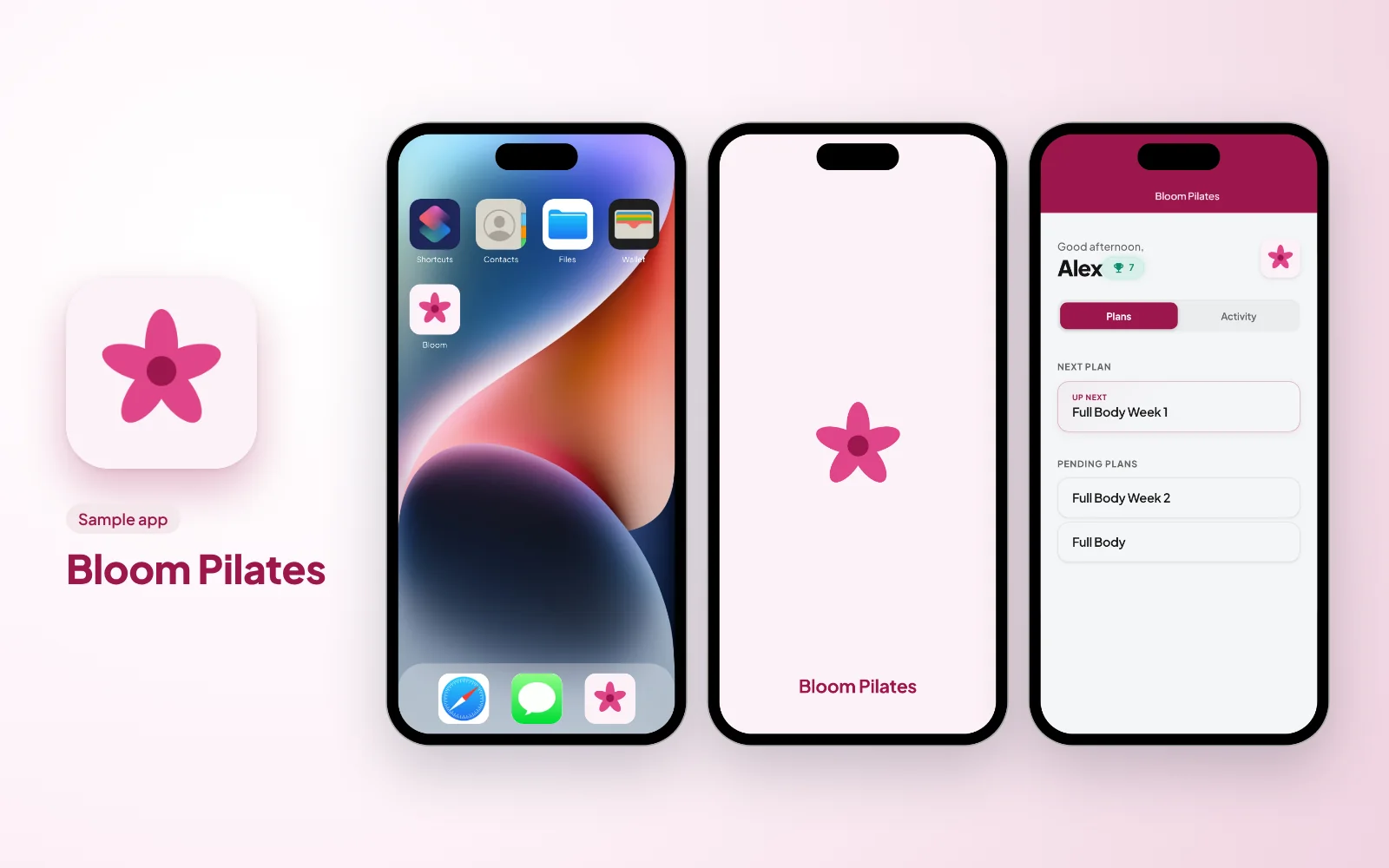
Two sample branded apps, made up for this guide. There are more in what a branded app looks like.
Everything above is included in the core Pro price. Two optional add-ons exist, Coach Workflows at $14.99 per month and the Nutrition Booster Pack at $12.99 per month, but nothing in the core feature set depends on them. See the plans and pricing overview for what each one covers.
Want the longer version, with the reasoning behind each feature and what happens if you downgrade? QuickCoach Pro: features and pricing on the main site goes through it in order.
Upgrading from Free to Pro
To upgrade, click 'Account & App Set Up' in the navigation, open 'My Subscription' and click 'Upgrade to Pro'. If you haven't used your 14-day Pro trial yet, the button reads 'Start free trial' instead. Your clients and programs carry over untouched; upgrading takes a minute and nothing about your setup changes except what's unlocked.
Payment runs through a secure Stripe portal, and QuickCoach never stores your card details. From that same portal you can check your renewal date, swap cards, download receipts or cancel, all without emailing anyone.
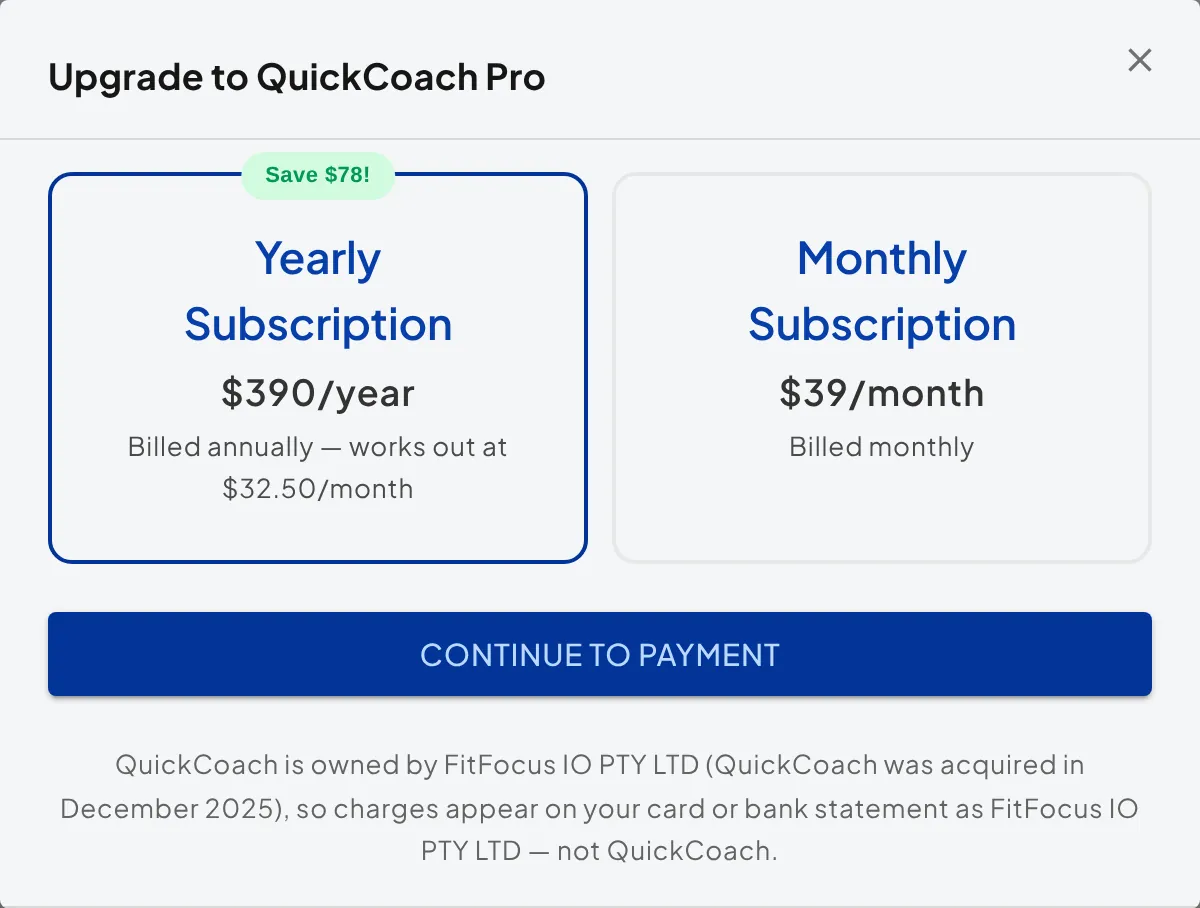
On your card statement: QuickCoach charges appear under FitFocus IO PTY LTD, the legal entity that has owned QuickCoach since December 2025. The charge is for QuickCoach, not FitFocus. Optional add-ons bill under the same name. Managing your Pro subscription covers the statement name and the billing portal in more detail.
Not sure which is right for you? Start on Free. The differences are the client cap, the roster status filter, branding, nutrition, how far habit tracking goes (one done/not-done habit per client on Free, unlimited habits with rich check-ins on Pro) and the other tools listed above, and you can switch the day one of them starts to matter.