
Deliver plans in any language
The plan builder is freeform, so you can write tasks, variables and notes in any language. Your client sees exactly what you type.

The plan builder is freeform, so you can write tasks and variables in any language you like. Your coach view stays in English, but your client sees exactly what you type.
Watch the video walkthrough (2:14).
Note: QuickCoach's features and screen layouts may change over time, but the core workflow stays the same.
What you can translate
Every part of a plan that the client reads can be in their language:
- Task names and the variable labels (replace the English ones with whatever you want)
- Plan notes and task descriptions
- A video in another language
- Audio notes (a Pro feature), if you speak the client's language
Here's how a task looks to a client when written in another language. This example is Spanish, but it works the same for any language.
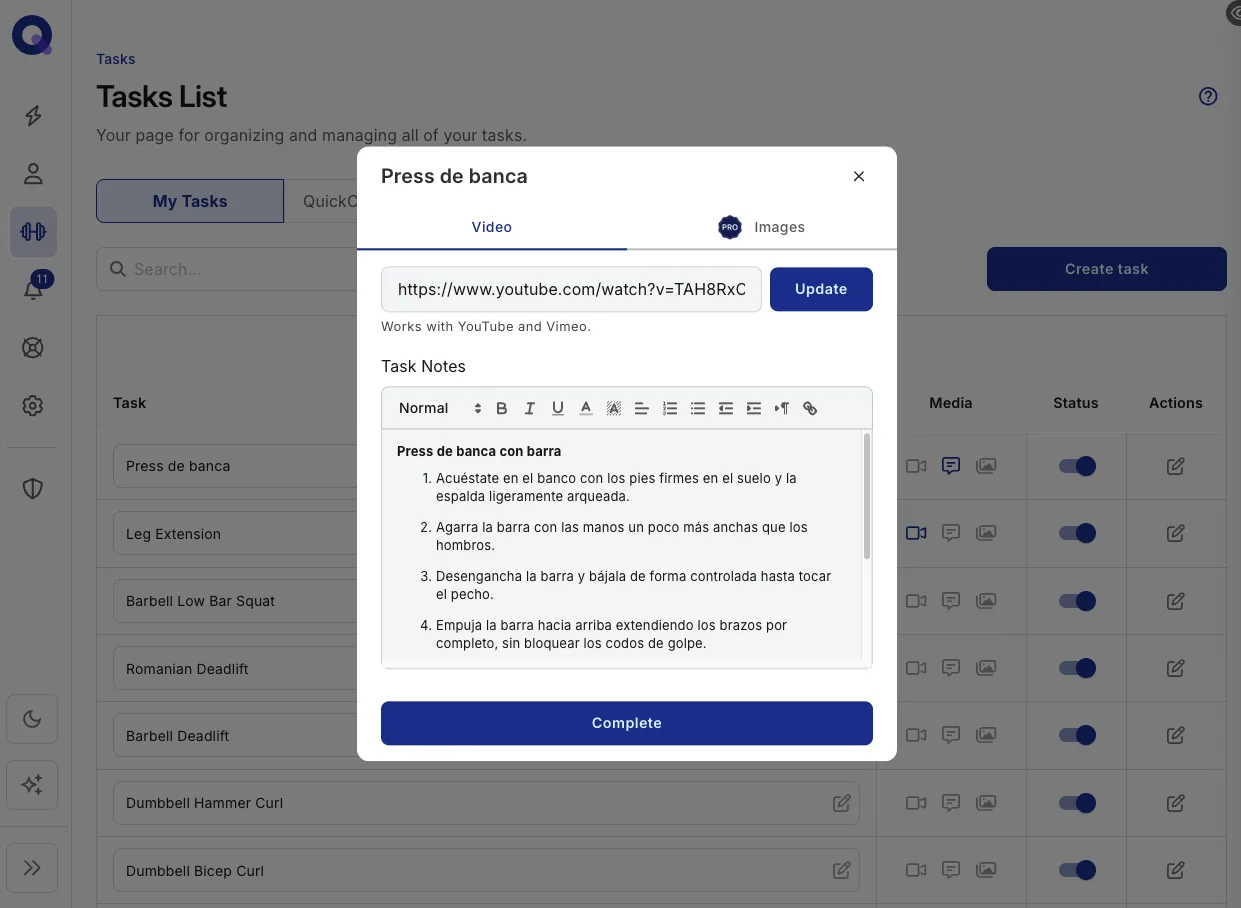
To set variable labels, open the plan's 'Plan Variables' menu and rename each one. The plan builder tour shows where that menu lives and how the labels are ordered. Videos and audio notes are attached per task, and adding media to tasks covers each medium, including which ones save to your library.
Wondering how the translated plan reads on your client's phone? How clients see and complete tasks walks through their side, and 'View as Client' in the builder shows you the exact result before you publish.
English is far from the default here. We mapped which languages coaches actually deliver in, using QuickCoach data, in the languages of online coaching.