
The QuickCoach glossary
A plain-English cheat sheet for QuickCoach terms: tasks, plans and their statuses, templates, clients, habits, nutrition and billing.

This is your cheat sheet for the terms you'll see across QuickCoach and how they relate to each other. If you think a term is missing, email support@quickcoach.fit and we'll add it.
Tasks and the task library
Task: a single item you create. It can be an exercise, a habit, a lesson, a recipe, a to-do or just about anything else. A task can hold a YouTube or Vimeo video, task notes, up to three images (Pro) and an audio note (the audio note isn't saved to the library).
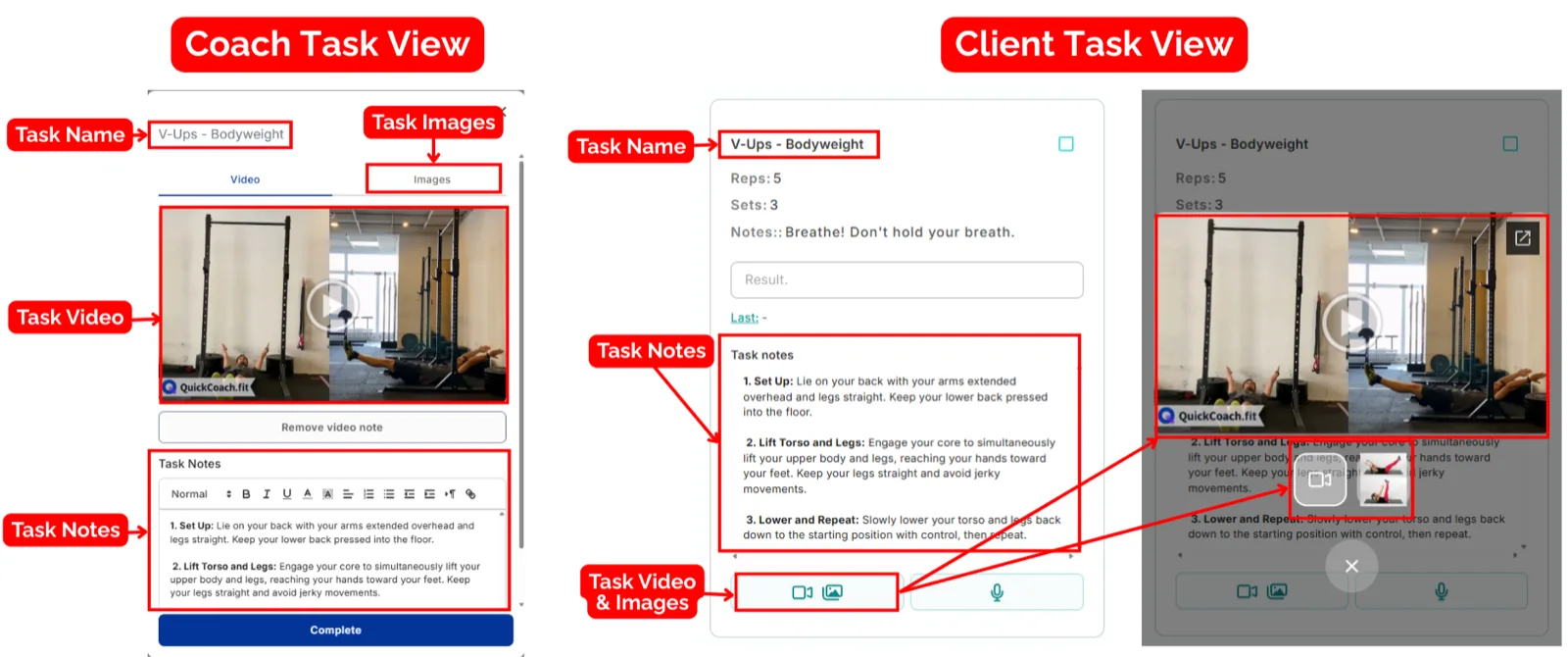
Task Library: where all of your tasks live. A task that's in your library is tracked over time, so you can see a client's past results on it. See the task library tour.
QuickCoach Library: ready-made exercises you can import into your own Task Library and then edit.
Inactive (task): a task you've taken out of use without deleting it. "Archived" means the same thing.
Plans and the plan builder
Plan: one session's worth of tasks, the equivalent of a single workout, check-in or nutrition day. You can build plans on a client's page, in Plan Drafts or inside a Program Template.
Plan Builder: where you build plans. It looks a little like a spreadsheet, with one task per row. See the plan builder tour.
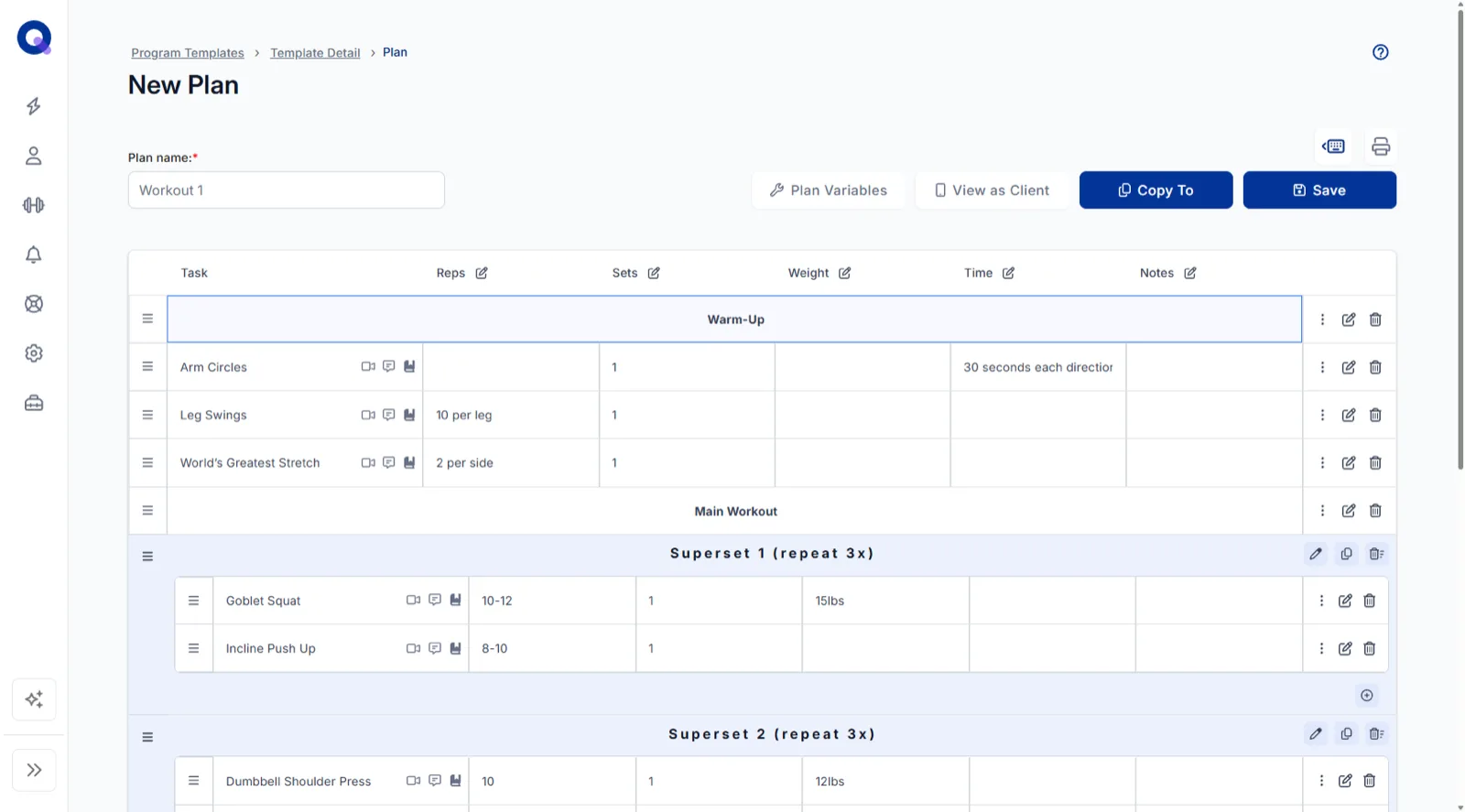
Heading: a row that names a section of the plan, such as Warm-up, rather than holding a task. Add one with Create Heading in a row's Options menu. See headings and supersets.
Superset: a group of tasks done back to back. Add one with Create Superset in a row's Options menu.
Plan Notes: instructions for the whole plan. They sit under the plan builder for you and show at the top of the plan for your client.
Columns (variables): the labels that tell clients what each figure means, such as Sets, Reps, Rest, Load or Tempo. A plan can have up to six. You pick them under Enabled Fields when you create a plan, change them for one plan with Plan Variables, and set your defaults in the Plan Builder settings. See plan builder shortcuts and settings.
Plan statuses
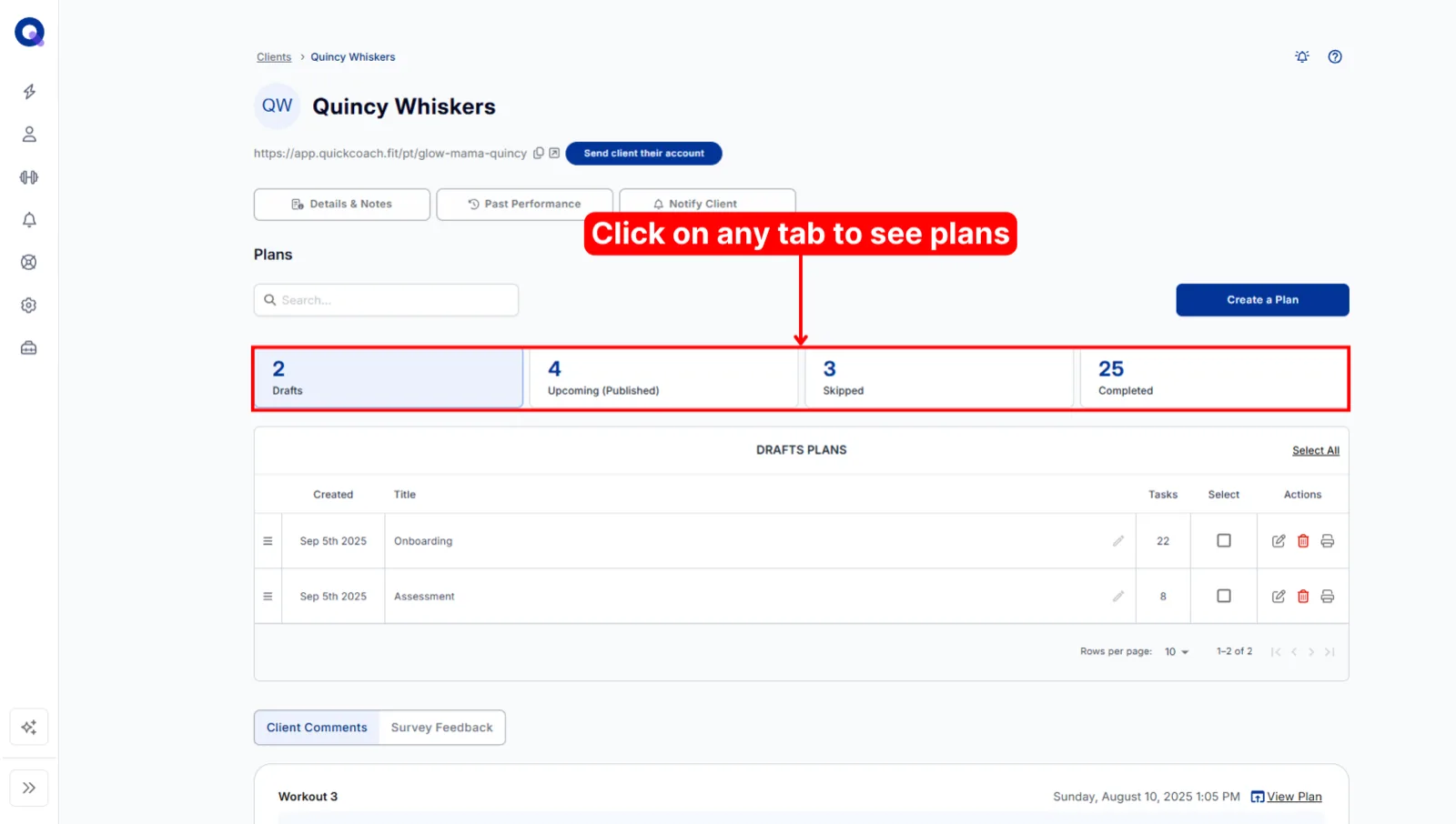
Draft: a plan only you can see. Nothing reaches your client until you publish it.
Publish: send a plan to your client's app. Published plans wait under Upcoming (Published) on the client's page, in the order they'll do them.
Skipped: a plan your client chose to skip with Skip plan.
Completed: a plan your client finished and sent back with Submit plan. See a client's plans by status.
Program Templates and Plan Drafts
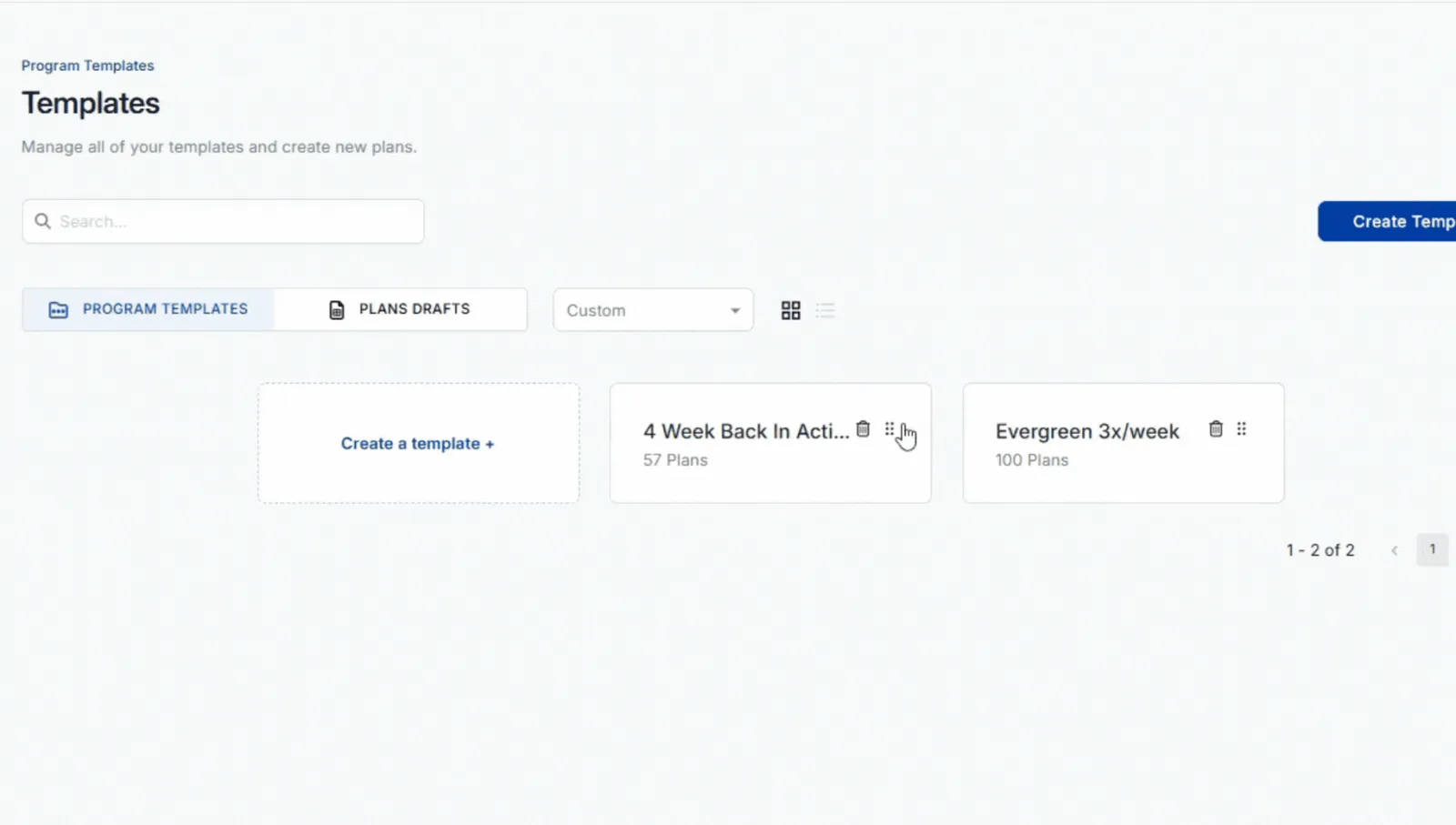
Program Template: a folder of plans in order, ready to give to any client. Build a program once (a 12-week block, a nutrition reset) and reuse it.
Ready Plans and Draft Plans: the two lists inside a template. Ready Plans go out when you assign the template. Draft Plans stay behind until you publish them. See ordering and publishing plans in a template.
Plan Drafts: a holding space for plans that don't belong to a template or a client yet. It's the second tab on the Templates page.
Assign: give a plan or a whole template to one or more clients. Each client gets their own copy, so editing one never changes the others.
Clients
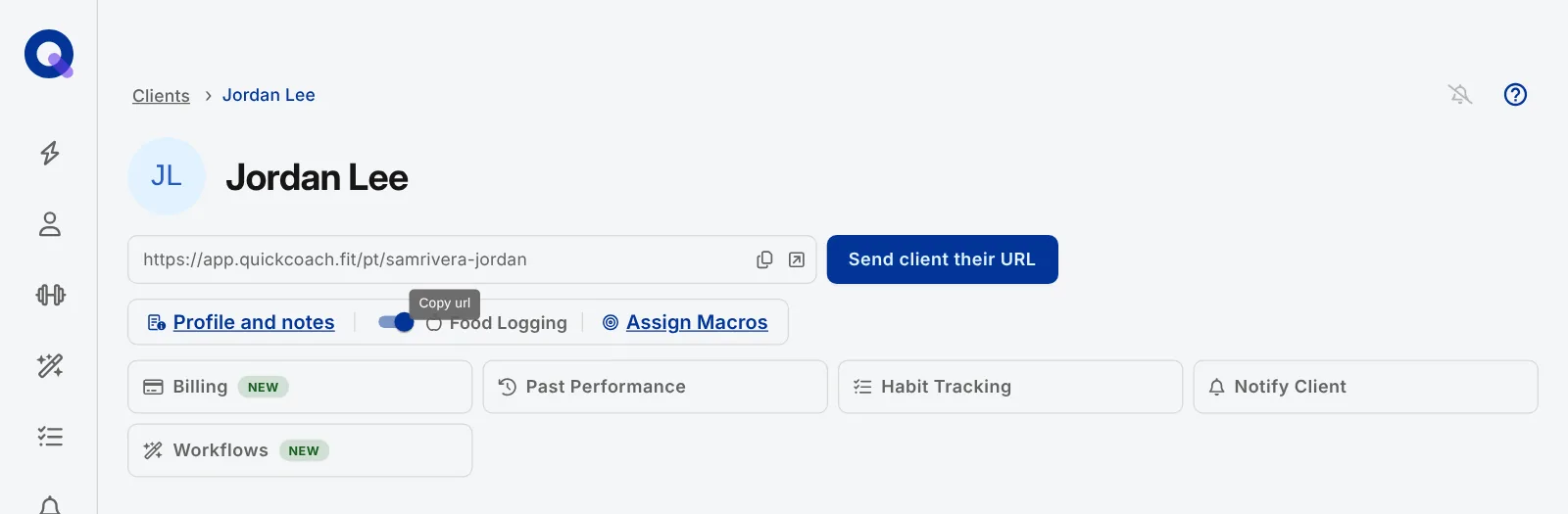
Client page: everything about one client: their link, their plans by status, Profile and notes, and tiles such as Past Performance, Habit Tracking and Notify Client.
Client link: the private link your client uses to open their app. It's their login, so they never need a password. On their page, the copy icon copies it, the Open Client App icon shows you their view, and Send client their URL emails it to them.
Client app: what your client sees when they open their link. It installs to their home screen from the browser, with no app store. See the client plan tour.
Result box: where a client logs what they did on a task, up to 50 characters. It saves as they type.
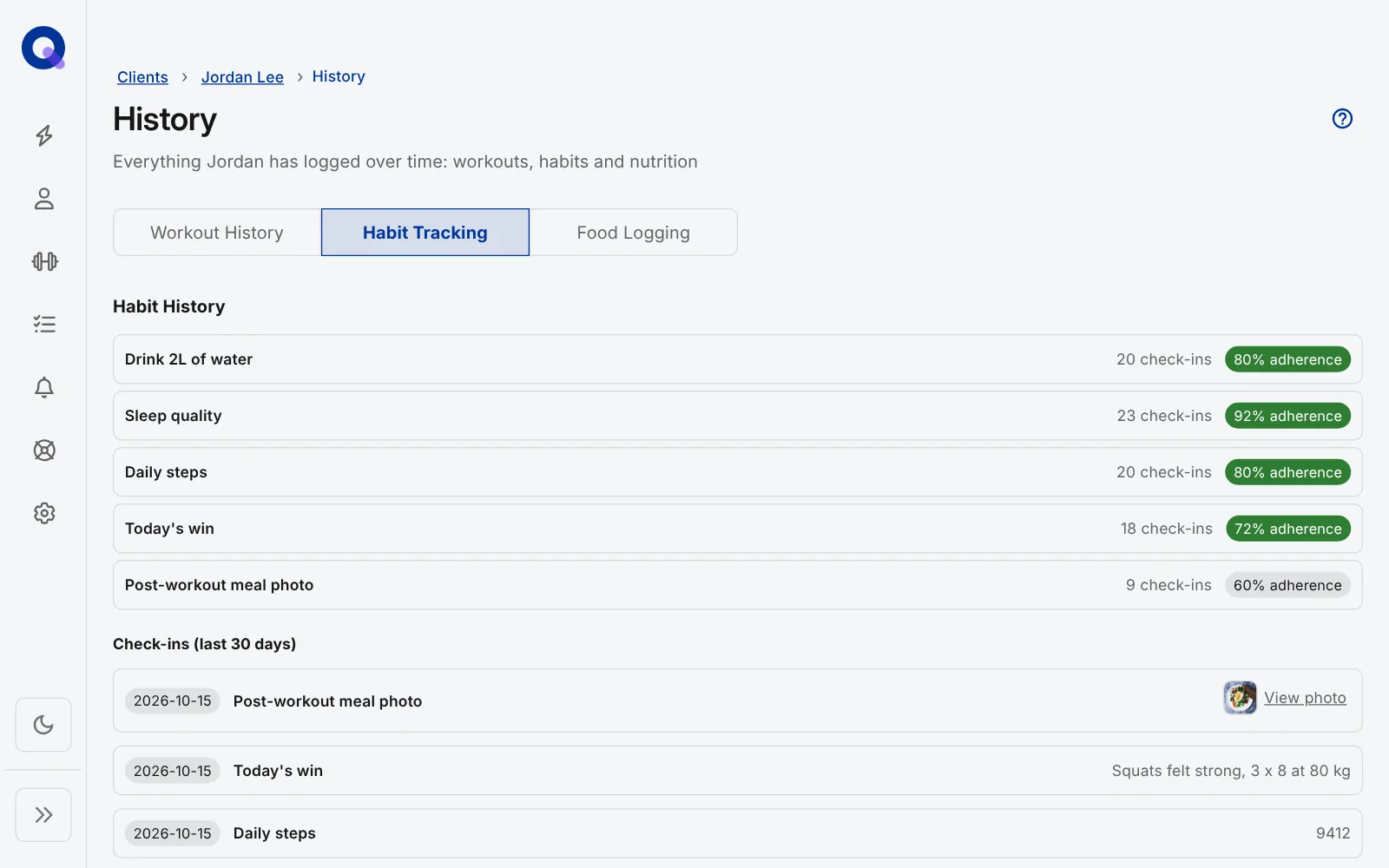
Past Performance and History: the record of what a client has entered over time. The Past Performance tile on their page opens their History. A task is only tracked if it was in your Task Library when you assigned it and the client typed a result. See seeing past performance.
Post-plan questionnaire: the questions a client answers after submitting a plan. Their answers appear under Survey Feedback on their page, next to Client Comments. See setting up your post-plan survey.
Activity tab: the client's own progress page in their app: completion rate, streaks, weekly activity and their exercise history. See the Activity tab.
Client notes: private notes about a client that only you can see, under Profile and notes. You can pin the important ones.
Active and inactive clients: active clients can open their app and count towards the free plan's 20-client limit. Deactivating a client frees a slot without deleting their history. See deactivating or deleting a client.
Client Groups (Pro): a saved set of clients, such as "Morning Crew", that you can filter by and assign plans to in one go. A group can have its own sign-up link. See Client Groups.
Notifications
Notification Center: the bell in your navigation. It holds your notifications, such as "Plan completed", and your own To-Do List. Notifications about client activity come with Pro or the free trial. See client activity and your to-do list.
Client welcome email: the email your client gets when you send them their link. It has a Get Started button that opens their plans. On Pro you can change its wording and branding. See customising the client welcome email.
Habits and nutrition
Habits Library: your list of habits, such as drinking water or sleeping eight hours, ready to assign to clients. QuickCoach Habit Packs are ready-made sets you can add to it. See habit packs.
Habit Tracking: a client's daily habits and their check-in history, opened from the tile on their page. See all about habit tracking.
Food Diary: where a client logs what they eat in their app, once you switch on Food Logging on their page. See the client guide to the food diary.
Macro targets: daily calories, protein, carbs and fat you set with Assign Macros, with an optional range (Not applicable, plus or minus 10% or 20%) that colours each day under, in range or over. See assigning client macros.
Plans, billing and add-ons
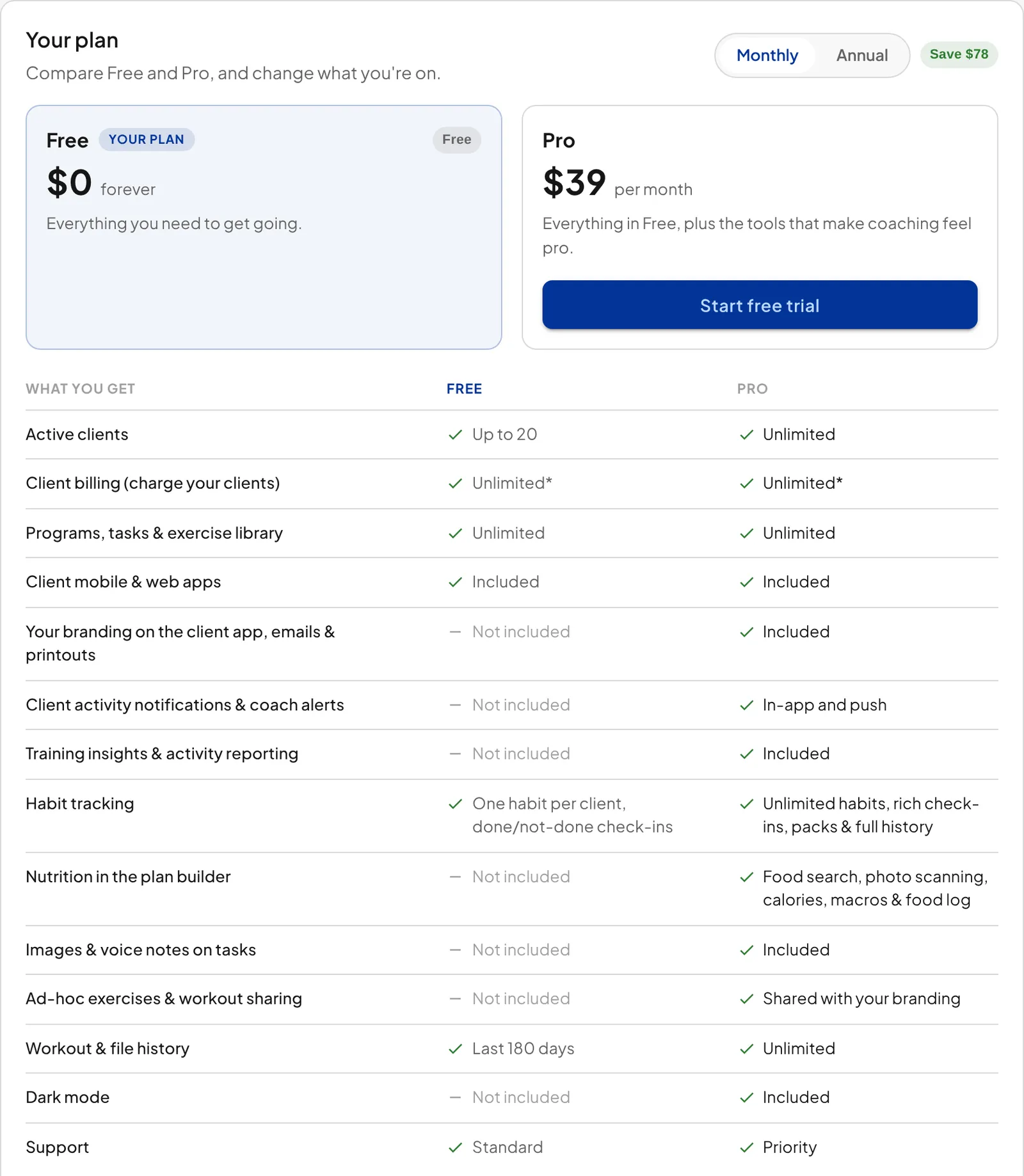
QuickCoach Free and Pro: Free covers up to 20 active clients with no time limit. Pro is unlimited clients plus branding, nutrition, Training Insights and more. See QuickCoach Free and Pro, explained.
Client Billing: charge your clients by card through your own Stripe account, using packages (one-off or recurring prices you set up once). It's optional. See what Client Billing is and what it costs.
Workflows: reports and check-ins you run across your roster or for one client, such as the Client Activity Digest or a Client Check-in. They come with the Coach Workflows add-on. See all about workflows.