
Managing your Pro subscription
Pro billing is self-serve through a secure Stripe portal. Check your renewal date, update your card, download receipts, cancel, or switch to annual billing.

If you're a QuickCoach Pro member, you manage your own subscription. There's no need to email anyone to change a card or cancel. Everything happens in a portal run by Stripe.
Note: QuickCoach's features and screen layouts may change over time, but the core workflow stays the same.
Open the billing portal
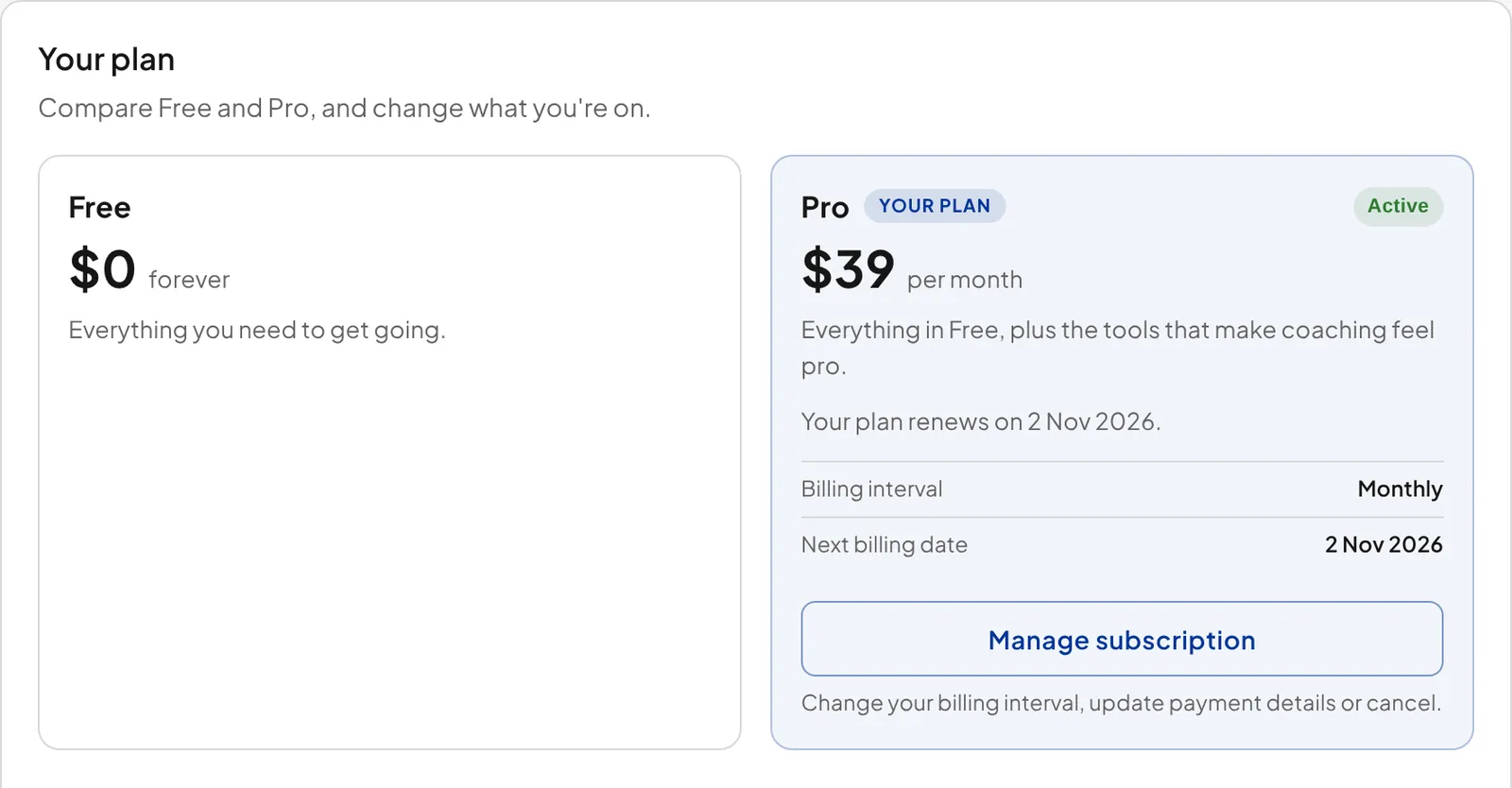
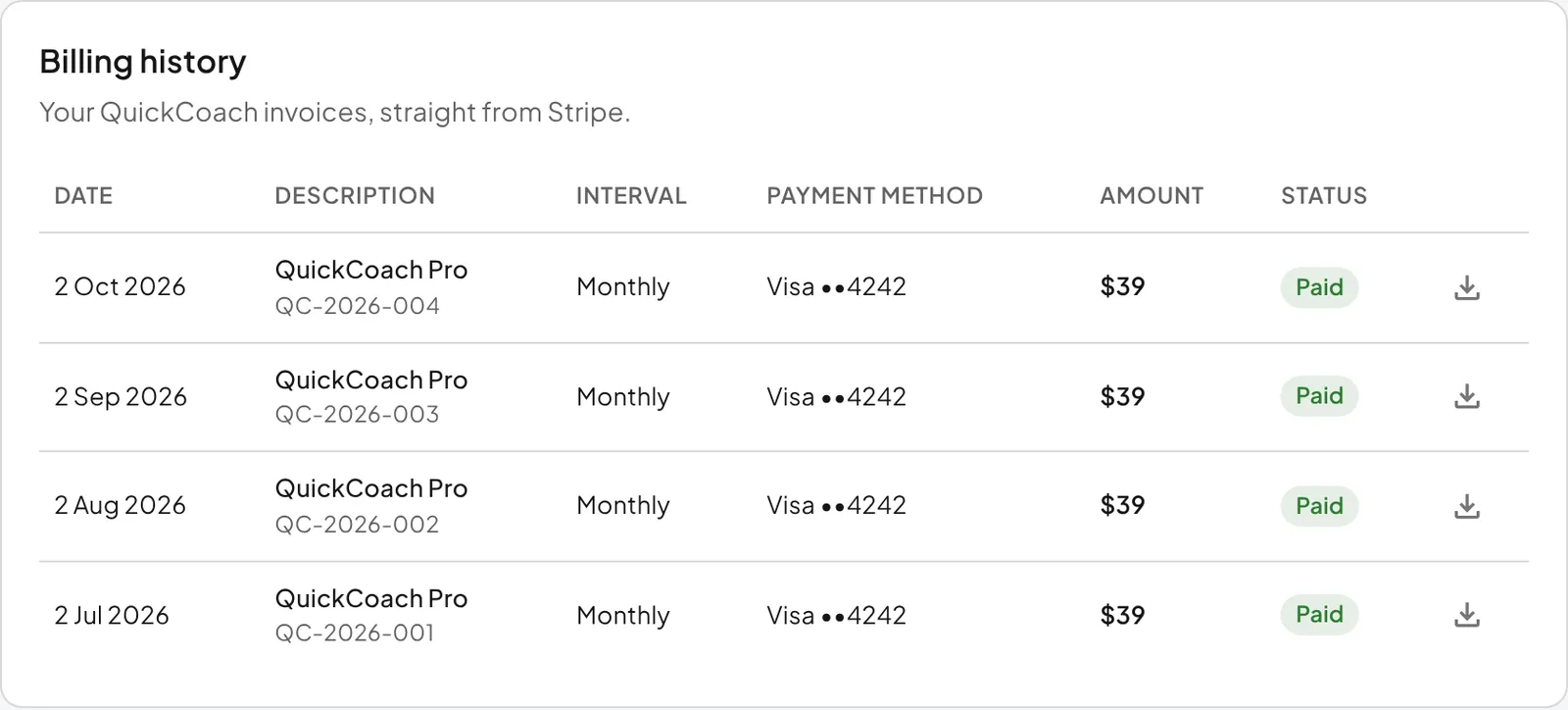
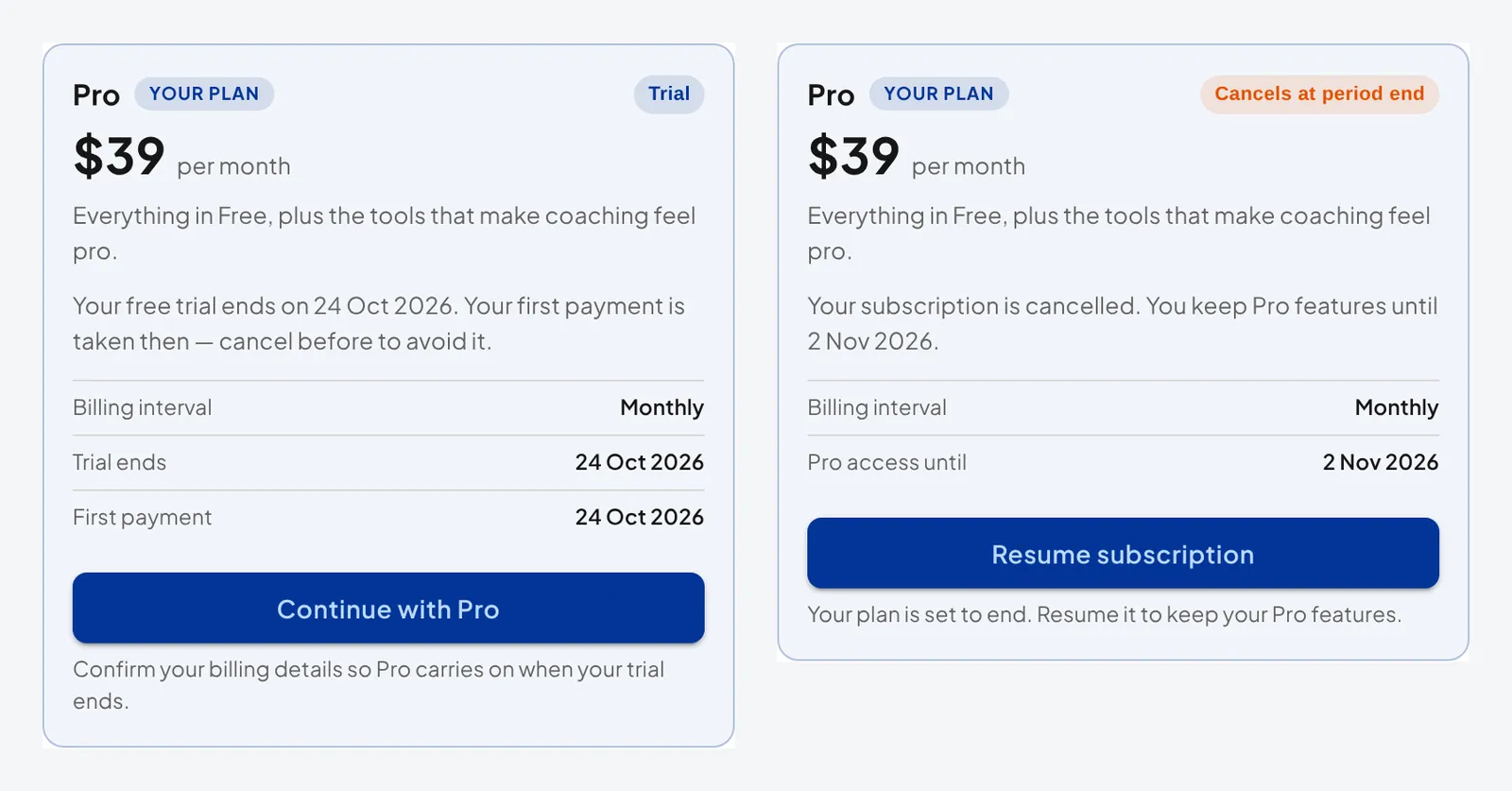
Open your account settings and choose My Subscription, then click the Manage subscription button on your Pro plan. (The same button reads 'Continue with Pro' during a trial, 'Resume subscription' if you've cancelled and the plan is set to end, and 'Update payment method' after a failed payment.) You'll be taken to a secure Stripe portal tied to your account. The My Subscription page itself also shows your plan's status and dates, and lists your past invoices under 'Billing history'.
What you can do in the portal
- Check your renewal date to see when your next payment is due.
- Update your payment information if your card has changed or is about to expire.
- Download receipts for accounting and tax purposes.
- Cancel your subscription.
Important: Keep your payment details current. A failed renewal can end with your client app being deactivated, and that's an awkward conversation to have mid-programme.
Downgrading to Free with more than 20 clients? You'll need to bring your workspace down to 20 or fewer clients, or stay on Pro. Inactive client data stays preserved either way. Bear in mind that any client you mark Inactive loses access to their plans, on Free and on Pro, and that only Pro lets you reverse it. See active and inactive clients, and the plan limits.
Switch to annual billing
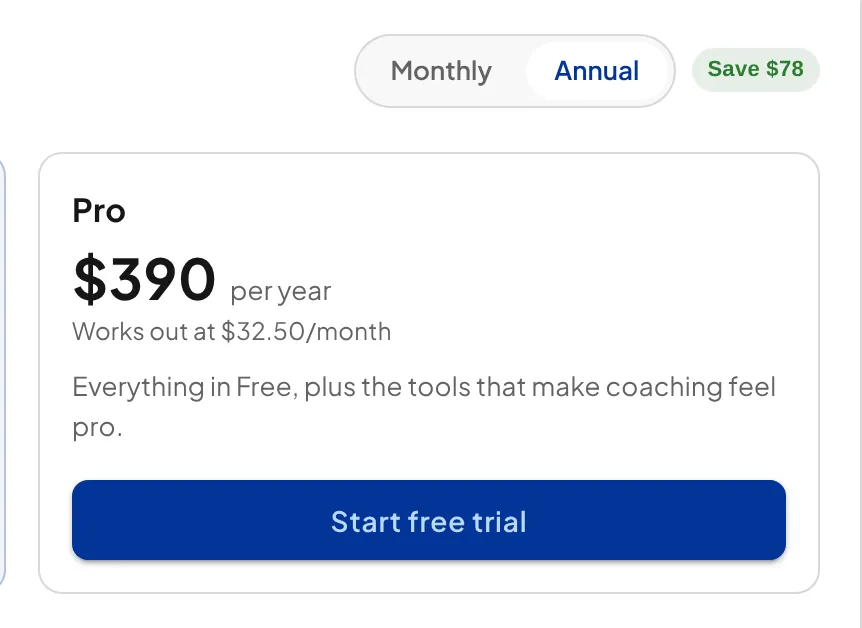
Pro comes in two billing flavours: $39 per month on monthly billing, or $390 per year up front. Annual works out at $32.50 per month, saving you $78 a year, two months' worth, compared with paying monthly.
- Open your account settings and choose My Subscription.
- Click Manage subscription on your Pro plan to open the Stripe portal.
- Change your billing interval to yearly and confirm.
If you're upgrading from Free, pick 'Annual' on the Monthly / Annual switch above the plans before you start checkout instead.
Billing changes take effect at the end of your current billing period. On monthly billing, that means the switch to annual applies from your next renewal. Once you're on annual, you can't swap mid-term; any change waits until the year is up.
Nothing about the product changes with the billing period. Same features, same unlimited clients, same add-on availability. The only difference is what your card is charged and when. If you're still deciding whether Pro is right for you at all, run a month or two on monthly billing first. Switching to annual once you're settled is straightforward.
Why does FitFocus IO PTY LTD appear on my bank statement?
The charge on your account is for QuickCoach, not FitFocus. QuickCoach was acquired by FitFocus IO PTY LTD in December 2025. Because FitFocus IO PTY LTD is now the legal entity that owns QuickCoach, its name appears on your statement for these charges.
Nothing changes for you. Your subscription, pricing and receipts carry on as normal; only the company name on the statement line reflects the ownership. If a charge under that name doesn't match your Pro subscription or your add-ons, email support@quickcoach.fit before disputing it with your bank and we'll trace it for you.
Card security
QuickCoach does not store any credit card information. The subscription management section is operated by Stripe through their secure portal, so your card details stay with Stripe.
The plans and pricing overview covers what each plan and add-on costs, and the Pro guide walks through everything the subscription includes.