
Send a client their account link
Clients sign in with a unique account link, no username or password needed. Send it through QuickCoach or copy it and share it yourself.

Clients don't need a username or password. Each client has a unique account link, and that link is their way in. You can send it with the built-in feature or share it yourself through whatever channel you already use.
Once a client clicks it, they're in. As you make changes to their plans, their account updates in real time.
Watch the video walkthrough (1:23).
Note: QuickCoach's features and screen layouts may change over time, but the core workflow stays the same.
Use QuickCoach to send the link
Open your client's account and click the Send client their URL button beside their link box.
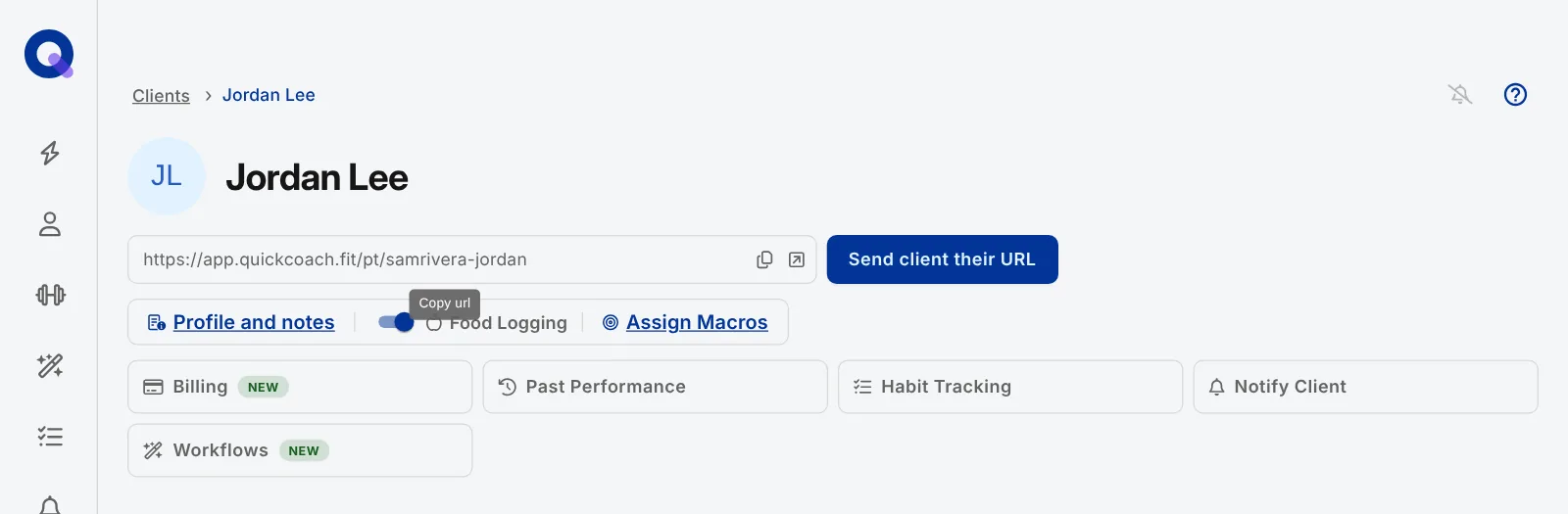
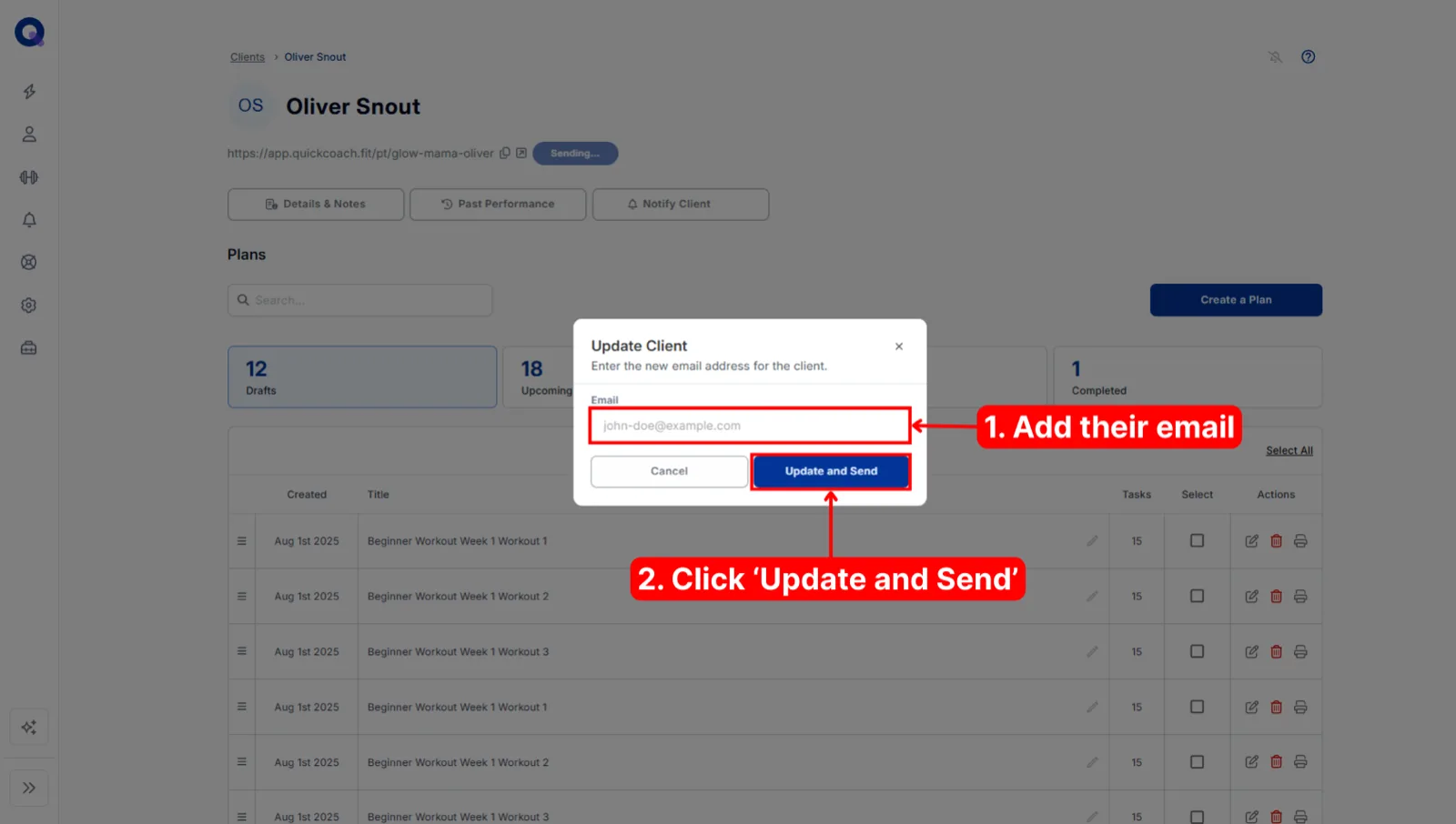
If the account doesn't have an email address attached yet, a pop-up asks for one. Type in your client's email address, then click Update and Send.
What the email looks like
The email has a Get Started button that opens the client's account. On Pro, it carries the logo and colours you've set in your account settings, so it arrives looking like it came from your business. On the free plan, clients get the QuickCoach-branded default instead. See what the welcome email looks like for clients, and customising the client welcome email for how the branding works.
Send it straight after publishing a plan
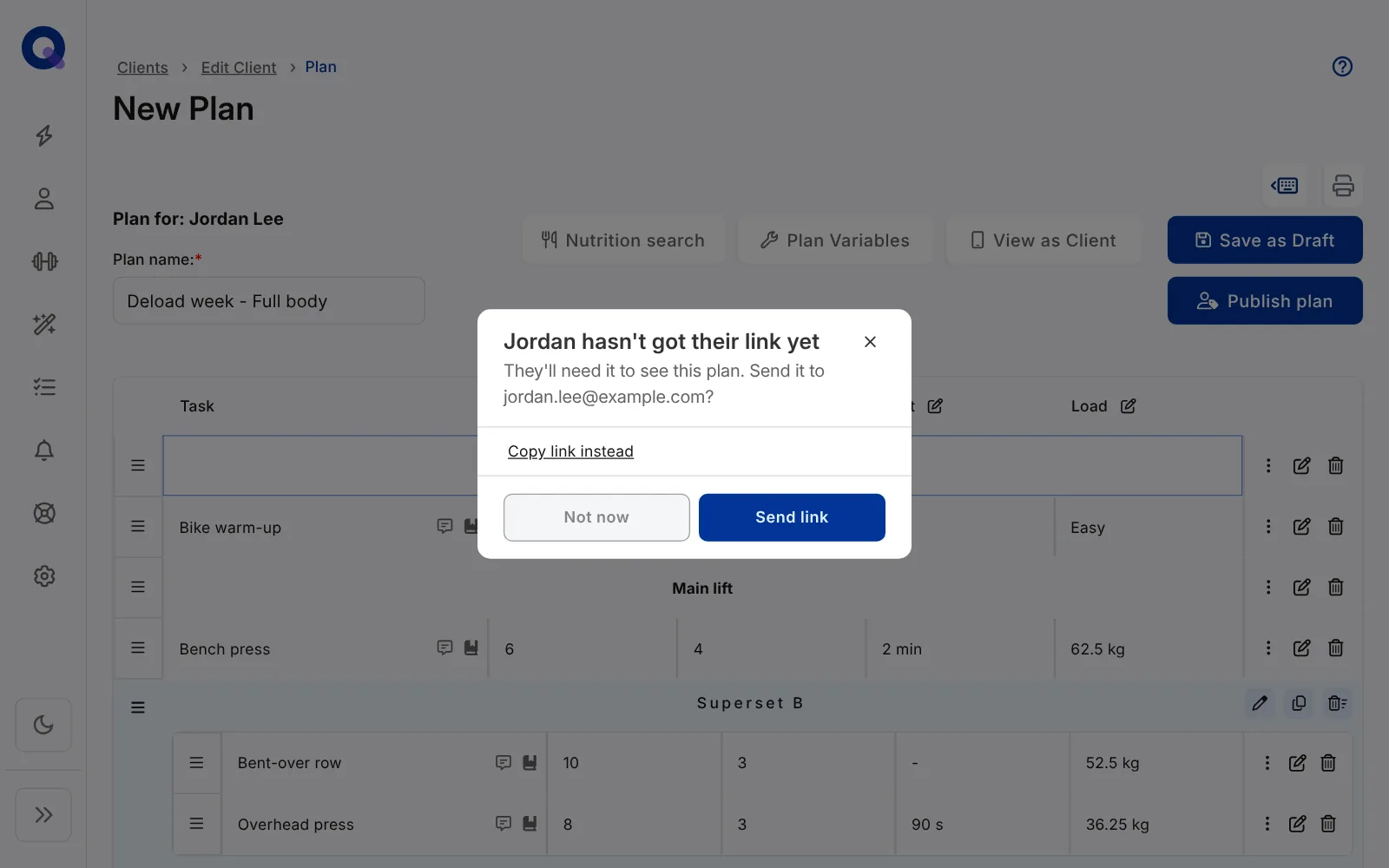
You don't have to go to the client's page first. When you publish a plan for a client who hasn't been sent their link yet, QuickCoach asks straight away: "[Name] hasn't got their link yet". If there's an email address on file, the prompt offers to send the link there, with three choices.
- Send link emails them their link, the same as the button on their page.
- Copy link instead copies it so you can send it your own way.
- Not now closes the prompt.
If the client has no email address, the prompt offers Copy link and Not now instead. Once the email has gone out, you won't be asked again for that client. Copying the link or choosing Not now also stops the prompt for that client in the browser you're using.
Send the link yourself
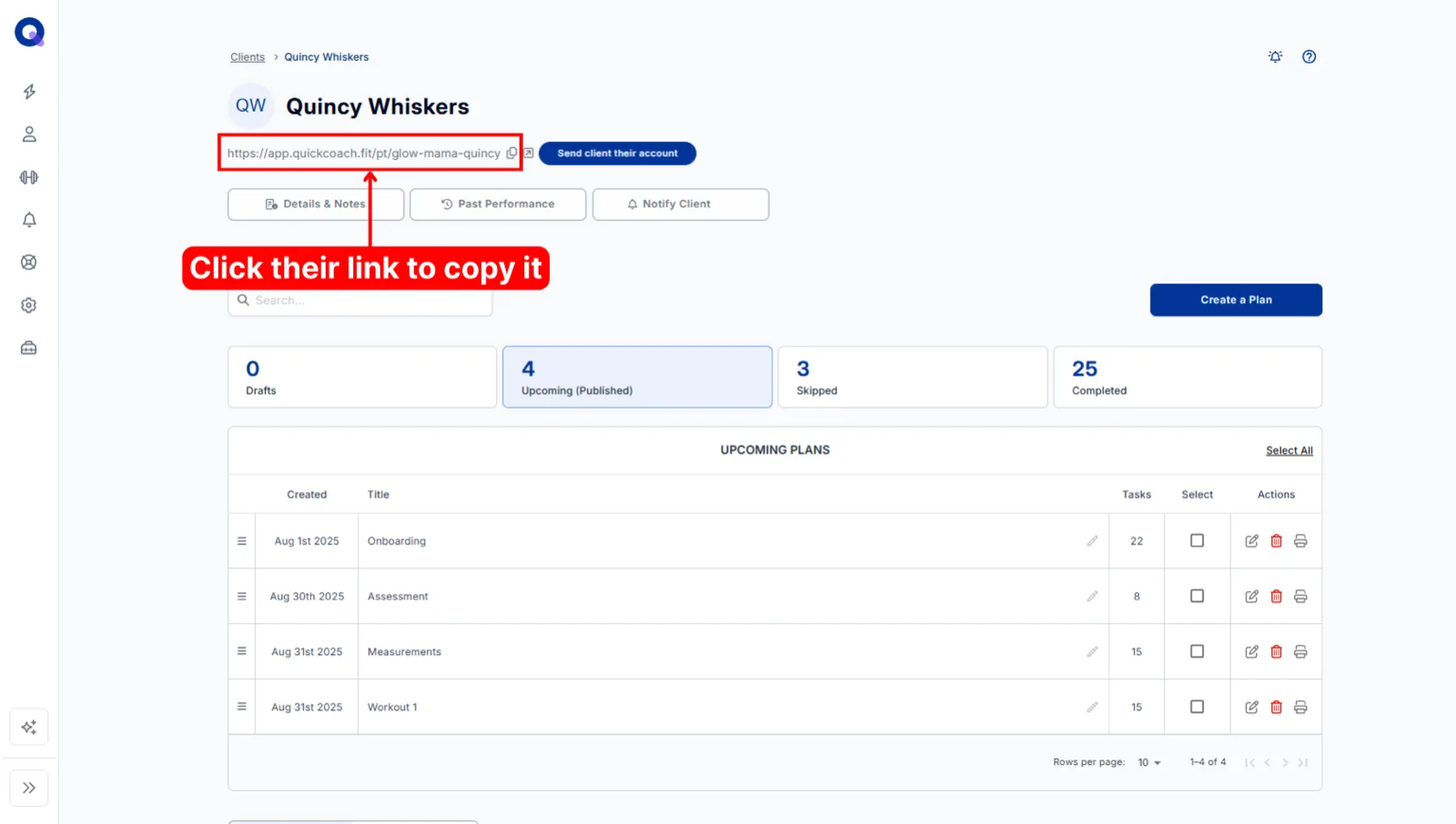
Prefer your own channel? Click your client's link at the top of their account to copy it to your clipboard.
Then paste it into an email, a text message, or anywhere else you talk to your clients.
Frequently asked questions
Can I change the text of the email clients get?
On Pro, yes. In Account Settings, open 'Customize Client App', then 'Email', and fill in 'Email body text', 'Support line' and 'Sign-off'. Leave any of them blank to use the default. On Free the text is fixed, so copy the link and send it yourself if you want different wording.
Do I need to give my clients access to their account?
Nope. If you're only using QuickCoach to track in-person sessions, your clients never need access. There's more on that workflow in training in-person clients.
Will my client be notified when a new plan is added?
No, notifications stay under your control. When you add a new plan it appears on your client's end in real time, waiting for them. If you want them to know about it, send them a push notification.
Haven't added the client yet? Start with inviting your first client, then come back here to send the link.