
Which workflow to use when
All five Workflows and the occasion each one is built for, from the Monday-morning Activity Digest to the Client Check-in, plus a simple rhythm to start with.

Workflows do the repetitive reporting and check-in admin for you. Rather than build anything, you pick the workflow that answers the question you have right now and run it. This article walks through all five, and the occasion each one is built for, so you always know which to reach for. New to the add-on? Start with all about Workflows.
There are two groups. Three workflows run across your whole roster and land in your inbox. Two run for a single client. Here is the quick version, then the detail.
Quick reference
| Workflow | Reach for it when | Scope | Where the result goes |
|---|---|---|---|
| Client Activity Digest | You want your weekly who-needs-me scan: who has completed or skipped a plan, and who has gone quiet. | Whole roster | Emailed to you |
| Client Retention Radar | You want to get ahead of cancellations, and see who is drifting, why, and what to do about it, plus wins worth celebrating. | Whole roster | Emailed to you |
| Client List Export | You need the raw data: a full client list with plan status and activity for your records, a review, or a spreadsheet. | Whole roster | CSV attached to an email |
| Client Insight Report | One client needs a proper progress review, before a renewal, a milestone, or a wobble. | One client | PDF emailed to you |
| Client Check-in | It is time to run a structured check-in and have the client answer your questions. | One client | Sent to your client |
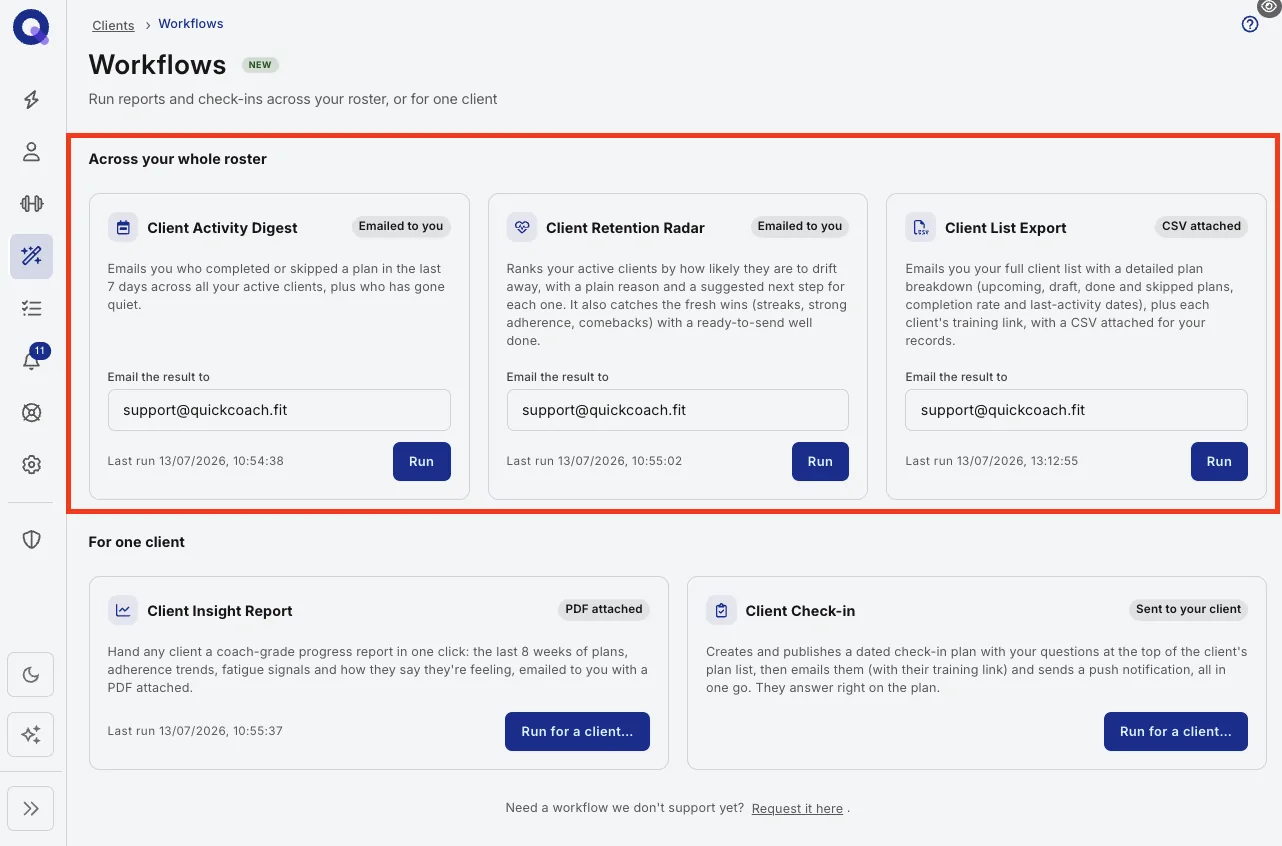
Across your whole roster
Client Activity Digest. This is your Monday-morning scan. It emails you who completed or skipped a plan in the last seven days across all of your active clients, plus who has gone quiet. Reach for it when you want a fast read on where your attention is worth spending this week, before you open a single client profile. The clients who quietly stop showing up are the ones who cancel, and this is how you catch them while there is still time to do something about it.
Client Retention Radar. This is the one to run when you are thinking about churn. It ranks your active clients by how likely they are to drift away, and for each one it gives you a plain reason and a suggested next step, so you are not left guessing what to do with the list. It also catches the fresh wins, streaks, strong adherence and comebacks, with a ready-to-send well done. Use it fortnightly, or any time the business needs a proactive look at who is slipping and who deserves a pat on the back.
Client List Export. This is the admin and records workflow. It emails you your full client list with a detailed plan breakdown covering upcoming, draft, done and skipped plans, along with completion rate and last-activity dates, plus each client's training link, with a CSV attached. Reach for it at the end of the month, before a business review, or any time you want your whole book in a spreadsheet you can sort and keep.
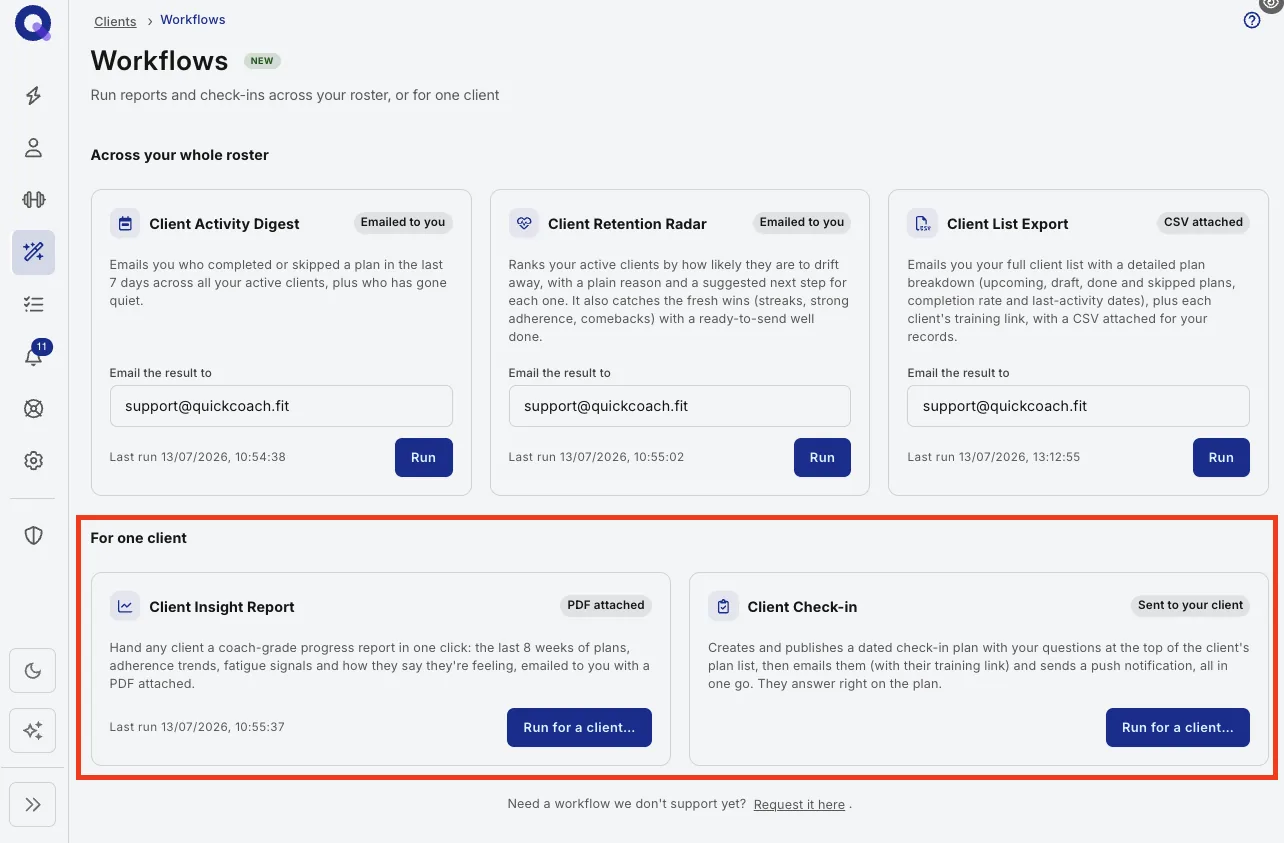
For one client
Client Insight Report. This is the deep dive on a single person. In one click it produces a coach-grade progress report covering the last eight weeks of plans, adherence trends, fatigue signals, and how the client says they have been feeling, emailed to you as a PDF. Reach for it before a renewal conversation, ahead of a milestone or review call, or when a client is wavering and the most convincing thing you can show them is their own progress laid out clearly.
Client Check-in. This is how you actually run a check-in. It creates and publishes a dated check-in plan with your questions at the top of the client's plan list, then emails them with their training link and sends a push notification, all in one go, and they answer right on the plan. Use it on your regular check-in cadence, weekly or fortnightly, whenever it is time for a client to report back in a structured way rather than a loose message thread.
Still not sure? Start with two questions
Whole roster or one client? If you want a view across everyone, you are choosing between the three roster workflows. If it is about one person, you are choosing between the Insight Report and the Check-in.
What do you want to walk away with? A quick read in your inbox points to the Activity Digest or Retention Radar. A file for your records points to the Client List Export (CSV) or the Client Insight Report (PDF). Something that reaches the client points to the Check-in.
A simple rhythm that works
You do not have to run all five. Most coaches settle into a light routine: the Client Activity Digest every Monday to see who needs them, the Client Retention Radar every couple of weeks to stay ahead of churn, the Client Check-in on their normal check-in day, and the Client Insight Report and Client List Export pulled as needed around renewals and month-end. Start with one, see what it saves you, and add from there.