
Viewing client habit results
Open a client's Habit History to see every habit in their stack with the full response record, so you can spot streaks, dips and drift before every check-in.

Habit history shows you how consistently each client is actually responding, which makes it the best possible fuel for a check-in. Here's how to view it.
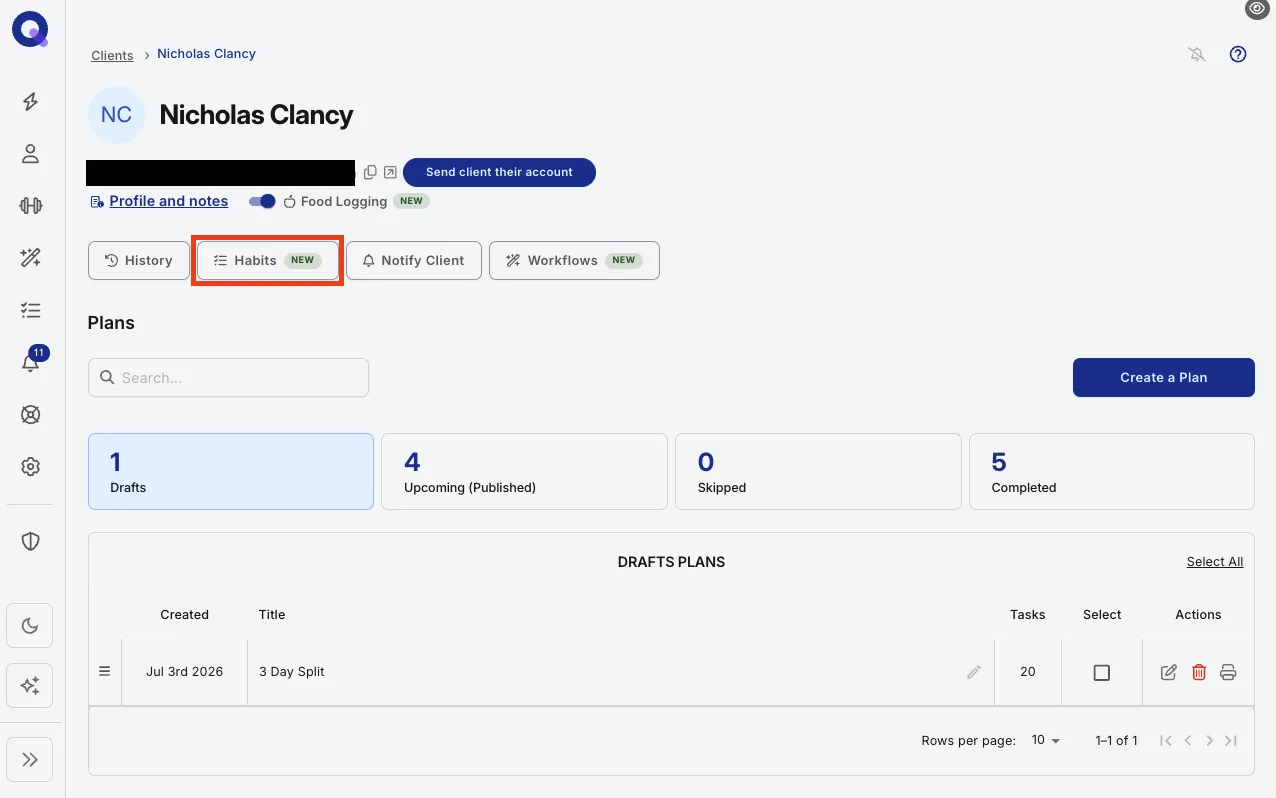
- Go to your Clients page, open the client, and click their Habits tab.
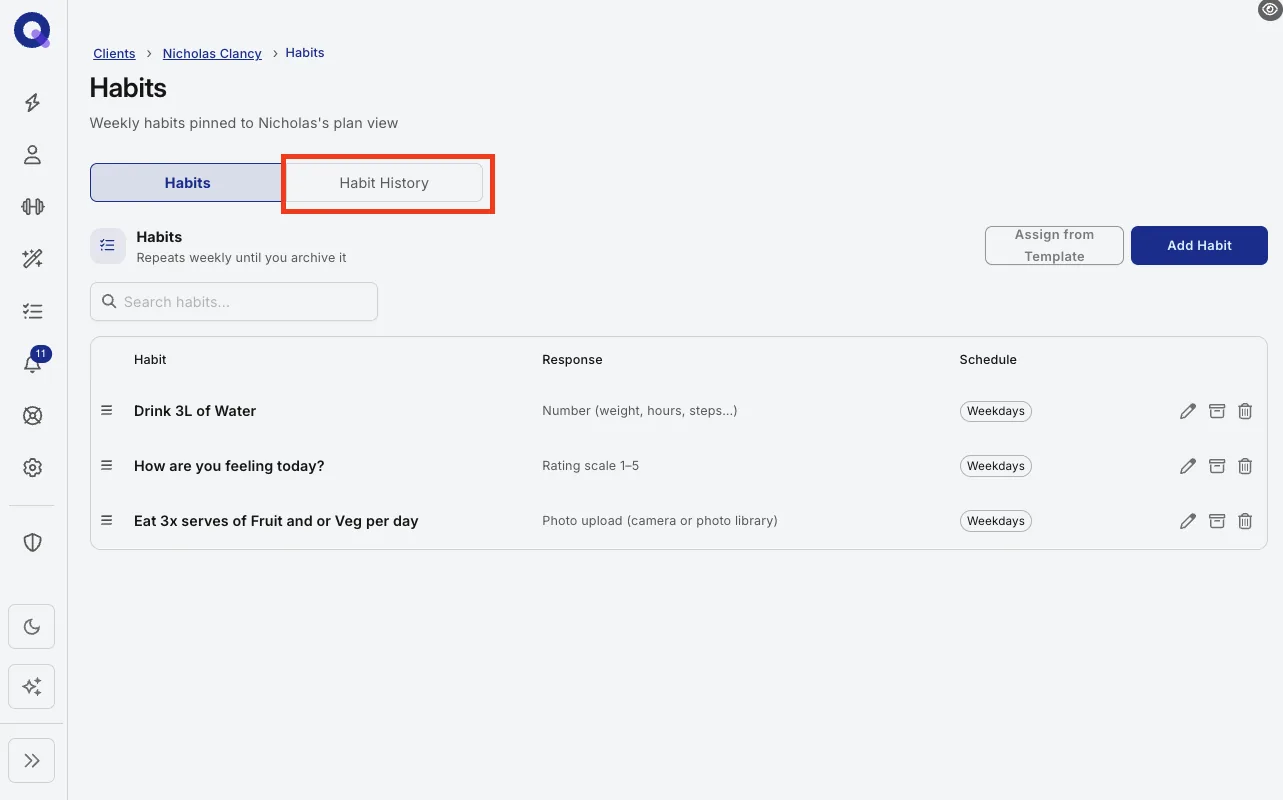
- Open Habit History.
- Read the history.
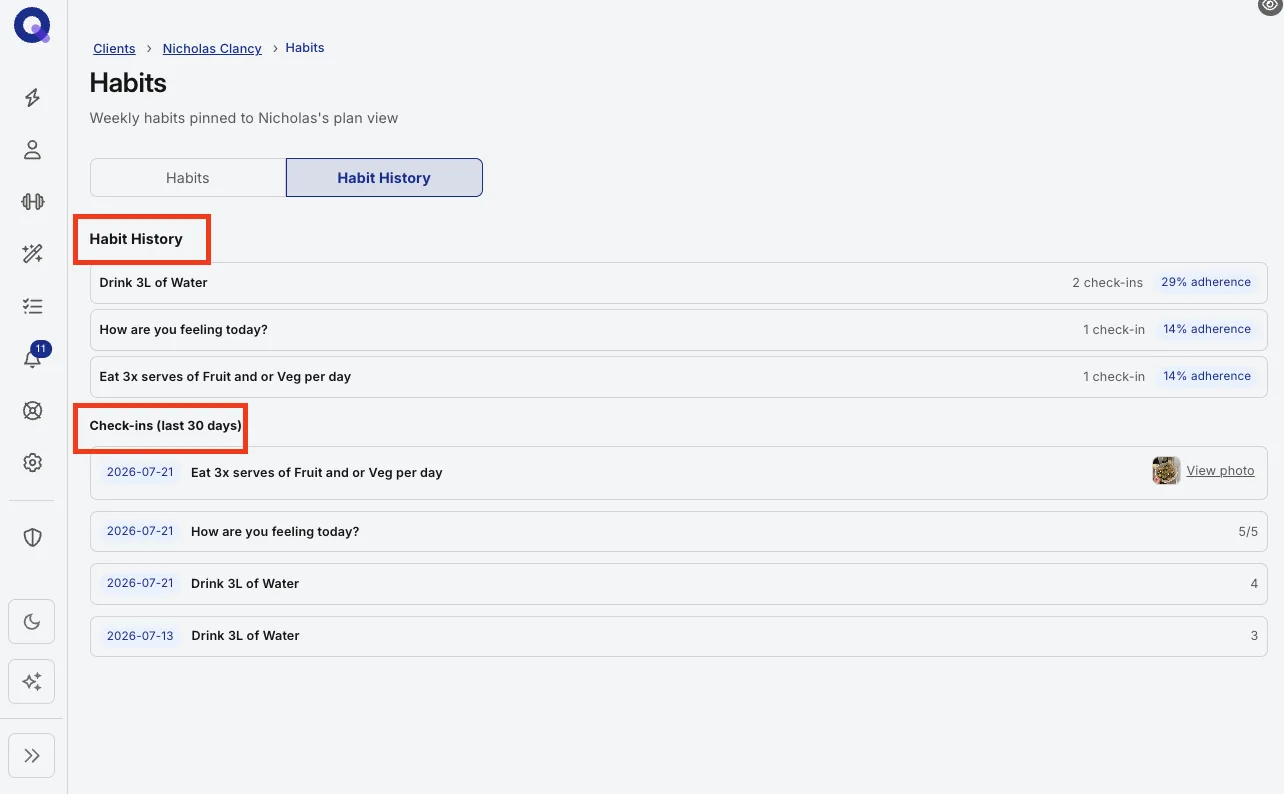
You'll see every habit in that client's stack along with their full response history, so you can spot streaks, dips and drift at a glance.
Note: habit consistency usually slips weeks before results do, so a quick scan before every check-in catches problems while they are still small.